Free Shipping on Domestic Orders $75+

How to Fix an Xbox One Controller Stuck Button

What you need

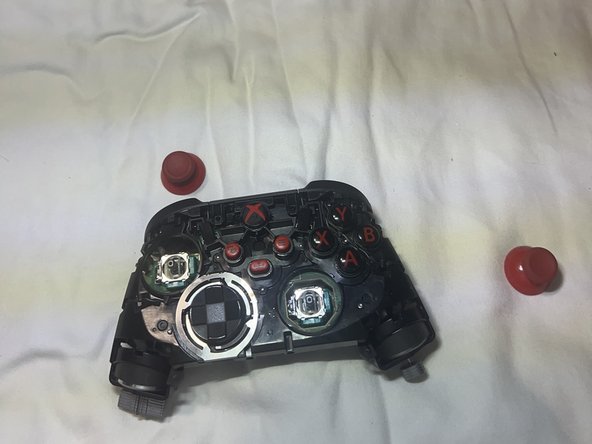
  1. How to Fix an Xbox One Controller Stuck Button, How to Fix an Xbox One Controller Stuck Button: step 1, image 1 of 3 How to Fix an Xbox One Controller Stuck Button, How to Fix an Xbox One Controller Stuck Button: step 1, image 2 of 3 How to Fix an Xbox One Controller Stuck Button, How to Fix an Xbox One Controller Stuck Button: step 1, image 3 of 3
    • Use an opening tool to remove the back panels of the controller.

    Ask FixBot

    Add Comment

  2. How to Fix an Xbox One Controller Stuck Button: step 2, image 1 of 3 How to Fix an Xbox One Controller Stuck Button: step 2, image 2 of 3 How to Fix an Xbox One Controller Stuck Button: step 2, image 3 of 3
    • Remove the five screws from the back of the controller.

    • The 5th screw is behind the sticker in the battery compartment.

    Ask FixBot

    Add Comment

  3. How to Fix an Xbox One Controller Stuck Button: step 3, image 1 of 3 How to Fix an Xbox One Controller Stuck Button: step 3, image 2 of 3 How to Fix an Xbox One Controller Stuck Button: step 3, image 3 of 3
    • Remove the front and back covers.

    • Remove the screws on the inside.

    Ask FixBot

    Add Comment

  4. How to Fix an Xbox One Controller Stuck Button: step 4, image 1 of 3 How to Fix an Xbox One Controller Stuck Button: step 4, image 2 of 3 How to Fix an Xbox One Controller Stuck Button: step 4, image 3 of 3
    • Remove the screws.

    • Flip the controller over and remove the joysticks.

    Ask FixBot

    Add Comment

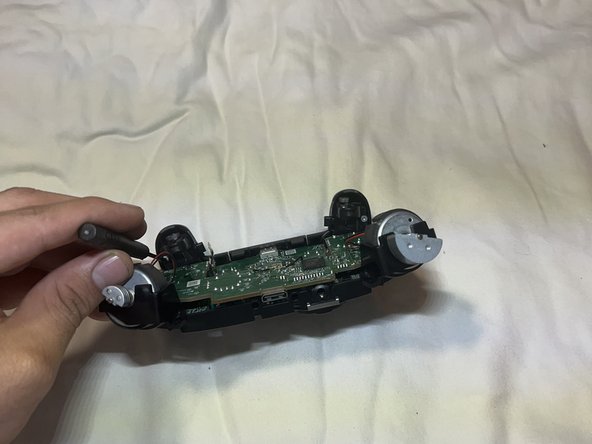
  5. How to Fix an Xbox One Controller Stuck Button: step 5, image 1 of 2 How to Fix an Xbox One Controller Stuck Button: step 5, image 2 of 2
    • Remove both screws near the trigger.

    Ask FixBot

    Add Comment

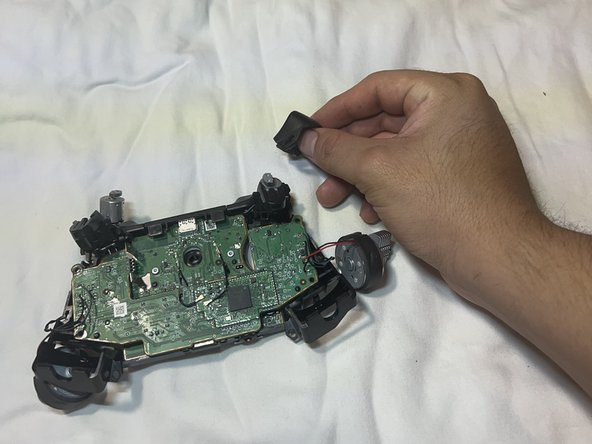
  6. How to Fix an Xbox One Controller Stuck Button: step 6, image 1 of 3 How to Fix an Xbox One Controller Stuck Button: step 6, image 2 of 3 How to Fix an Xbox One Controller Stuck Button: step 6, image 3 of 3
    • Remove the triggers to create more space.

    • Remove the screws holding the motherboard.

    Ask FixBot

    Add Comment

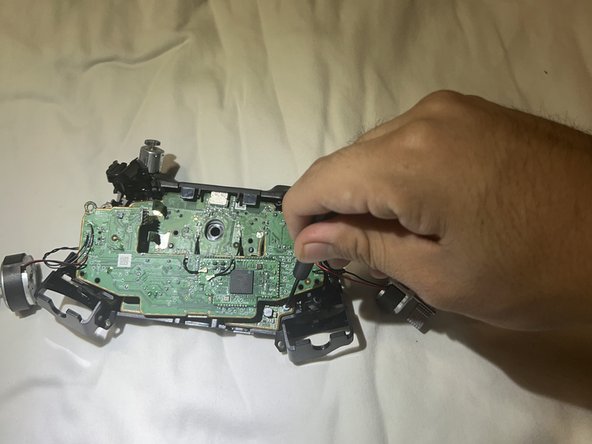
  7. How to Fix an Xbox One Controller Stuck Button: step 7, image 1 of 3 How to Fix an Xbox One Controller Stuck Button: step 7, image 2 of 3 How to Fix an Xbox One Controller Stuck Button: step 7, image 3 of 3
    • Remove the screws underneath the first chip board.

    Ask FixBot

    Add Comment

  8. How to Fix an Xbox One Controller Stuck Button: step 8, image 1 of 3 How to Fix an Xbox One Controller Stuck Button: step 8, image 2 of 3 How to Fix an Xbox One Controller Stuck Button: step 8, image 3 of 3
    • Remove all screws holding the motherboard.

    • Pry open the top of the controller to release the motherboard.

    Ask FixBot

    Add Comment

  9. How to Fix an Xbox One Controller Stuck Button: step 9, image 1 of 3 How to Fix an Xbox One Controller Stuck Button: step 9, image 2 of 3 How to Fix an Xbox One Controller Stuck Button: step 9, image 3 of 3
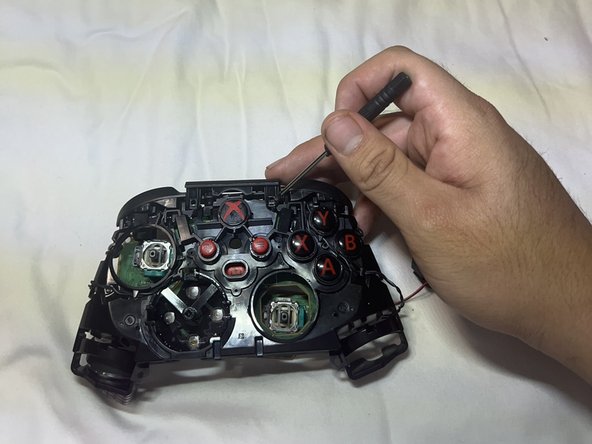
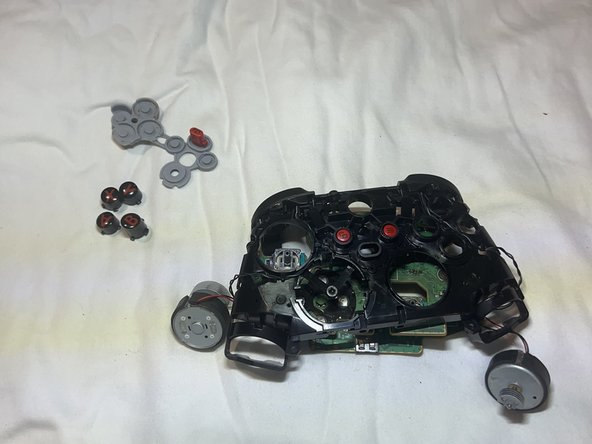
    • Remove the motherboard.

    • Remove the buttons.

    Ask FixBot

    Add Comment

  10. How to Fix an Xbox One Controller Stuck Button: step 10, image 1 of 3 How to Fix an Xbox One Controller Stuck Button: step 10, image 2 of 3 How to Fix an Xbox One Controller Stuck Button: step 10, image 3 of 3
    • Clean the new buttons with rubbing alcohol for less friction.

    • Clean the controller frame holes.

    Ask FixBot

    Add Comment

Conclusion

To reassemble your device, follow these instructions in reverse order.

Cancel: I did not complete this guide.

One other person completed this guide.

iAmChrisBro

Member since: 10/27/23

218 Reputation

1 Guide authored

Team

0 Guide Comments

Add Comment

View Statistics:

Past 24 Hours: 7

Past 7 Days: 56

Past 30 Days: 270

All Time: 5,758