Free Shipping on Domestic Orders $75+

How to Fix Joy-Con Drift Without Disassembly

What you need

    1. How to Fix Joy-Con Drift Without Disassembly, How to Fix Joy-Con Drift Without Disassembly: step 1, image 1 of 2 How to Fix Joy-Con Drift Without Disassembly, How to Fix Joy-Con Drift Without Disassembly: step 1, image 2 of 2
      • Press and hold the black round button on the back of the Joy-Con, then slide it forward to remove.

      Ask FixBot

      Add Comment

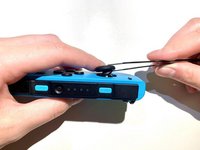
    2. How to Fix Joy-Con Drift Without Disassembly: step 2, image 1 of 2 How to Fix Joy-Con Drift Without Disassembly: step 2, image 2 of 2
      • Open the 404B contact cleaner and insert the tube into the nozzle.

      Ask FixBot

      Add Comment

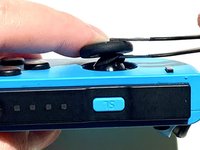
    3. How to Fix Joy-Con Drift Without Disassembly: step 3, image 1 of 1
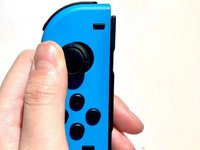
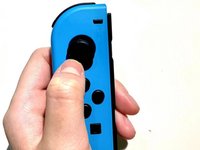
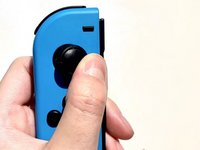
      • Push the Joy Stick to the side and hold.

      Ask FixBot

      Add Comment

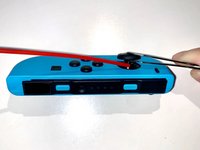
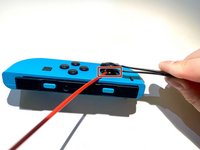
    4. How to Fix Joy-Con Drift Without Disassembly: step 4, image 1 of 2 How to Fix Joy-Con Drift Without Disassembly: step 4, image 2 of 2
      Tool used on this step:
      Tweezers
      $4.99
      Buy
      • Use tweezers to lift the rubber ring under the Joy Stick, and hold.

      Ask FixBot

      Add Comment

    5. How to Fix Joy-Con Drift Without Disassembly: step 5, image 1 of 2 How to Fix Joy-Con Drift Without Disassembly: step 5, image 2 of 2
      • Aim the contact cleaner's nozzle at the gap and spray 404B contact cleaner once or twice.

      Ask FixBot

      Add Comment

    6. How to Fix Joy-Con Drift Without Disassembly: step 6, image 1 of 3 How to Fix Joy-Con Drift Without Disassembly: step 6, image 2 of 3 How to Fix Joy-Con Drift Without Disassembly: step 6, image 3 of 3
      • Rotate the Joy Stick for 30 seconds to allow full penetration of the liquid inside.

      Ask FixBot

      Add Comment

    7. How to Fix Joy-Con Drift Without Disassembly: step 7, image 1 of 1
      • Wait 10 minutes for the liquid to dry completely.

      Ask FixBot

      Add Comment

    8. How to Fix Joy-Con Drift Without Disassembly: step 8, image 1 of 3 How to Fix Joy-Con Drift Without Disassembly: step 8, image 2 of 3 How to Fix Joy-Con Drift Without Disassembly: step 8, image 3 of 3
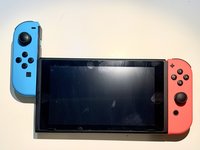
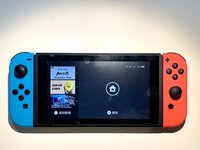
      • Insert the Joy-Con back into the Switch to test the Joy-Con.

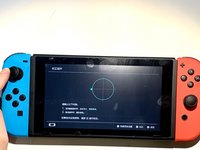
      • Navigate to System Settings > Controllers and Sensors > Calibrate Control Sticks.

      • Follow the on-screen prompts on your Switch.

      Ask FixBot

      Add Comment

Conclusion

Enjoy your Joy-Con being able to work properly again!

Cancel: I did not complete this guide.

41 other people completed this guide.

Weijie Chen

Member since: 01/16/22

1,269 Reputation

1 Guide authored

2 Guide Comments

Muchas gracias.

AlmudenaPita - Reply Share

Process says it requires compressed air then goes on to use contact cleaner instead.

Mike Burr - Reply Share

Add Comment

View Statistics:

Past 24 Hours: 40

Past 7 Days: 277

Past 30 Days: 1,339

All Time: 112,634