Introduction
This is a quick fix that can greatly improve, or fully restore, the ability to view DVDs with a Panasonic DVD-RV31 Player. Through normal use, a DVD player will get dirty and occasionally the laser's lens will need to be cleaned to restore functionality.
No special skills needed and nothing unusual about this repair; it should be easy to do and satisfying once completed! The only tool required is a microfiber or eyeglass cleaning cloth to be used on the lens to ensure it's not scratched in the cleaning.
What you need
-
-
-
Eject the disk tray from the DVD player before removing power supply.
 Ask FixBot
-
-
-
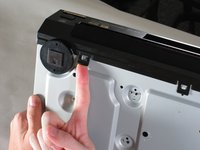
Evenly lift upward on the disk tray front cover (not slanted, as pictured). This will allow for easier disassembly of the player.
-
-
-
-
-
Remove the three screws running along the back edge of case cover.
-
Remove the two screws from each side of the case cover.
-
-
-
Grab edges of the cover with your hands. Pull outward slightly, then straight up.
-
-
-
-
-
-
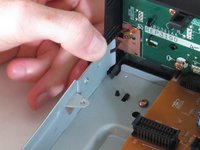
Lift up the five tabs securing the front panel to the chassis. There are three on the bottom, and two on the inside edges of the panel. Panel should then lift off the player.
-
-
-
-
-
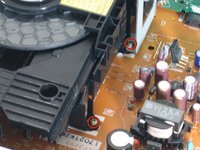
Locate the four screws securing the disk drive assembly. There are two on each side.
-
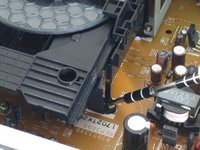
Use a narrow screwdriver to remove all four screws.
-
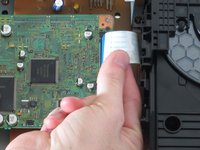
Remove the blue ribbon wire from its connector. When doing this, be cautious to not damage the connector.
-
-
-
Lift assembly by the front to pull metal bracket from the power board.
-
Pull up back end and lift drive out.
-
-
-
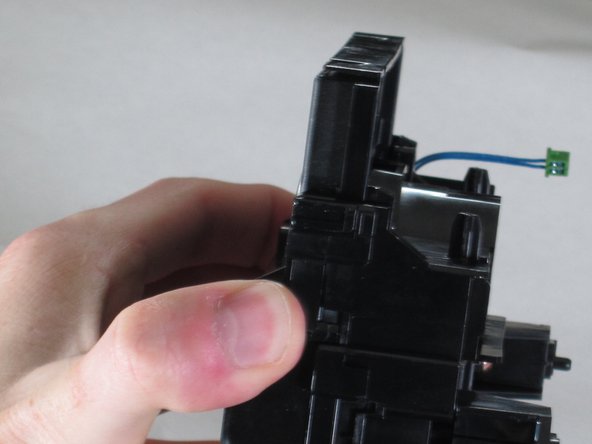
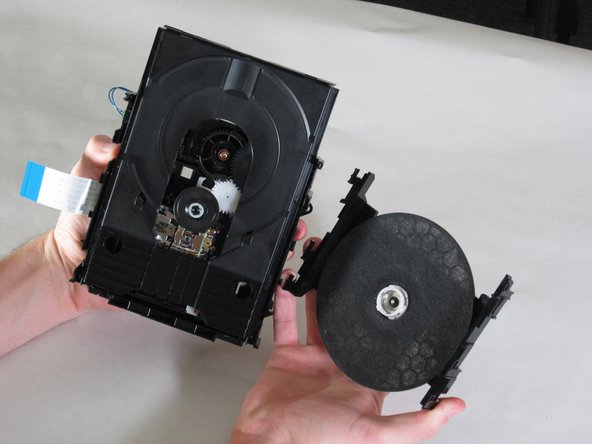
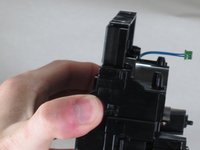
With the drive assembly separate from the player, hold as shown and pull the bracket edges away from the disk drive.
-
Lift bracket off and reserve for re-assembly.
-
-
-
-
-
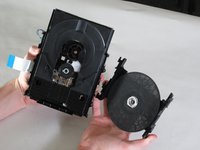
Grasp the bridge above the wheel and push the tabs on the side as shown.
-
Pull down firmly and away from the laser housing.
-
-
-
-
Tool used on this step:Microfiber Cleaning Cloths$3.99
-
Be sure to wash your hands before cleaning the optical laser lens.
-
Grab a microfiber or eyeglass cloth and gently brush the lens.
-
-








To reassemble your device, follow these instructions in reverse order.
Cancel: I did not complete this guide.
4 other people completed this guide.

Team

Cal Poly, Team 18-20, Garner Spring 2011 Member of Cal Poly, Team 18-20, Garner Spring 2011
CPSU-GARNER-S11S18G20
4 Members
132 Guides authored
