
How to Balance a Wobbly Ceiling Fan

Cameron Soto and one other contributor
Last updated on Aug 12, 2026
Views: 738
View statistics:
- Past 24 Hours:
- 17
- Past 7 Days:
- 86
- Past 30 Days:
- 305
- All Time:
- 738
Comments: 0
No one has left comments on this guide. Will you be first?
Go to guide commentsCompleted: 0 1
No one has marked this guide "completed." Will you be the first?
1 person has marked this guide "completed." It's you — great job!
Favorites: 0 1
No one has favorited (and subscribed to) this guide. Will you be the first?
1 person has favorited (and subscribed to) this guide — and that's you!
Featured Student Guide
This guide has been the hard work of our awesome students and is found to be exceptionally cool by the iFixit staff.
Introduction
Go to step 1 ↓Is your ceiling fan shaking, clicking, or making the light sway? These symptoms can be distracting, but your fan may simply need to be balanced. This guide shows you how to balance it.
Caution: You may need a ladder to reach the fan. Review Ladder Safety DOs and DON'Ts before beginning, and make sure the ladder is stable before climbing or working from it. Turn off power to the fan before starting the repair. You got this!
What you need
Tools
-
Phillips #3 ScrewdriverAffiliate linkAvailable for sale on Amazon
Some fans don't use this bit, but most do. Check if your fan needs this before purchasing.
-
Loctite Super GlueOptional Affiliate linkAvailable for sale on Amazon
The weights in balancing kits come with an adhesive. However, I recommend superglue since it is a stronger bet.
-
-

-
-
-
Place a ladder or step stool beneath the ceiling fan so you can safely reach above the fan blades.
-
Tighten the screws on the bottom of the downrod, turn it hand tight.
 Ask FixBot
-
-
-
Unscrew the light kit screws.
-
Disconnect the light kit and put it somewhere safe.
-
-
-
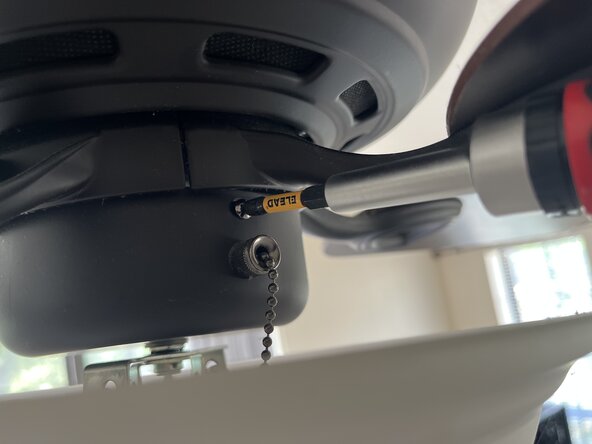
Insert a screwdriver through the opening and tighten each fan blade screw.
-
Rotate the fan blades with your hand to access and tighten the other blade screws.
-
-
-
-
Turn the fan on.
-
Note which fan speed creates the most noticeable wobble, usually the highest setting.
-
-
-
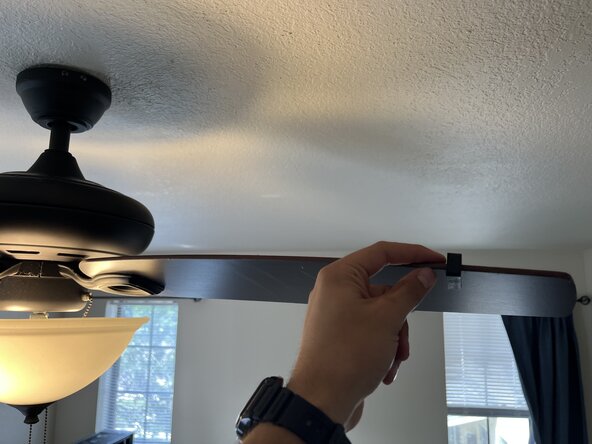
Place a clip from the balancing kit in the middle of a random blade and turn the fan on. Take note of the difference in wobble.
-
Move the clip to the next blade over and turn the fan on again. Continue this process until you've tried the clip on each blade and found the one that improves the wobble the most.
-
-
-
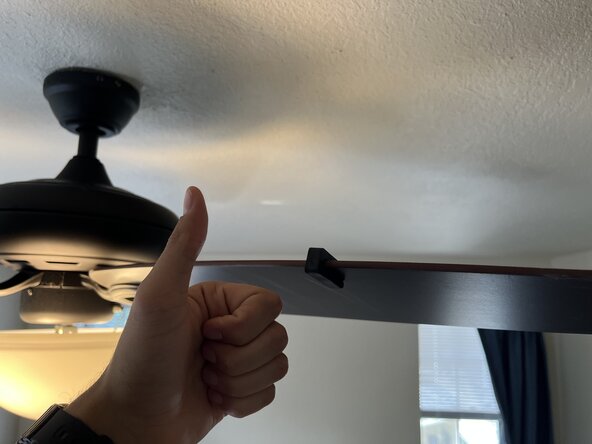
On the fan blade where the clip improves the wobble the most, move the clip slightly left or right.
-
Turn on the fan and repeat this process until you find the “sweet spot” where the wobble is minimized.
-
-
-
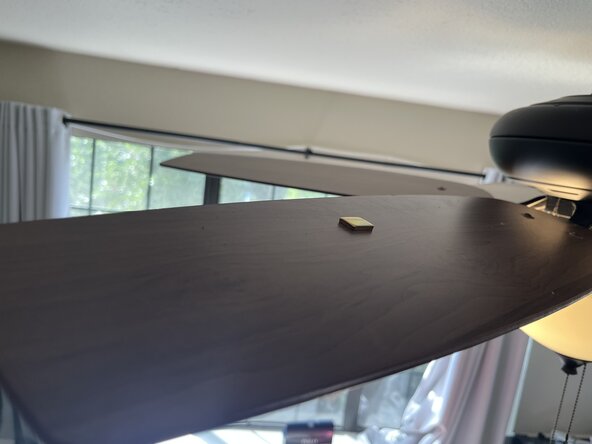
Place the weight with the superglue right in front of the clip.
-
Take the balancing clip off and allow a few minutes for the glue/adhesive to dry.
-
-
-
If the fan still isn't balanced to your liking, do the same process from step 6 starting on the next blade over.
-
-








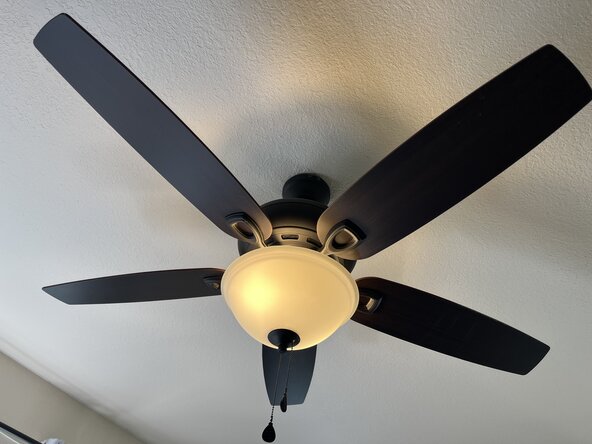
If the fan isn't balanced to your liking, you may want to try another balancing weight. If that doesn't work, there may be an issue with the fan motor itself, or the electrical box in the attic may need to be tightened by an expert.

Team

Austin Community College, Team 34-16, Kapoor Summer 2026 Member of Austin Community College, Team 34-16, Kapoor Summer 2026
AUSTINCC-KAPOOR-SU26S34G16
1 Member
12 Guides authored
