Introduction
This is my guide on improving projector cooling with an external fan system. Keeping a projector properly cooled is important for maintaining performance and extending its lifespan. My step by step tutorial will walk you through a simple and effective way to reduce overheating by using basic tools and accessories. So, let’s get started and let me show you how to resolve this issue cost effectively!
What you need
-
-
Turn the projector off.
-
Unplug the projector from power source.
-
Let the projector cool before handling.
 Ask FixBot
-
-
-
-
Confirm wire is secure in the power bank.
-
Turn on power bank.
-
Place hand in front of fan to check airflow.
-


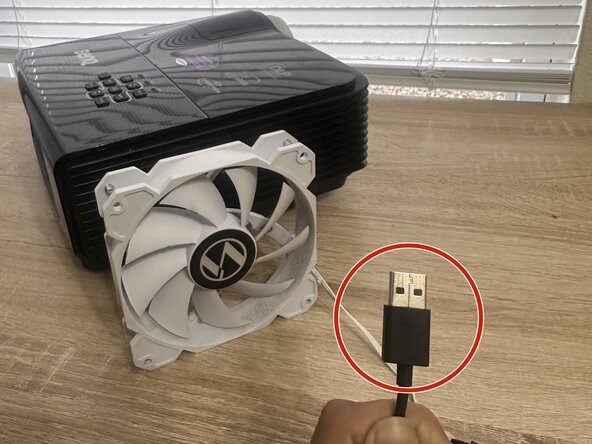


By following my guide, you would have successfully added an external cooling fan to your projector, helping it run more efficiently and reducing the risk of overheating. Proper airflow can extend the lifespan of your device and improve overall performance, especially during long periods of use for events or fun projection mapping sessions.
With my simple setup guide, a fan and power bank offers a portable and cost effective way to keep your projector cool without needing major modifications or going internal. Be sure to regularly check your connections and keep the fan clean for the best results.

Team

Austin Community College, Team 45-4, Kapoor Spring 2026 Member of Austin Community College, Team 45-4, Kapoor Spring 2026
AUSTINCC-KAPOOR-S26S45G4
1 Member
1 Guide authored
