Introduction
This guide for the Hover-1 Maverick guides users in replacing the motherboard in their device. The motherboard is crucial within the hoverboard. It controls all functions and acts as a medium for communication between parts in the device. Symptoms of having a faulty motherboard include the device being unable to balance, unable to hold a charge, has flashing lights, or has trouble powering on. Users need to disconnect the battery and the wires in order to replace the motherboard.
What you need
-
-
*Using a 15mm Phillips screwdriver remove the 20 #1 screws from the shell of the hoverboard.
-
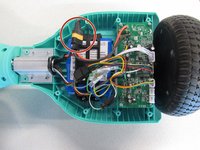
Open the shell.
 Ask FixBot
-
-
-
-
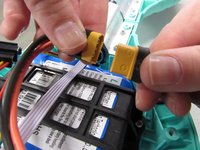
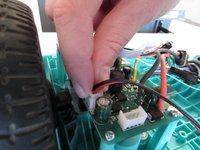
Disconnect the battery to prevent any electrical currents from coming through the wires.
-
-
-
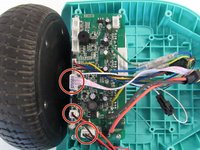
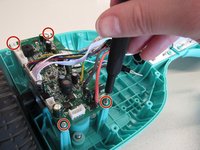
Remove the four 8mm Phillips #1 screws.
-
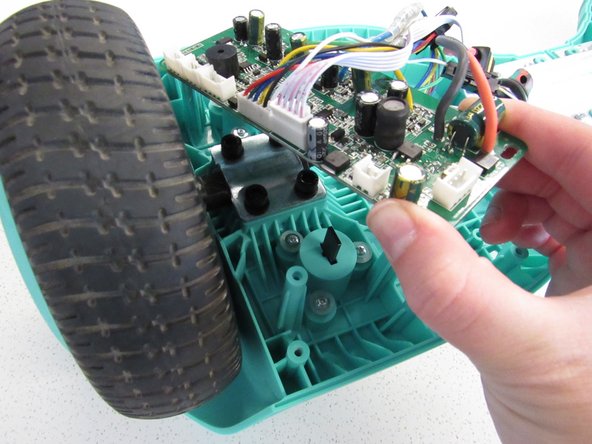
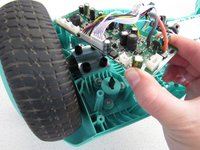
Remove the motherboard from the device.
-
Repeat for the other motherboard.
-





To reassemble your device, follow these instructions in reverse order.
Cancel: I did not complete this guide.
2 other people completed this guide.

1 Guide Comment
Where is the parts to replace them when I get them out? You failed!
