Free Shipping on Domestic Orders $75+

Hover-1 Maverick Foot Mats Replacement

What you need

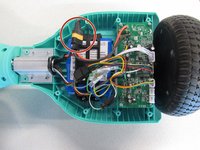
  1. Hover-1 Maverick Foot Mats Replacement, Motherboard: step 1, image 1 of 3 Hover-1 Maverick Foot Mats Replacement, Motherboard: step 1, image 2 of 3 Hover-1 Maverick Foot Mats Replacement, Motherboard: step 1, image 3 of 3
    • *Using a 15mm Phillips screwdriver remove the 20 #1 screws from the shell of the hoverboard.

    • Open the shell.

    • There is one motherboard on each side of the device located near the wheels.

    Ask FixBot
    • Turn off hoverboard.

    Ask FixBot
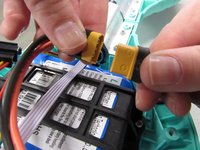
  2. Hover-1 Maverick Foot Mats Replacement: step 3, image 1 of 2 Hover-1 Maverick Foot Mats Replacement: step 3, image 2 of 2
    • Disconnect the battery to prevent any electrical currents from coming through the wires.

    Ask FixBot
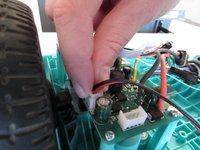
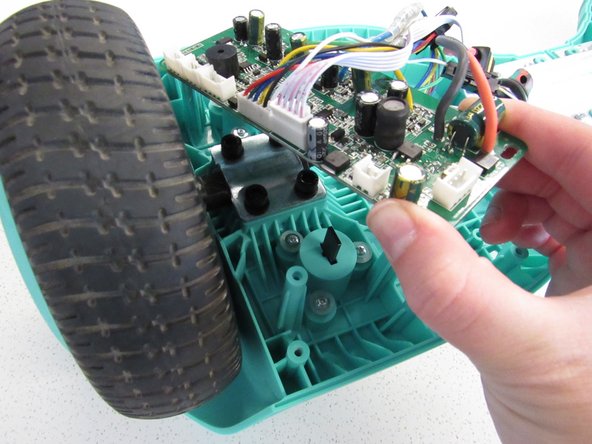
  3. Hover-1 Maverick Foot Mats Replacement: step 4, image 1 of 2 Hover-1 Maverick Foot Mats Replacement: step 4, image 2 of 2
    • Squeeze and pull on the wires to detach them from the motherboard.

    Ask FixBot
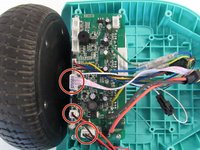
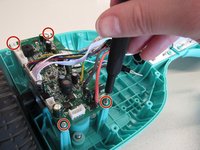
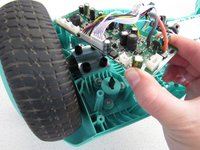
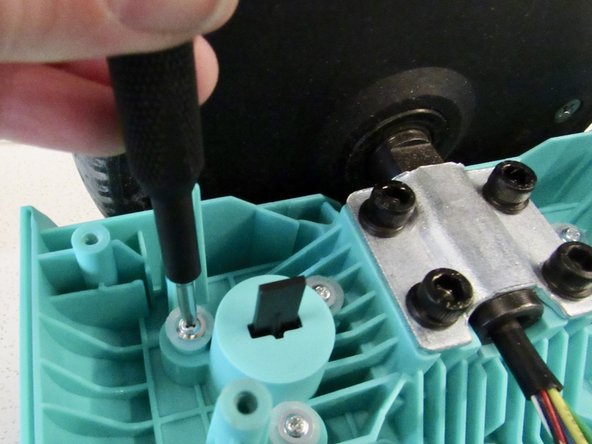
  4. Hover-1 Maverick Foot Mats Replacement: step 5, image 1 of 2 Hover-1 Maverick Foot Mats Replacement: step 5, image 2 of 2
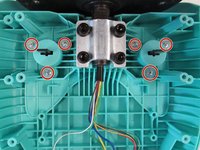
    • Remove the four 8mm Phillips #1 screws.

    • Remove the motherboard from the device.

    • Repeat for the other motherboard.

    Ask FixBot
  5. Hover-1 Maverick Foot Mats Replacement, Foot Mats: step 6, image 1 of 2 Hover-1 Maverick Foot Mats Replacement, Foot Mats: step 6, image 2 of 2
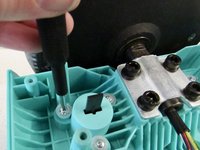
    • Remove six 1mm Phillips #1 screws.

    Ask FixBot
  6. Hover-1 Maverick Foot Mats Replacement: step 7, image 1 of 1
    • Remove the foot mats from the top of the board, which is facing down right now.

    Ask FixBot
Conclusion

To reassemble your device, follow these instructions in reverse order.

Piper Feldman

Member since: 01/23/20

409 Reputation

4 Guides authored

Team

Cal Poly, Team S2-G2, White Winter 2020 Member of Cal Poly, Team S2-G2, White Winter 2020

CPSU-WHITE-W20S2G2

2 Members

4 Guides authored

0 Guide Comments

Add Comment

View Statistics:

Past 24 Hours: 1

Past 7 Days: 10

Past 30 Days: 46

All Time: 618