
Hover-1 Coast Trucks Replacement

Alaina Limon and 2 other contributors
Last updated on Jan 4, 2019
Views: 705
View statistics:
- Past 24 Hours:
- 4
- Past 7 Days:
- 14
- Past 30 Days:
- 56
- All Time:
- 705
Comments: 0
No one has left comments on this guide. Will you be first?
Go to guide commentsCompleted: 0 1
No one has marked this guide "completed." Will you be the first?
1 person has marked this guide "completed." It's you — great job!
Favorites: 0 1
No one has favorited (and subscribed to) this guide. Will you be the first?
1 person has favorited (and subscribed to) this guide — and that's you!
Introduction
Go to step 1 ↓If you are ever in a position where the trucks on your Coast are broken or malfunctioning it is very important to replace them. Replace the trucks will ensure the coast is able to function at its highest potential.
What you need
Tools


-
-
-
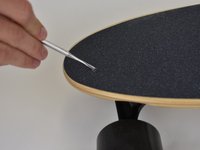
In order to remove the trucks on the Hover-1 Coast, you must uncover the screws on the top of the board.
-
Using the pick tool to puncture the grip tape and reveal the screws.
-
The board should look like this.
 Ask FixBot
-
-
-
Once all four screws have been revealed, locate the socket wrench and the Phillips #1 screwdriver in the wrench handle.
-
Place the 9/16 inch socket wrench over the nut; place the the Phillips #1 screwdriver in the screw.
-
Hold the socket wrench in place and twist the screwdriver counterclockwise to loosen the nuts.
-
-
-
-
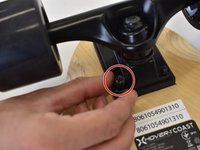
Remove the nuts from the bottom of the board.
-
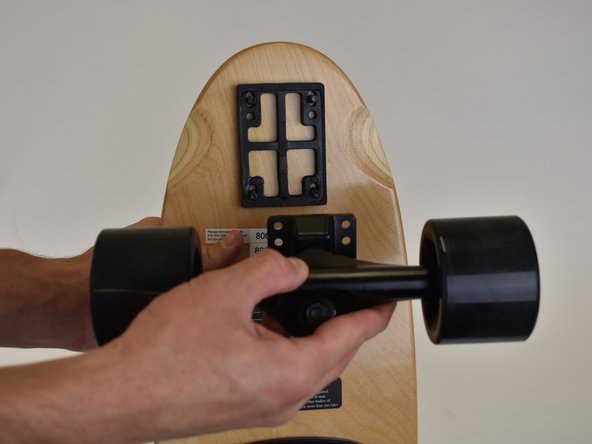
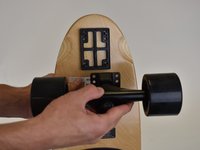
Slide the unwanted trucks off the screws.
-
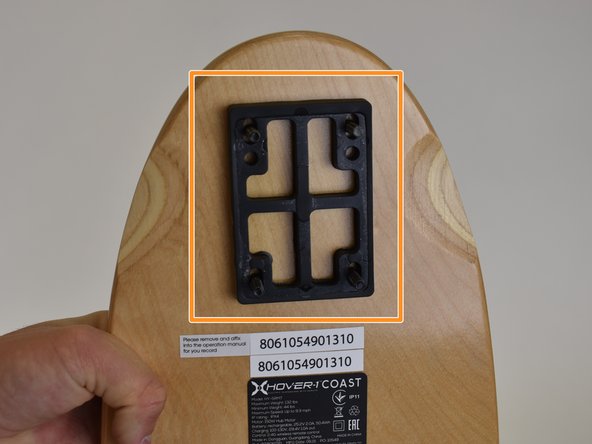
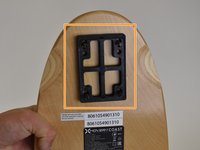
The black rubber spacer will stay on the board.
-
-




To reassemble your device, follow these instructions in reverse order.

Team

Linn Benton Community College, Team S2-G2, Karnes Fall 2018 Member of Linn Benton Community College, Team S2-G2, Karnes Fall 2018
LBCC-KARNES-F18S2G2
3 Members
60 Guides authored
