
Hover-1 Charger Gyroscope Sensor Board Replacement

Melanie Hardell and one other contributor
Last updated on Dec 23, 2019
Views: 6.3K
View statistics:
- Past 24 Hours:
- 2
- Past 7 Days:
- 12
- Past 30 Days:
- 96
- All Time:
- 6,316
Comments: 8
3 comments on steps, 5 guide comments.
Go to guide commentsCompleted: 2 3
2 people have marked this guide "completed." Will you be next?
3 people have marked this guide "completed." Including you — great job!
Favorites: 0 1
No one has favorited (and subscribed to) this guide. Will you be the first?
1 person has favorited (and subscribed to) this guide — and that's you!
Introduction
Go to step 1 ↓If you are having trouble balancing on your Hover-1 Charger (H1-COL), there may be an issue with its gyroscope sensor boards. Before you begin disassembling your hoverboard, check out our troubleshooting page addressing hoverboard balancing. If the problem persists, this guide will help you replace your hoverboard’s right gyroscope sensor board. Removal of the left gyroscope sensor board will follow very similar steps.
Make sure to wear an anti-static wrist strap to protect the electronics against buildup of static electricity. Some screw housings are fragile; they may fall apart when the screw is removed.
What you need
Tools


-
-
-
Flip the hoverboard over so that the warning label is facing up.
-
Remove the twelve 12 mm screws with a Phillips #2 screwdriver.
-
Remove the four 10 mm screws with a Phillips #2 screwdriver.
 Ask FixBot
-
-
-
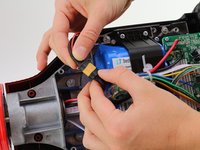
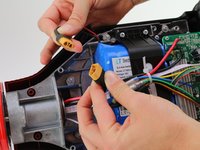
Disconnect the two pronged black and yellow cable. The battery is now fully disconnected.
-
-
-
-
-
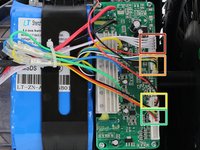
Unplug the white five pin connector from the gyroscope sensor board.
-
Unplug the red, yellow, blue, green, black and white six pin connector.
-
Unplug the black and red two pin connector.
-
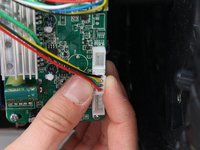
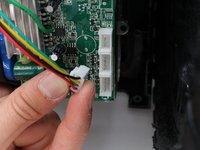
Unplug the black, yellow, green and red four pin connector. Unplugging this connector is photographed as an example.
-
-
-
-
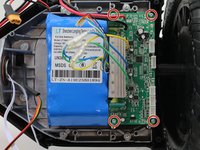
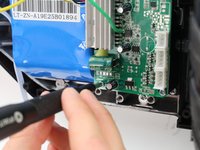
Remove the four 10 mm screws from the gyroscope sensor board with a Phillips #2 screwdriver.
-
-
-
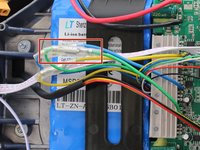
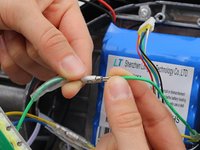
Push the rubber sheaths away from the clasp of the green bullet connector.
-
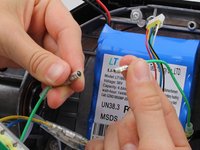
Grasp the connector at the metal junction and disconnect.
-
Repeat for the yellow and red bullet connectors.
-
-




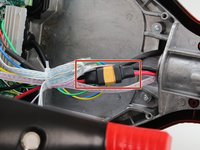
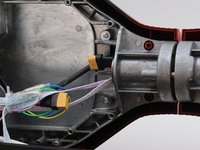







To reassemble your device, follow these instructions in reverse order.
Cancel: I did not complete this guide.
2 other people completed this guide.

Team

Cal Poly, Team S12-G1, Regan Fall 2019 Member of Cal Poly, Team S12-G1, Regan Fall 2019
CPSU-REGAN-F19S12G1
4 Members
72 Guides authored
5 Guide Comments
Hi Where can I find the replacement sensor board? Thanks!
where do i find the replacement sensor board?
one wheel of my board doesn’t work
I need one of these replacement gyros please how I get
this is a joke. 2 years still not one kind enough soul to help find where to purchase replacements!!!!!!!!
