
Hot Tools Professional 1110 Power Switch Replacement

Dustin Ortega and 2 other contributors
Last updated on Jan 3, 2018
Views: 743
View statistics:
- Past 24 Hours:
- 3
- Past 7 Days:
- 16
- Past 30 Days:
- 94
- All Time:
- 743
Comments: 0
No one has left comments on this guide. Will you be first?
Go to guide commentsCompleted: 0 1
No one has marked this guide "completed." Will you be the first?
1 person has marked this guide "completed." It's you — great job!
Favorites: 0 1
No one has favorited (and subscribed to) this guide. Will you be the first?
1 person has favorited (and subscribed to) this guide — and that's you!
Introduction
Go to step 1 ↓Before beginning any of the following power switch replacement steps ensure that the device is not plugged into a power source, wear proper eye protection, and conduct the procedure in a well ventilated area.
What you need
Parts
Tools


-
-
-
Ensure that you have a clean work station, and that you can easily keep track of small, loose parts.
-
In addition, MAKE SURE IT IS UNPLUGGED FOR ALL FOLLOWING STEPS!
 Ask FixBot
-
-
Tool used on this step:Tweezers$4.99
-
Firmly grasp the end of the Iron with the black plastic cap on the heating element end.
-
With your free hand, use tweezers to firmly grasp the small retaining ring sitting between the heating element and the handle body.
-
Once you have a firm grasp, pull up on the retaining ring, and it should come loose.
-
-
-
With the ring loose, turn the handle body over, and you will see three screw holes.
-
Take a PH1 screwdriver, and loosen up all three 6mm Phillips #1 screws in the handle body.
-
-
-
Once the screws have been removed, set them aside and with a pry tool, firmly pull the handle body apart in half lengthwise.
-
-
-
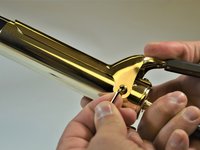
For removing the clamping mechanism, firmly grasp the iron in your hand by the handle body, and locate the screw as shown in the picture.
-
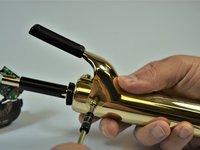
Remove the screw shown (8mm Phillips #2 Pan Head) and when finished do the same for the opposite side.
-
-
-
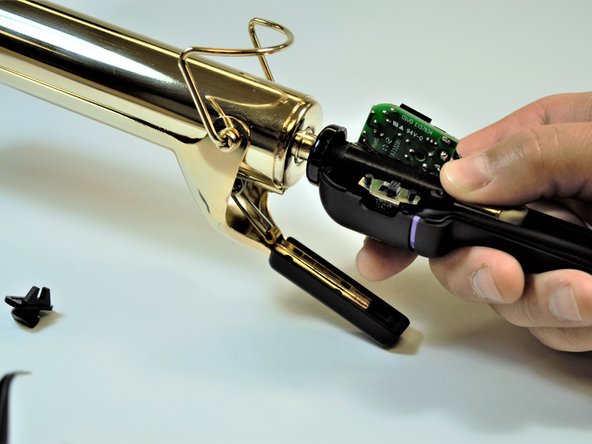
Once both screws have been removed, continue to remove the top clamping half of the mechanism from the body of the Iron.
-
-
-
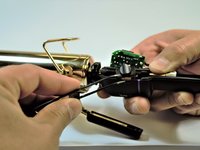
Rotate the handle, and remove the screw that holds on the spring mechanism for the clamp. This screw is a 8mm Phillips #2 Pan Head.
-
Once this step is fished your Hot Tools Professional 1110 will be fully disassembled and ready to have its components replaced.
-
-
-
-
-
-
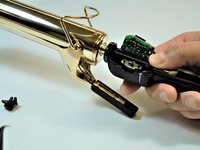
Remove the power switch button exposing the electrically connected power switch.
-
-
-
Remove power switch from the housing and desolder the three connected electrical wires. Take note of the orientation of each of the electrical wires to ensure that they are replaced correctly.
-
-






To reassemble your device, follow these instructions in reverse order.

Team

IUPUI, Team S2-G2, Wilson Fall 2017 Member of IUPUI, Team S2-G2, Wilson Fall 2017
IUPUI-WILSON-F17S2G2
4 Members
60 Guides authored
