Introduction
This guide is for the Hoover Rogue 970 (Model BH70970) Smart Vacuum.
Is your vacuum not sucking up any debris? This guide will show you how to remove debris from the dust bin.
The best part is, no tools required!
-
-
-
-
Press the center button on the dust bin to release the component.
-
Remove the dust bin.
-
-
-
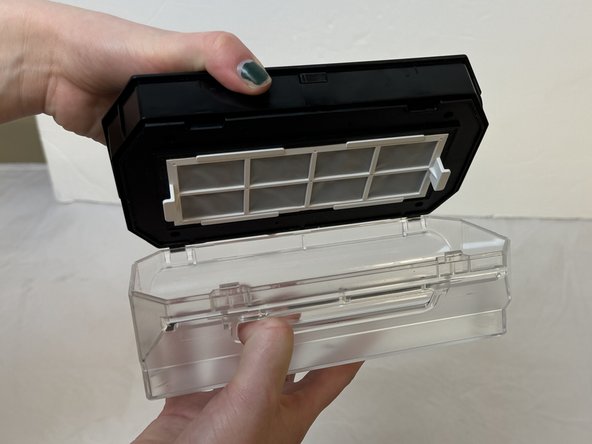
Firmly grasp the top of the dust bin and the bottom of the dust bin to open the lid.
-
Pull the top thumb up while firmly grasping the bottom of the component.
-
Remove any debris.
-


 Ask FixBot


To reassemble your device, follow these instructions in reverse order.

Team

Eastern Washington University, Team 1-1, Carnegie Fall 2023 Member of Eastern Washington University, Team 1-1, Carnegie Fall 2023
EWU-CARNEGIE-F23S1G1
4 Members
96 Guides authored
