
Hitachi CP-X2511 Battery Replacement

Fabian and 2 other contributors
Last updated on Jan 21, 2025
Views: 362
View statistics:
- Past 24 Hours:
- 4
- Past 7 Days:
- 14
- Past 30 Days:
- 64
- All Time:
- 362
Comments: 0
No one has left comments on this guide. Will you be first?
Go to guide commentsCompleted: 0 1
No one has marked this guide "completed." Will you be the first?
1 person has marked this guide "completed." It's you — great job!
Favorites: 0 1
No one has favorited (and subscribed to) this guide. Will you be the first?
1 person has favorited (and subscribed to) this guide — and that's you!
Action Shots
Be an action hero! This guide needs images that better demonstrate how to perform specific actions.
Confusing Text
Some of this guide's text is confusing, duplicated, or off-topic. Clarify it by editing!
Markup Mishap
This guide needs better markups. Help out by correcting or making some markup annotations.
Needs More Images
A few more images would make this guide's procedures crystal clear.
Introduction
Go to step 1 ↓Is your Hitachi CP-X2511 not turning on or charging properly? This issue can be from a faulty battery module. In this guide, we will show you how to troubleshoot this issue, with detailed removal, inspection, and replacement.
What you need
Tools


-
-
-
First remove the the seven black screws at the bottom of the projector. There should be three on the left side, three on the right side, and one at the very front.
 Ask FixBot
-
-
-
Step two remove the two stainless steel screws from the back of the device, then gently lift on the outer casing to remove.
-
-
-
-
Unscrew the black wire from the mother board (red circle) and unplug the seven cables out of the mother board (orange square).
-
-
-
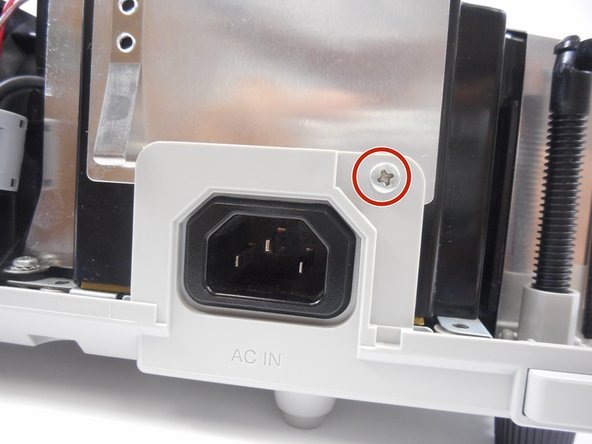
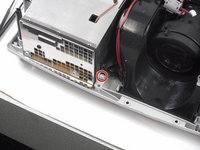
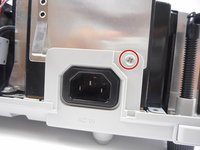
Now unscrew the nickel screw located by the front of the lens and then the other one by the power cord port.
-
-



To reassemble your device, follow these instructions in reverse order.

Team

University of New Orleans, Team 3-6, McDonald Fall 2023 Member of University of New Orleans, Team 3-6, McDonald Fall 2023
UNO-MCDONALD-F23S3G6
3 Members
48 Guides authored
