Free Shipping on Domestic Orders $75+

Hisense Sero 7 Pro GPS Antenna Replacement

What you need

    1. Hisense Sero 7 Pro  GPS Antenna Replacement, GPS Antenna: step 1, image 1 of 2 Hisense Sero 7 Pro  GPS Antenna Replacement, GPS Antenna: step 1, image 2 of 2
      • Turn tablet off before disassembling it.

      • Use caution when handling device if screen is cracked.

      • Using a plastic opening tool, pry open the back cover from the tablet.

      • An extra set of hands may be required.

      Ask FixBot

      Add Comment

    2. Hisense Sero 7 Pro  GPS Antenna Replacement: step 2, image 1 of 2 Hisense Sero 7 Pro  GPS Antenna Replacement: step 2, image 2 of 2
      • Pull the Wi-Fi antenna directly upwards to remove it from the motherboard.

      • Be gentle when disconnecting the antenna because it may damage the part it is attached to.

      Ask FixBot

      Add Comment

    3. Hisense Sero 7 Pro  GPS Antenna Replacement: step 3, image 1 of 2 Hisense Sero 7 Pro  GPS Antenna Replacement: step 3, image 2 of 2
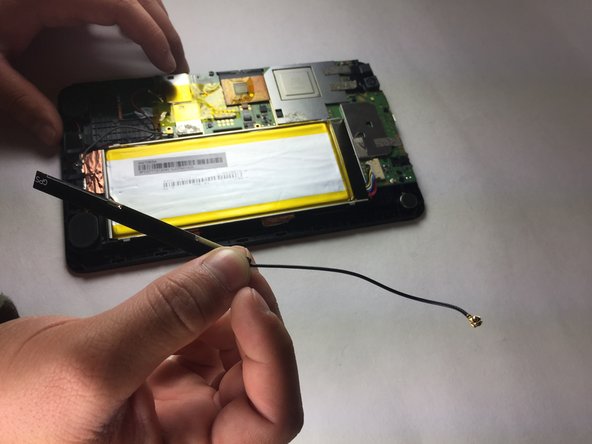
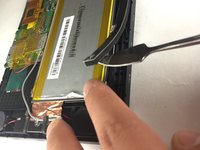
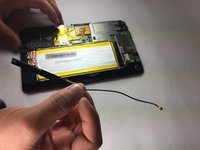
      • Insert a metal or nylon spudger on the edge of the GPS satellite and begin separating it from the adhesive.

      • Slowly peel the GPS from left to right as the GPS is clammy.

      Ask FixBot

      Add Comment

Conclusion

To reassemble your device, follow these instructions in reverse order.

Cancel: I did not complete this guide.

Baochau Nguyen

Member since: 10/11/16

314 Reputation

3 Guides authored

Team

Texas Tech, Team 38-2, Bennett Fall 2016 Member of Texas Tech, Team 38-2, Bennett Fall 2016

TTU-BENNETT-F16S38G2

4 Members

36 Guides authored

0 Guide Comments

Add Comment

View Statistics:

Past 24 Hours: 0

Past 7 Days: 4

Past 30 Days: 13

All Time: 515