
Hipstreet Equinox 2 Screen Replacement

Brandon Snodgrass and 4 other contributors
Last updated on Aug 9, 2019
Views: 1.3K
View statistics:
- Past 24 Hours:
- 1
- Past 7 Days:
- 16
- Past 30 Days:
- 83
- All Time:
- 1,300
Comments: 1
1 guide comment.
Go to guide commentsCompleted: 1 2
1 person has marked this guide "completed." Will you be next?
2 people have marked this guide "completed." Including you — great job!
Favorites: 0 1
No one has favorited (and subscribed to) this guide. Will you be the first?
1 person has favorited (and subscribed to) this guide — and that's you!
Action Shots
Be an action hero! This guide needs images that better demonstrate how to perform specific actions.
Needs Better Images
Better photos will improve this guide. Help out by taking, editing, or uploading new ones!
Introduction
Go to step 1 ↓Often times the screen gets little dots that wont go away, or it could be cracked from dropping the tablet. The hardest part about replacing the screen is taking everything else off to get to it.
What you need
Tools
-
Spudger4.9
-


-
-
-
-
Disconnect the wires that connect the battery to the motherboard using the spudger.
-
-
-
Slide the spudger underneath the battery and gently lift it off of the adhesive.
-
-
-
Place the new battery in the same location and connect the wires the same way as the previous battery.
-
-
-
-
-
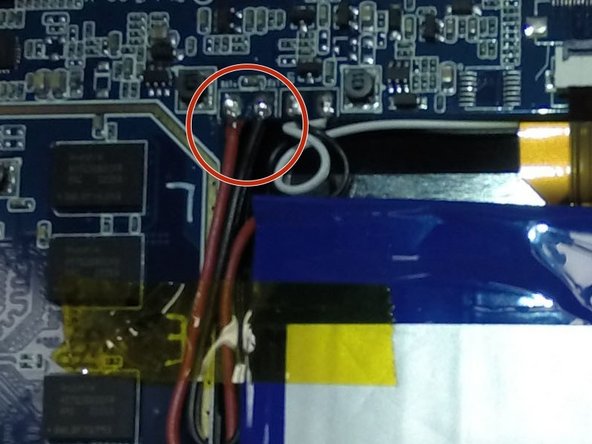
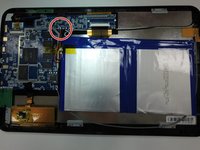
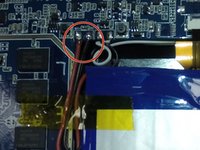
Unsolder these wires from the motherboard, it is a good idea to label these wires as you remove them according to the picture to the left.
-
-
-
Remove contact strips by lifting gently on the clip indicated in this picture, then pulling strip out of the clip.
-
-
-
Remove the 3.5mm screws located at these locations shown on the picture by using the PH00 screwdriver.
-
-
-
-
Gently lift the motherboard out of the tablet, make sure no wires are still caught or attached while you lift the motherboard.
-
-
-
-
-
Remove these 2.5mm screws and brackets holding the screen down using a PH00 screwdriver.
-
-

 Ask FixBot




To reassemble your device, follow these instructions in reverse order.
Cancel: I did not complete this guide.
One other person completed this guide.

Team

Clemson, Team 15-8, Shirley Winter 2015 Member of Clemson, Team 15-8, Shirley Winter 2015
CLEM-SHIRLEY-W15S15G8
5 Members
72 Guides authored
1 Guide Comment
OK, so I cracked my screen and I cracked it today so I went on there to do the usual, you know? Well when I turned it on, my password lock started bugging out! (I thought a was being hacked) I am worried to do this (Step - Step thing) because I am just a child (NOT A SMALL ONE DON'T REALLY WORRY!) and my parents will be disappointed in me, I got this for my birthday! But this one is a white HipStreet tablet, one of those fancy new ones, I checked it out to see if it was actually a crack so I took off my screen protector and I felt it, but no, no! It was a crack but I couldn't feel it! I thought it was REALLY in the tablet, like through the hard-drive and wires and stuff like that, please help me I don't want to get in trouble, I can't really afford another one, and my parents say "You better protect this with your entire life, because if you break this one..YOU WON'T GET ANOTHER!" (I had 2 tablets along time ago, I broke them both, OH PLEASE I WAS A SMALL CHILD!) So please help me, Thank - You!
