Free Shipping on Domestic Orders $75+

Hasbro furby 2012 Speaker Replacement

What you need

    1. Hasbro furby 2012 Speaker Replacement, Outer Shell: step 1, image 1 of 3 Hasbro furby 2012 Speaker Replacement, Outer Shell: step 1, image 2 of 3 Hasbro furby 2012 Speaker Replacement, Outer Shell: step 1, image 3 of 3
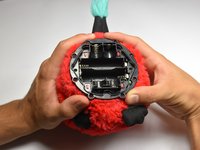
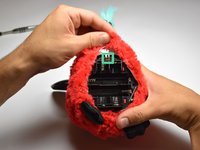
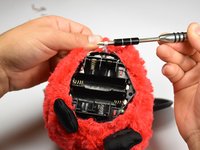
      • Use a flathead screwdriver to remove the two 10mm screws on the base of the Furby.

      Ask FixBot

      Add Comment

    2. Hasbro furby 2012 Speaker Replacement: step 2, image 1 of 3 Hasbro furby 2012 Speaker Replacement: step 2, image 2 of 3 Hasbro furby 2012 Speaker Replacement: step 2, image 3 of 3
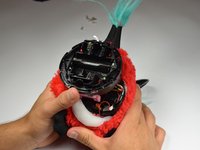
      • Use a Phillips #0 driver to unscrew the eight 10mm screws.

      • Remove the base ring after unscrewing all the screws.

      • Be careful when lifting the base ring from the Furby. There are sharp edges that hold the base ring in place.

      Ask FixBot

      Add Comment

    3. Hasbro furby 2012 Speaker Replacement: step 3, image 1 of 2 Hasbro furby 2012 Speaker Replacement: step 3, image 2 of 2
      • Unhook the white ribbon from the tab on the base.

      Ask FixBot

      Add Comment

    4. Hasbro furby 2012 Speaker Replacement: step 4, image 1 of 3 Hasbro furby 2012 Speaker Replacement: step 4, image 2 of 3 Hasbro furby 2012 Speaker Replacement: step 4, image 3 of 3
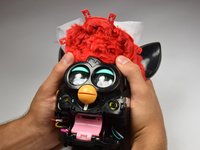
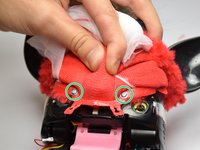
      • Roll the Furby's fur downward.

      • Disconnect the now exposed red wire.

      Ask FixBot

      Add Comment

    5. Hasbro furby 2012 Speaker Replacement: step 5, image 1 of 3 Hasbro furby 2012 Speaker Replacement: step 5, image 2 of 3 Hasbro furby 2012 Speaker Replacement: step 5, image 3 of 3
      • Locate the two middle clips first.

      • Locate the two remaining clips on Furby's sides, they are opposite each other.

      • Orient the Furby upside down with the tail facing away from you.

      Ask FixBot

      Add Comment

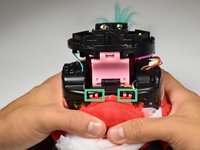
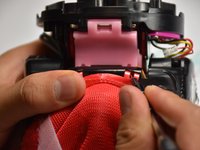
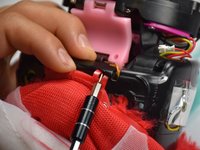
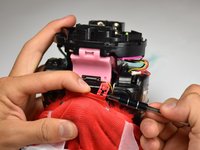
    6. Hasbro furby 2012 Speaker Replacement: step 6, image 1 of 3 Hasbro furby 2012 Speaker Replacement: step 6, image 2 of 3 Hasbro furby 2012 Speaker Replacement: step 6, image 3 of 3
      • Insert a metal prying tool directly into the clip opening.

      • Press upward into the clip. At the same time, use your other hand to pull away the plastic seam from the Furby's body.

      • Repeat the previous step to remove the remaining three clips.

      Ask FixBot

      Add Comment

    7. Hasbro furby 2012 Speaker Replacement: step 7, image 1 of 3 Hasbro furby 2012 Speaker Replacement: step 7, image 2 of 3 Hasbro furby 2012 Speaker Replacement: step 7, image 3 of 3
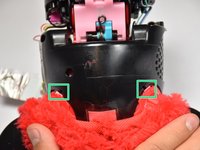
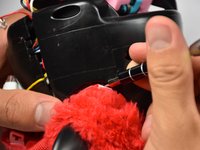
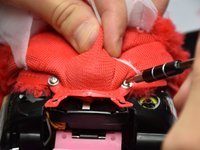
      • Locate the two 10mm screws and remove them with the Phillips #0 head screwdriver.

      • Lift up on the fur covering until the face of the Furby is exposed.

      Ask FixBot

      Add Comment

    8. Hasbro furby 2012 Speaker Replacement: step 8, image 1 of 3 Hasbro furby 2012 Speaker Replacement: step 8, image 2 of 3 Hasbro furby 2012 Speaker Replacement: step 8, image 3 of 3
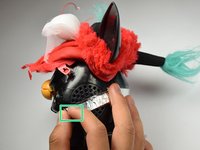
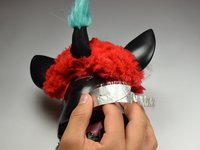
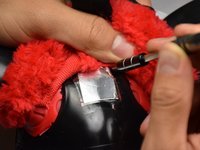
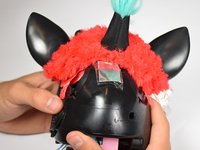
      • Orient the Furby on its side to where the beak is facing left and locate the edge of the aluminum tape.

      • Lift tape gently and peel back until the tape is nearly removed.

      • Do not pull on the yellow wire located on the opposite end of the tape.

      Ask FixBot

      Add Comment

    9. Hasbro furby 2012 Speaker Replacement: step 9, image 1 of 2 Hasbro furby 2012 Speaker Replacement: step 9, image 2 of 2
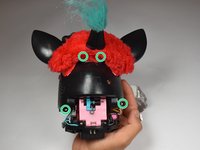
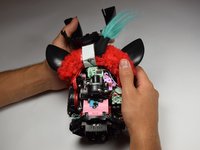
      • Locate the four 10mm screws. Two on either side of body, and two on top of back plate, around the tape.

      • Remove the 10mm screws with the Phillips#0 screwdriver.

      Ask FixBot

      Add Comment

    10. Hasbro furby 2012 Speaker Replacement: step 10, image 1 of 1
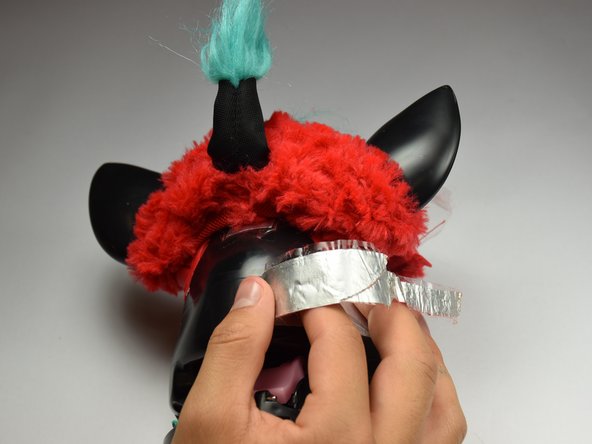
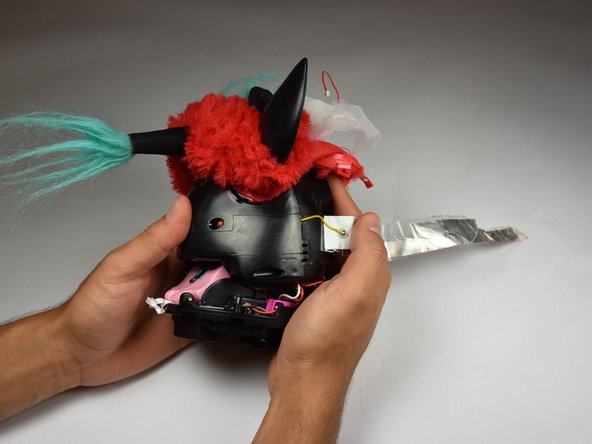
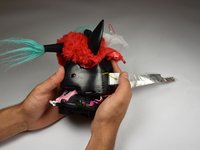
      • Peel the tape gently, grabbing it from the bottom edge and folding the tape upward.

      • Peel the tape up until it is nearly detached from the black case.

      Ask FixBot

      Add Comment

    11. Hasbro furby 2012 Speaker Replacement: step 11, image 1 of 2 Hasbro furby 2012 Speaker Replacement: step 11, image 2 of 2
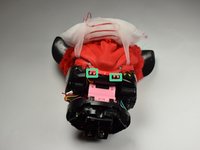
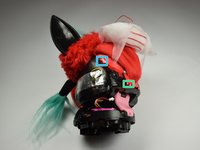
      • Orient the Furby face down, with the base facing away from you.

      • Locate the clips below the ears.

      • Repeat the technique used in Step 6. Create leverage using a metal prying tool to press upward into the clip, while also pulling back on the clip itself.

      Ask FixBot

      Add Comment

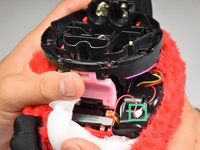
    12. Hasbro furby 2012 Speaker Replacement: step 12, image 1 of 2 Hasbro furby 2012 Speaker Replacement: step 12, image 2 of 2
      • Remove the loose, plastic back panel by pulling the panel away from Furby's body.

      Ask FixBot

      Add Comment

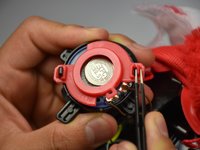
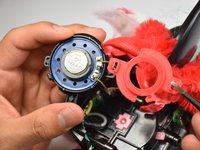
    1. Hasbro furby 2012 Speaker Replacement, Speaker: step 13, image 1 of 2 Hasbro furby 2012 Speaker Replacement, Speaker: step 13, image 2 of 2
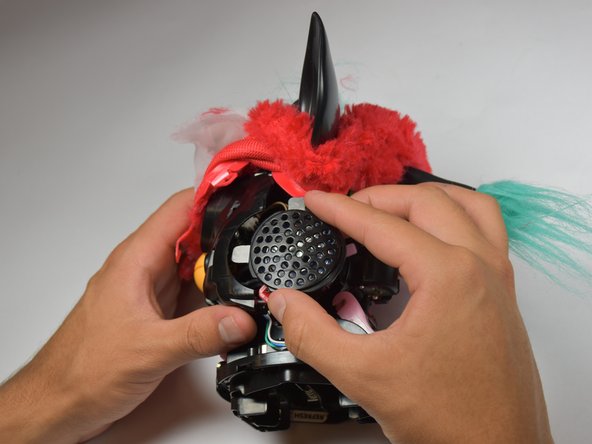
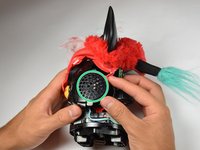
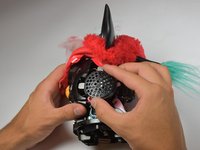
      • Orient Furby to where the mouth is facing left. Locate the speaker on the side of the device.

      • Lift the speaker out.

      Ask FixBot

      Add Comment

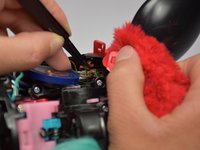
    2. Hasbro furby 2012 Speaker Replacement: step 14, image 1 of 3 Hasbro furby 2012 Speaker Replacement: step 14, image 2 of 3 Hasbro furby 2012 Speaker Replacement: step 14, image 3 of 3
      Tool used on this step:
      Tweezers
      $4.99
      Buy
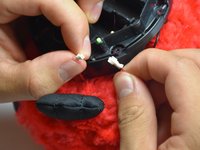
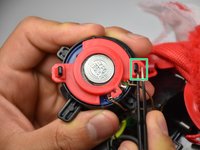
      • Use the blunt tweezers to pinch the latch on the speaker's casing. Detach the speaker from the both latches on both sides and remove the speaker's casing.

      Ask FixBot

      Add Comment

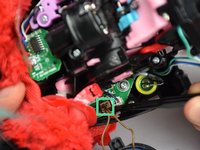
    3. Hasbro furby 2012 Speaker Replacement: step 15, image 1 of 2 Hasbro furby 2012 Speaker Replacement: step 15, image 2 of 2
      • Lift the connector, using the Blunt Tweezers, while tugging on the speaker's wire.

      • Plug the new speaker in by clipping the connector into place where the old connector was removed from.

      Ask FixBot

      Add Comment

Conclusion

To reassemble your device, follow these instructions in reverse order.

Cancel: I did not complete this guide.

6 other people completed this guide.

Jordan Castillo

Member since: 10/06/16

1,063 Reputation

5 Guides authored

Team

Cal Poly, Team 15-5, Livingston Fall 2016 Member of Cal Poly, Team 15-5, Livingston Fall 2016

CPSU-LIVINGSTON-F16S15G5

4 Members

72 Guides authored

3 Guide Comments

Where can i got speaker. Please help me. Thx so much.

Pituphong Yavirach - Reply Share
What are the wattage ohm and diameter of the speaker?

RoboMew KitKat - Reply Share
Can someone who did the repair send a link to a equivalent speaker please? Would GREATLY help...

Frubyx - Reply Share

Add Comment

View Statistics:

Past 24 Hours: 8

Past 7 Days: 41

Past 30 Days: 167

All Time: 6,791