Free Shipping on Domestic Orders $75+

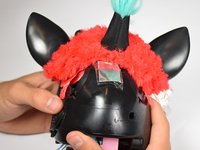
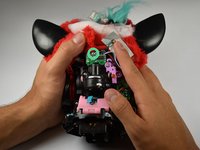
Hasbro furby 2012 Light Sensor Replacement

What you need

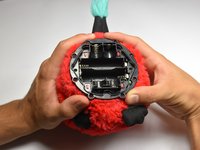
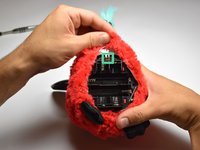
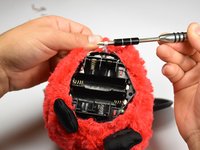
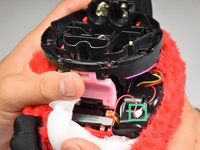
  1. Hasbro furby 2012 Light Sensor Replacement, Outer Shell: step 1, image 1 of 3 Hasbro furby 2012 Light Sensor Replacement, Outer Shell: step 1, image 2 of 3 Hasbro furby 2012 Light Sensor Replacement, Outer Shell: step 1, image 3 of 3
    • Use a flathead screwdriver to remove the two 10mm screws on the base of the Furby.

    Ask FixBot

    Add Comment

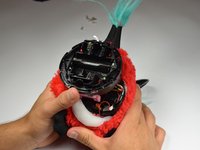
  2. Hasbro furby 2012 Light Sensor Replacement: step 2, image 1 of 3 Hasbro furby 2012 Light Sensor Replacement: step 2, image 2 of 3 Hasbro furby 2012 Light Sensor Replacement: step 2, image 3 of 3
    • Use a Phillips #0 driver to unscrew the eight 10mm screws.

    • Remove the base ring after unscrewing all the screws.

    • Be careful when lifting the base ring from the Furby. There are sharp edges that hold the base ring in place.

    Ask FixBot

    Add Comment

  3. Hasbro furby 2012 Light Sensor Replacement: step 3, image 1 of 2 Hasbro furby 2012 Light Sensor Replacement: step 3, image 2 of 2
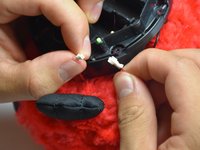
    • Unhook the white ribbon from the tab on the base.

    Ask FixBot

    Add Comment

  4. Hasbro furby 2012 Light Sensor Replacement: step 4, image 1 of 3 Hasbro furby 2012 Light Sensor Replacement: step 4, image 2 of 3 Hasbro furby 2012 Light Sensor Replacement: step 4, image 3 of 3
    • Roll the Furby's fur downward.

    • Disconnect the now exposed red wire.

    Ask FixBot

    Add Comment

  5. Hasbro furby 2012 Light Sensor Replacement: step 5, image 1 of 3 Hasbro furby 2012 Light Sensor Replacement: step 5, image 2 of 3 Hasbro furby 2012 Light Sensor Replacement: step 5, image 3 of 3
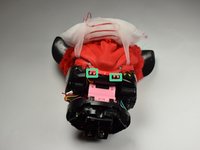
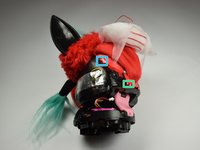
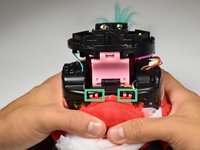
    • Locate the two middle clips first.

    • Locate the two remaining clips on Furby's sides, they are opposite each other.

    • Orient the Furby upside down with the tail facing away from you.

    Ask FixBot

    Add Comment

  6. Hasbro furby 2012 Light Sensor Replacement: step 6, image 1 of 3 Hasbro furby 2012 Light Sensor Replacement: step 6, image 2 of 3 Hasbro furby 2012 Light Sensor Replacement: step 6, image 3 of 3
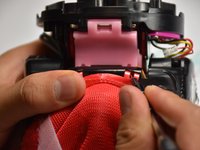
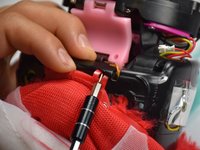
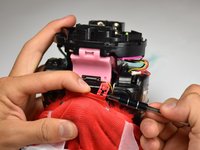
    • Insert a metal prying tool directly into the clip opening.

    • Press upward into the clip. At the same time, use your other hand to pull away the plastic seam from the Furby's body.

    • Repeat the previous step to remove the remaining three clips.

    Ask FixBot

    Add Comment

  7. Hasbro furby 2012 Light Sensor Replacement: step 7, image 1 of 3 Hasbro furby 2012 Light Sensor Replacement: step 7, image 2 of 3 Hasbro furby 2012 Light Sensor Replacement: step 7, image 3 of 3
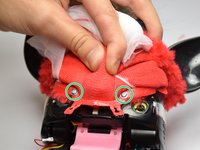
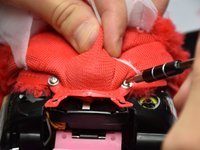
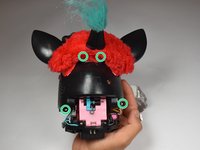
    • Locate the two 10mm screws and remove them with the Phillips #0 head screwdriver.

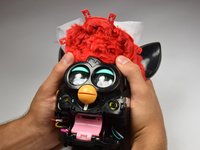
    • Lift up on the fur covering until the face of the Furby is exposed.

    Ask FixBot

    Add Comment

  8. Hasbro furby 2012 Light Sensor Replacement: step 8, image 1 of 3 Hasbro furby 2012 Light Sensor Replacement: step 8, image 2 of 3 Hasbro furby 2012 Light Sensor Replacement: step 8, image 3 of 3
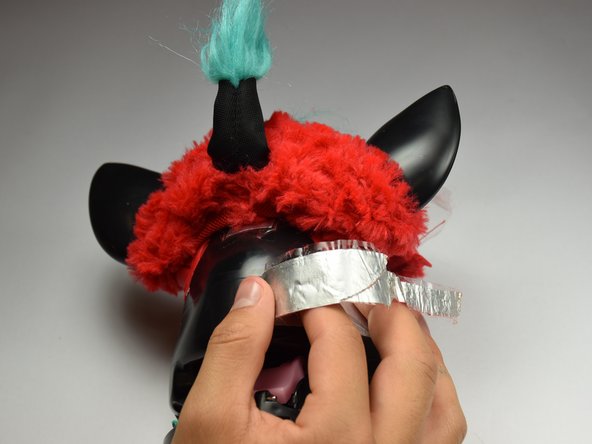
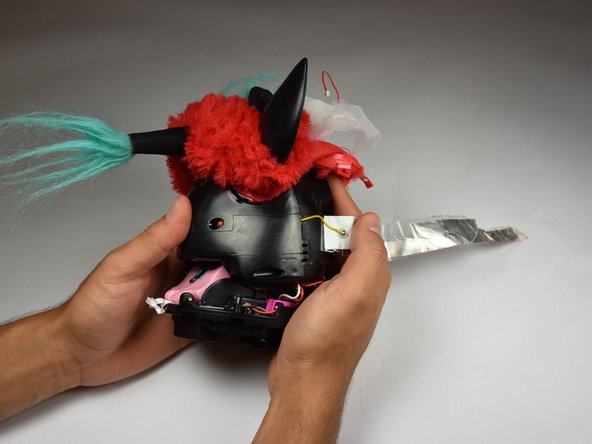
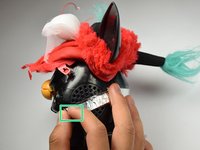
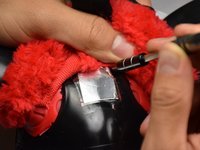
    • Orient the Furby on its side to where the beak is facing left and locate the edge of the aluminum tape.

    • Lift tape gently and peel back until the tape is nearly removed.

    • Do not pull on the yellow wire located on the opposite end of the tape.

    Ask FixBot

    Add Comment

  9. Hasbro furby 2012 Light Sensor Replacement: step 9, image 1 of 2 Hasbro furby 2012 Light Sensor Replacement: step 9, image 2 of 2
    • Locate the four 10mm screws. Two on either side of body, and two on top of back plate, around the tape.

    • Remove the 10mm screws with the Phillips#0 screwdriver.

    Ask FixBot

    Add Comment

  10. Hasbro furby 2012 Light Sensor Replacement: step 10, image 1 of 1
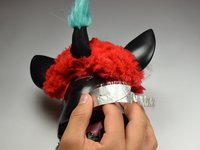
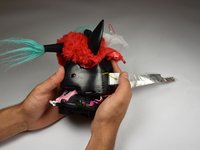
    • Peel the tape gently, grabbing it from the bottom edge and folding the tape upward.

    • Peel the tape up until it is nearly detached from the black case.

    Ask FixBot

    Add Comment

  11. Hasbro furby 2012 Light Sensor Replacement: step 11, image 1 of 2 Hasbro furby 2012 Light Sensor Replacement: step 11, image 2 of 2
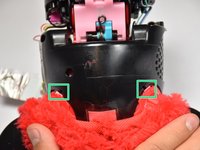
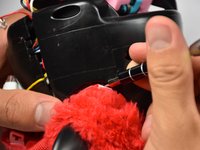
    • Orient the Furby face down, with the base facing away from you.

    • Locate the clips below the ears.

    • Repeat the technique used in Step 6. Create leverage using a metal prying tool to press upward into the clip, while also pulling back on the clip itself.

    Ask FixBot

    Add Comment

  12. Hasbro furby 2012 Light Sensor Replacement: step 12, image 1 of 2 Hasbro furby 2012 Light Sensor Replacement: step 12, image 2 of 2
    • Remove the loose, plastic back panel by pulling the panel away from Furby's body.

    Ask FixBot

    Add Comment

  13. Hasbro furby 2012 Light Sensor Replacement, Light Sensor: step 13, image 1 of 3 Hasbro furby 2012 Light Sensor Replacement, Light Sensor: step 13, image 2 of 3 Hasbro furby 2012 Light Sensor Replacement, Light Sensor: step 13, image 3 of 3
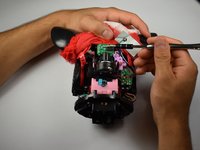
    • Remove the 10mm Phillips #0 screw holding the circuit board in.

    • Gently lift out the circuit board.

    Ask FixBot

    Add Comment

  14. Hasbro furby 2012 Light Sensor Replacement: step 14, image 1 of 2 Hasbro furby 2012 Light Sensor Replacement: step 14, image 2 of 2
    Tool used on this step:
    Tweezers
    $4.99
    Buy
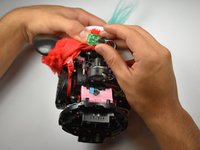
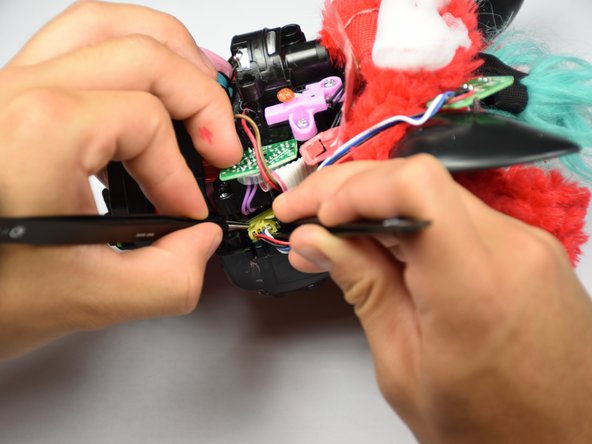
    • Orient the Furby with the tail pointing left and the face pointing right.

    • Use the pointed tweezers to spread open the socket, and the blunt tweezers to grip and tug out the connector.

    • Insert your replacement light sensor connector.

    Ask FixBot

    Add Comment

Conclusion

To reassemble your device, follow these instructions in reverse order.

Cancel: I did not complete this guide.

2 other people completed this guide.

Jordan Castillo

Member since: 10/06/16

1,063 Reputation

5 Guides authored

Team

Cal Poly, Team 15-5, Livingston Fall 2016 Member of Cal Poly, Team 15-5, Livingston Fall 2016

CPSU-LIVINGSTON-F16S15G5

4 Members

10 Guides authored

0 Guide Comments

Add Comment

View Statistics:

Past 24 Hours: 2

Past 7 Days: 24

Past 30 Days: 48

All Time: 2,068