
Hannspree SN12E2 RAM Replacement

Tim Chase and 3 other contributors
Last updated on May 29, 2019
Views: 656
View statistics:
- Past 24 Hours:
- 1
- Past 7 Days:
- 11
- Past 30 Days:
- 61
- All Time:
- 656
Comments: 0
No one has left comments on this guide. Will you be first?
Go to guide commentsCompleted: 1 2
1 person has marked this guide "completed." Will you be next?
2 people have marked this guide "completed." Including you — great job!
Favorites: 0 1
No one has favorited (and subscribed to) this guide. Will you be the first?
1 person has favorited (and subscribed to) this guide — and that's you!
Introduction
Go to step 1 ↓This guide will show you how to remove and replace the RAM in the Hannspree SN12E2 laptop. RAM is to run applications on your device if your device is stalling or running low or even crashing all together this may be the solution.
What you need
Tools

-
-
-
-
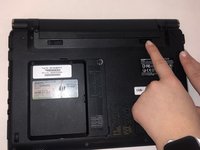
Unlatch the lock on the top right of your laptop first.
-
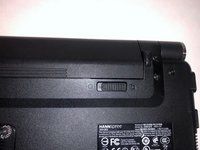
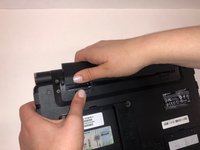
You will need to pull on the lock on the left side and remove the battery at the same time
-
The left lock is a spring lock and needs constant pressure applied in order to stay open.
-
-
-
-
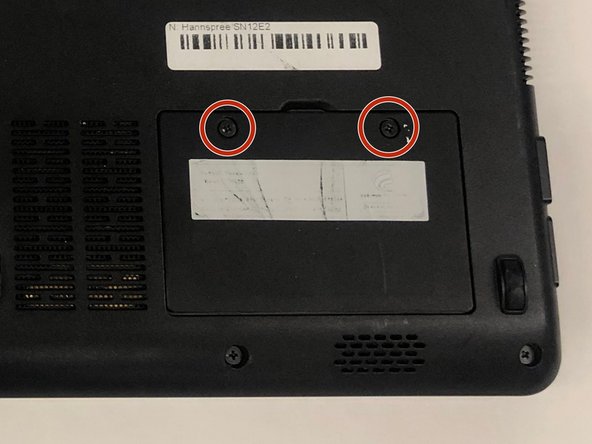
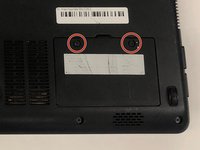
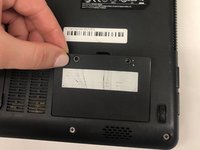
Remove the RAM access door.
-
Remove the two 3mm screws using a Phillips #0 screwdriver.
-
Gently lift on the door out of place.
-
-
-
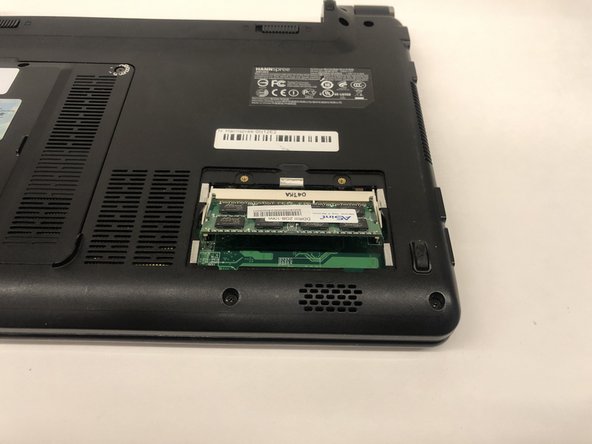
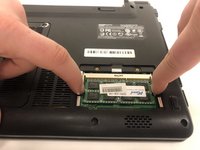
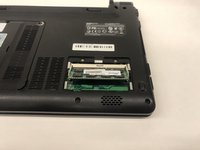
Gently push outward on the two retaining clips, being careful not to damage the motherboard.
-
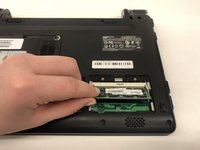
Lift up on the RAM until it makes a 35 degree angle with the board.
-
Remove the RAM by pulling away from the housing at 35 degrees.
-
-

 Ask FixBot





To reassemble your device, follow these instructions in reverse order.
Cancel: I did not complete this guide.
One other person completed this guide.

Team

UMass Dartmouth, Team S2-G2, Simcock Spring 2019 Member of UMass Dartmouth, Team S2-G2, Simcock Spring 2019
UMASSD-SIMCOCK-S19S2G2
4 Members
108 Guides authored
