Introduction
Having problems with audio? Your speaker might not be working well! Read this guide to find out how you can fix that! :)
What you need
-
-
-
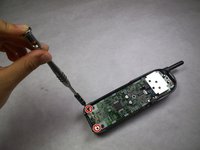
After removing the BP-T18 battery pack, you will see two 11mm Phillips #0 screws located at the bottom of the phone. Remove both screws with a screwdriver.
 Ask FixBot
-
-
-
Locate an easy point of access for a spudger, and then slowly insert it into the gap and pry it open.
-
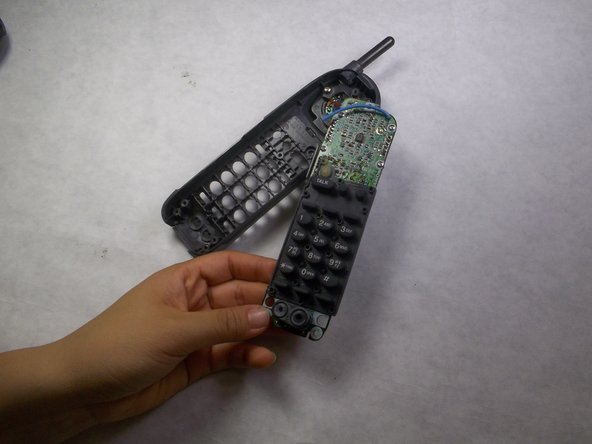
Increase the degree of slant until the back cover is completely removed.
-
-
-
After removing the back cover, you will see 3 screws: one 7mm Phillips #0 screw at the top and two 11mm Phillips #0 screws at the bottom.
-
Use a screwdriver to remove all 3 screws.
-
-
-
-
-
-
Use a screwdriver to remove the three 7mm Phillips #0 screws holding the speaker in place.
-
-
-
Gently pull out the speaker and inspect it.
-
Determine if the handset speaker is damaged and needs replaced. Replacement requires soldering.
-
Finish removing a faulty speaker by cutting the two wires connecting it to the circuit board.
-
-
-
Solder your replacement speaker into the circuit. For assistance with soldering refer to iFixit Solder and Desolder Guide.
-
-
-
Solder the replacement speaker in the circuit board. For information on how-to-solder check iFixit's Solder and Desolder Guide by clicking the blue link below.
-
-




To reassemble your device, follow these instructions in reverse order.

Team

IUPUI, Team 3-3, Harley Fall 2016 Member of IUPUI, Team 3-3, Harley Fall 2016
IUPUI-HARLEY-F16S3G3
4 Members
84 Guides authored
