
Handset Microphone Replacement

Han Shih and 2 other contributors
Last updated on Dec 22, 2016
Views: 1.1K
View statistics:
- Past 24 Hours:
- 5
- Past 7 Days:
- 18
- Past 30 Days:
- 105
- All Time:
- 1,085
Comments: 0
No one has left comments on this guide. Will you be first?
Go to guide commentsCompleted: 3 4
3 people have marked this guide "completed." Will you be next?
4 people have marked this guide "completed." Including you — great job!
Favorites: 0 1
No one has favorited (and subscribed to) this guide. Will you be the first?
1 person has favorited (and subscribed to) this guide — and that's you!
Step Trimmer
This guide has unnecessary steps. Trim them to be more concise!
Better Introduction
Improve this guide by completing or revising its introduction.
Introduction
Go to step 1 ↓This will walk you through replacing the microphone on the handset.
What you need
Tools


-
-
-
After removing the BP-T18 battery pack, you will see two 11mm Phillips #0 screws located at the bottom of the phone. Remove both screws with a screwdriver.
 Ask FixBot
-
-
-
Locate an easy point of access for a spudger, and then slowly insert it into the gap and pry it open.
-
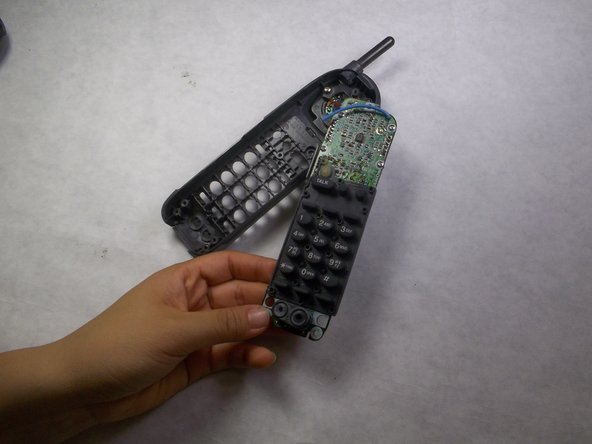
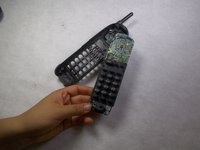
Increase the degree of slant until the back cover is completely removed.
-
-
-
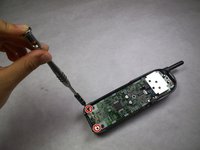
After removing the back cover, you will see 3 screws: one 7mm Phillips #0 screw at the top and two 11mm Phillips #0 screws at the bottom.
-
Use a screwdriver to remove all 3 screws.
-
-
-
-
-
-
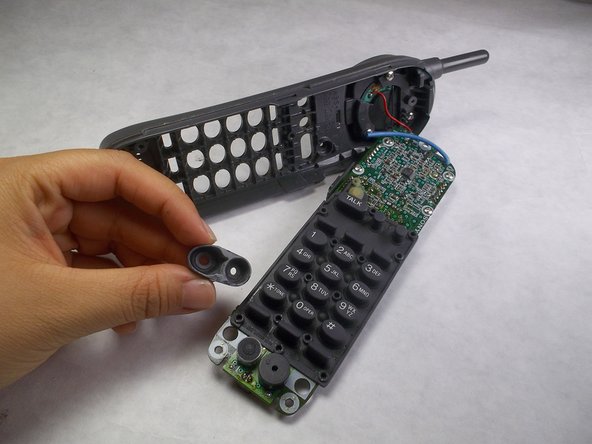
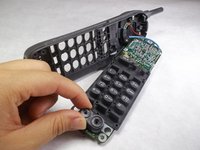
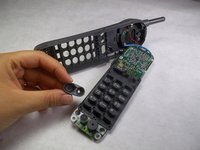
Locate the rubber part towards the very bottom of the handset. This is the microphone with protective rubber cover.
-
Remove the protective rubber cover. This may require a spudger.
-
-



To reassemble your device, follow these instructions in reverse order.
Cancel: I did not complete this guide.
3 other people completed this guide.

Team

IUPUI, Team 3-3, Harley Fall 2016 Member of IUPUI, Team 3-3, Harley Fall 2016
IUPUI-HARLEY-F16S3G3
4 Members
84 Guides authored
