
HTC Vive Pro Headphones Replacement

Sam Omiotek and 2 other contributors
Last updated on Feb 3, 2025
Views: 3.3K
View statistics:
- Past 24 Hours:
- 2
- Past 7 Days:
- 23
- Past 30 Days:
- 114
- All Time:
- 3,295
Comments: 0
No one has left comments on this guide. Will you be first?
Go to guide commentsCompleted: 1 2
1 person has marked this guide "completed." Will you be next?
2 people have marked this guide "completed." Including you — great job!
Favorites: 0 1
No one has favorited (and subscribed to) this guide. Will you be the first?
1 person has favorited (and subscribed to) this guide — and that's you!
Introduction
Go to step 1 ↓Follow this guide to replace one or both headphones on your HTC Vive Pro.
Power off and unplug your headset before you begin your repair.
What you need


-
-
-
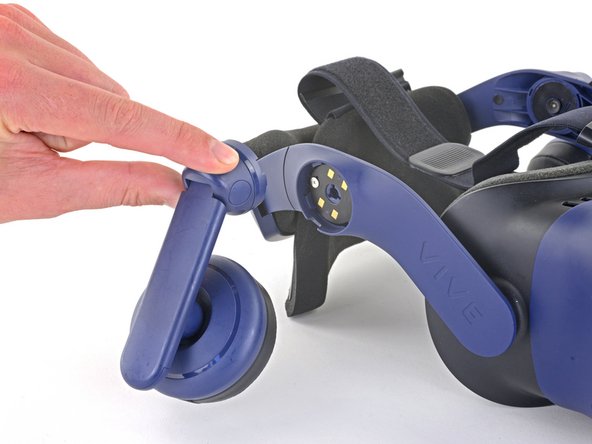
Peel off the thin piece of padding covering the headphone screw for each headphone you're replacing.
 Ask FixBot
-
-
-
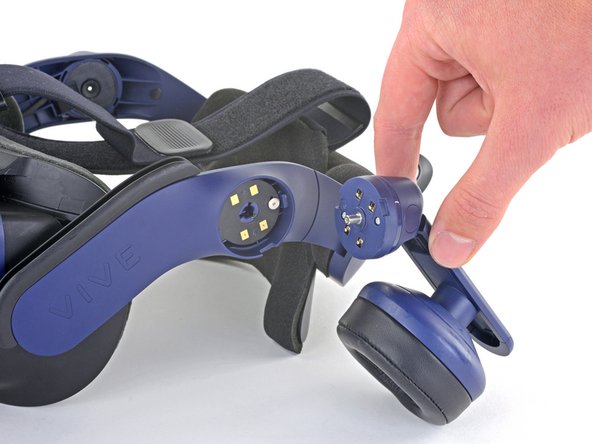
Use your Phillips screwdriver to remove the 6.4 mm screw securing each headphone you are replacing.
-
-
-
-
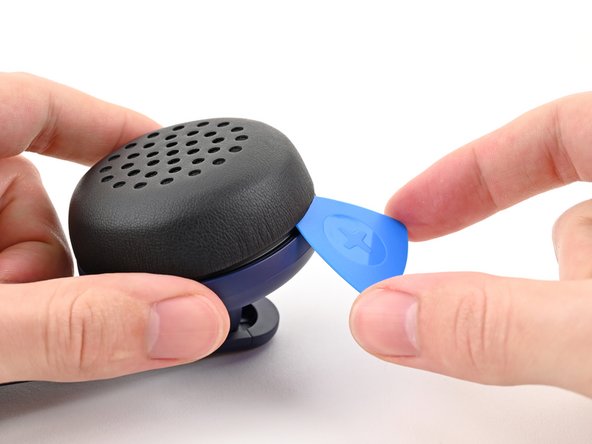
Insert an opening pick under the headphone pad and pry up to unclip it from the headphone.
-
-






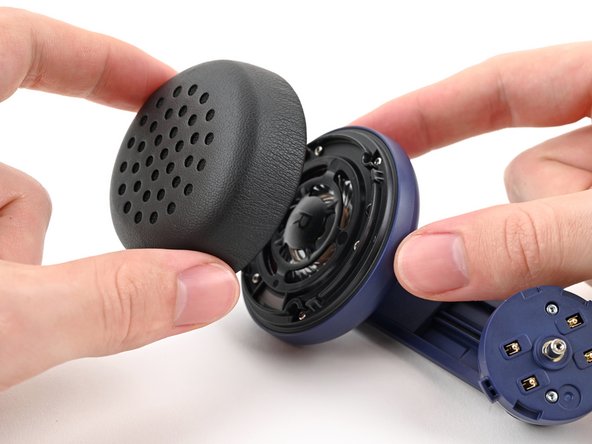


Compare your new replacement part to the original part—you may need to transfer remaining components or remove adhesive backings from the new part before installing.
To reassemble your device, follow the above steps in reverse order.
Take your e-waste to an R2 or e-Stewards certified recycler.
Repair didn’t go as planned? Try some basic troubleshooting, or ask our Answers community for help.
Cancel: I did not complete this guide.
One other person completed this guide.

