Free Shipping on Domestic Orders $75+

HTC Vive Pro 2 All-In-One Cable Replacement

What you need

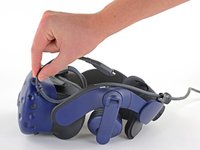
  1. HTC Vive Pro 2 All-In-One Cable Replacement, Reposition the head strap: step 1, image 1 of 2 HTC Vive Pro 2 All-In-One Cable Replacement, Reposition the head strap: step 1, image 2 of 2
    • Rotate the head strap forward as far as it will go.

    Ask FixBot

    Add Comment

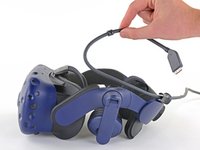
  2. HTC Vive Pro 2 All-In-One Cable Replacement, Unplug the All-In-One Cable: step 2, image 1 of 2 HTC Vive Pro 2 All-In-One Cable Replacement, Unplug the All-In-One Cable: step 2, image 2 of 2
    • Unplug the All-In-One Cable from your headset.

    Ask FixBot

    Add Comment

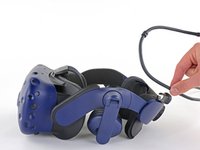
  3. HTC Vive Pro 2 All-In-One Cable Replacement, Remove the All-In-One Cable: step 3, image 1 of 3 HTC Vive Pro 2 All-In-One Cable Replacement, Remove the All-In-One Cable: step 3, image 2 of 3 HTC Vive Pro 2 All-In-One Cable Replacement, Remove the All-In-One Cable: step 3, image 3 of 3
    • Remove the All-In-One Cable from the cable guides along the left side of the head strap.

    • During reassembly, connect the All-In-One Cable to the headset before routing it through the cable guides. This will ensure it has the right amount of slack.

    Ask FixBot

    Add Comment

Conclusion

To reassemble your device, follow the above steps in reverse order.

Repair didn’t go as planned? Try some basic troubleshooting, or ask our Answers community for help.


Cancel: I did not complete this guide.

Alex Diaz-Kokaisl

Member since: 01/16/22

241,444 Reputation

1,180 Guides authored

Team

iFixit Member of iFixit

Staff

122 Members

27,514 Guides authored

0 Guide Comments

Add Comment

View Statistics:

Past 24 Hours: 0

Past 7 Days: 5

Past 30 Days: 54

All Time: 793