
HTC Touch Front Buttons Replacement

Andrew Brooks and 9 other contributors
Last updated on Jan 10, 2025
Views: 3.5K
View statistics:
- Past 24 Hours:
- 6
- Past 7 Days:
- 28
- Past 30 Days:
- 106
- All Time:
- 3,487
Comments: 1
1 guide comment.
Go to guide commentsCompleted: 1 2
1 person has marked this guide "completed." Will you be next?
2 people have marked this guide "completed." Including you — great job!
Favorites: 7 8
7 people have favorited (and subscribed to) this guide. Will you be next?
8 people have favorited (and subscribed to) this guide — including you!
Introduction
Go to step 1 ↓The HTC Touch (model P3450), also known as the HTC Elf or the HTC Vogue, was released in 2007. This guide does not apply to subsequently released devices in the same family such as the HTC Touch 3G, HTC Touch Cruise, etc, which you can find elsewhere on iFixit.
Use this guide to replace the front buttons on your HTC Touch if the buttons are no longer working or if you want to refresh the look of your phone. The front buttons can malfunction due to wear and tear over time or physical shock of the device when dropped onto a hard surface. Faulty buttons may work inconsistently, not work at all, or be cracked or chipped.
Before beginning, make sure to be familiar with grounding to prevent electrostatic damage, as you will be handling the circuit board of the device.
What you need
Tools


-
-
-
Remove the four screws in the corners of the phone using the T5 Torx screwdriver.
-
-
-
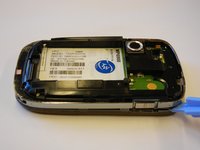
Use the plastic opening tool to remove the front panel from the phone.
-
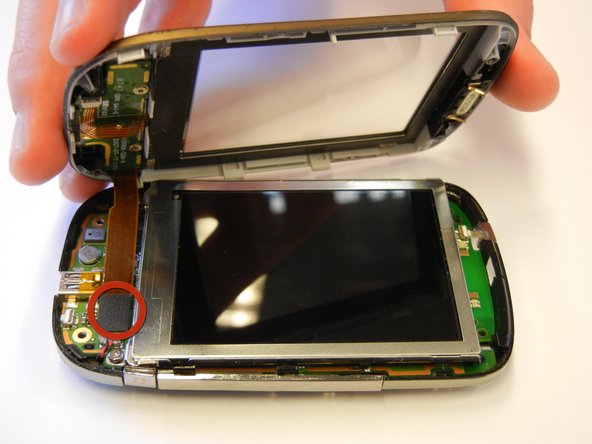
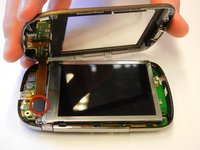
Unplug the front button cable from the inside of the phone.
-
-
-
Remove the two screws from the back of the front panel using the Phillips #00 screwdriver.
-
-
-
-
Remove the small circuit board by gently pushing on the center button on the front of the phone.
-

 Ask FixBot




To reassemble your device, follow these instructions in reverse order.
Cancel: I did not complete this guide.
One other person completed this guide.

Team

Cal Poly, Team 15-12, Regan Spring 2011 Member of Cal Poly, Team 15-12, Regan Spring 2011
CPSU-REGAN-S11S15G12
4 Members
60 Guides authored
1 Guide Comment
I need the keypad flex cable. Where to buy. Please guide smahapatra2012@gmail.com
