Free Shipping on Domestic Orders $75+

HTC One X Plus Motherboard Replacement

What you need

  1. HTC One X Plus Motherboard Replacement, Motherboard: step 1, image 1 of 1
    • Power off your device.

    • Insert a pin, paper clip, or very small piece of metal into the hole next to the micro sim card holder to remove it.

    • The Sim Card Slot is located on the top edge of the device.

    Ask FixBot

    Add Comment

  2. HTC One X Plus Motherboard Replacement: step 2, image 1 of 3 HTC One X Plus Motherboard Replacement: step 2, image 2 of 3 HTC One X Plus Motherboard Replacement: step 2, image 3 of 3
    • Using plastic opening tools, pry open the bottom of the device first.

    • You will hear clicking sounds as the sides of the device detach from the screen.

    • Once both sides are detached, use the suction cup tool to remove the screen completely from the black encasing.

    Ask FixBot

    Add Comment

  3. HTC One X Plus Motherboard Replacement: step 3, image 1 of 3 HTC One X Plus Motherboard Replacement: step 3, image 2 of 3 HTC One X Plus Motherboard Replacement: step 3, image 3 of 3
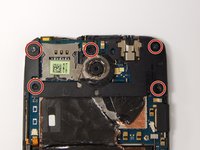
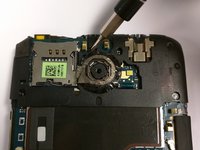
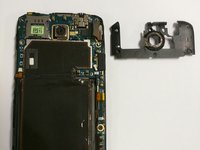
    • Using a Philips head screw driver, remove the five 2.4mm screws that are pictured. Then remove the plastic cover.

    • Once you have disassembled your device the warranty will no longer be valid.

    Ask FixBot

    Add Comment

  4. HTC One X Plus Motherboard Replacement: step 4, image 1 of 3 HTC One X Plus Motherboard Replacement: step 4, image 2 of 3 HTC One X Plus Motherboard Replacement: step 4, image 3 of 3
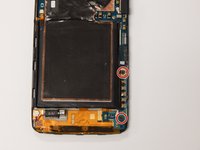
    • Use the J000 Philips screw driver head to remove the screws as pictured.

    • There are two 3.4mm screws to be removed.

    • Remove the PCB board and the antenna.

    Ask FixBot

    Add Comment

  5. HTC One X Plus Motherboard Replacement: step 5, image 1 of 2 HTC One X Plus Motherboard Replacement: step 5, image 2 of 2
    Tool used on this step:
    Tweezers
    $4.99
    Buy
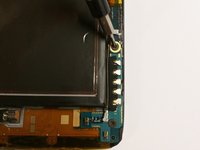
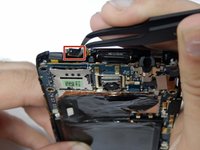
    • Using tweezers, disconnect the power button flex cable.

    • Then disconnect the touch screen flex cable.

    Ask FixBot

    Add Comment

  6. HTC One X Plus Motherboard Replacement: step 6, image 1 of 3 HTC One X Plus Motherboard Replacement: step 6, image 2 of 3 HTC One X Plus Motherboard Replacement: step 6, image 3 of 3
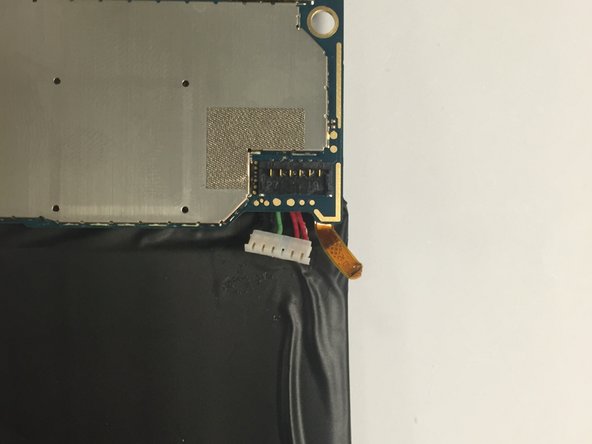
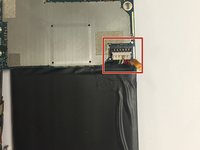
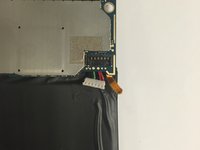
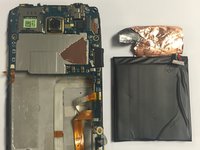
    • Disconnect the battery from the logic board.

    • Look for a white six pin connector.

    • Remove the battery by pulling upwards.

    Ask FixBot

    Add Comment

  7. HTC One X Plus Motherboard Replacement: step 7, image 1 of 1
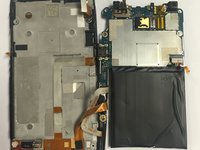
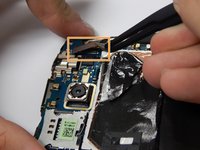
    • Disconnect the remaining two flex cables following the same procedure from Step 5.

    • Once these two flex cables have been disconnected, you may now remove the motherboard.

    Ask FixBot

    Add Comment

Conclusion

To reassemble your device, follow these instructions in reverse order.

Cancel: I did not complete this guide.

One other person completed this guide.

Jason Melo

Member since: 08/26/15

483 Reputation

4 Guides authored

Team

USF Tampa, Team 3-3, Eyestone Fall 2015 Member of USF Tampa, Team 3-3, Eyestone Fall 2015

USFT-EYESTONE-F15S3G3

3 Members

10 Guides authored

0 Guide Comments

Add Comment

View Statistics:

Past 24 Hours: 2

Past 7 Days: 6

Past 30 Days: 29

All Time: 1,523