Free Shipping on Domestic Orders $75+

HTC One Speaker Replacement

What you need

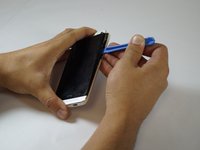
  1. HTC One Speaker Replacement, Speaker: step 1, image 1 of 3 HTC One Speaker Replacement, Speaker: step 1, image 2 of 3 HTC One Speaker Replacement, Speaker: step 1, image 3 of 3
    • Gently remove the volume button. Using a plastic opening tool or guitar pick, loosen the back panel of the phone. Work around the phone, following the crease of the back panel.

    Ask FixBot

    Add Comment

  2. HTC One Speaker Replacement: step 2, image 1 of 1
    • Pry the back loose and lift. The back panel will come off with time.

    Ask FixBot

    Add Comment

  3. HTC One Speaker Replacement: step 3, image 1 of 1
    • Remove all of the screw which are located on the backside of the phone with a #000 Phillip screw driver.

    • Remove the tape gently to find some hidden screws underneath.

    Ask FixBot

    Add Comment

  4. HTC One Speaker Replacement: step 4, image 1 of 1
    Tool used on this step:
    Tweezers
    $4.99
    Buy
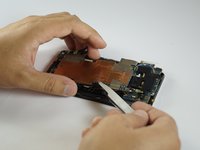
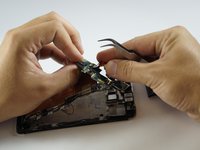
    • Use tweezers to get underneath the motherboard to lift.

    • Lift gently because the motherboard is not completely disconnected.

    Ask FixBot

    Add Comment

  5. HTC One Speaker Replacement: step 5, image 1 of 1
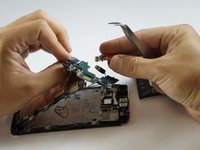
    • Remove the Camera by detaching the box from the frame (you will have to rotate the metal piece on the box to remove it)

    • Lift the camera from the bottom of the motherboard.

    Ask FixBot

    Add Comment

  6. HTC One Speaker Replacement: step 6, image 1 of 2 HTC One Speaker Replacement: step 6, image 2 of 2
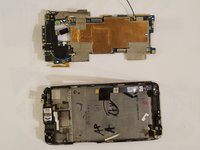
    • Remove the motherboard completely out of the phone.

    • May stay attached from one end by tape.

    Ask FixBot

    Add Comment

  7. HTC One Speaker Replacement: step 7, image 1 of 2 HTC One Speaker Replacement: step 7, image 2 of 2
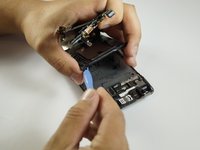
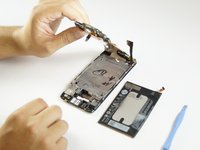
    • Use the blue opening tool to pry the battery from the frame.

    • Some force will be needed since the battery is glued to the frame.

    • Be careful to not break the battery upon removal.

    Ask FixBot

    Add Comment

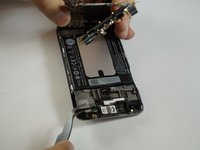
  8. HTC One Speaker Replacement: step 8, image 1 of 3 HTC One Speaker Replacement: step 8, image 2 of 3 HTC One Speaker Replacement: step 8, image 3 of 3
    • Completely remove the motherboard.

    Ask FixBot

    Add Comment

  9. HTC One Speaker Replacement: step 9, image 1 of 2 HTC One Speaker Replacement: step 9, image 2 of 2
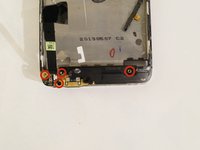
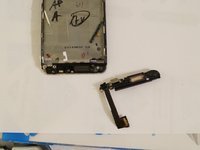
    • Remove the #000 screws around the speaker that are located at the bottom of the frame.

    • Lift the speaker out of the frame.

    Ask FixBot

    Add Comment

Conclusion

To reassemble your device, follow these instructions in reverse order.

Cancel: I did not complete this guide.

16 other people completed this guide.

Alex

Member since: 09/23/14

664 Reputation

1 Guide authored

Team

USF Tampa, Team 12-1, Blackwell Fall 2014 Member of USF Tampa, Team 12-1, Blackwell Fall 2014

USFT-BLACKWELL-F14S12G1

4 Members

7 Guides authored

2 Guide Comments

Ok I will good

Raguraman - Reply Share

Where to buy speaker???

bharatdshmkh - Reply Share

Add Comment

View Statistics:

Past 24 Hours: 2

Past 7 Days: 12

Past 30 Days: 48

All Time: 20,110