Introduction
This guide will walk you through the process of replacing a motherboard in an HTC One Remix.
What you need
-
-
-
Use the sim eject tool to remove the SIM cards on either side of the phone.
 Ask FixBot
-
-
-
Heat up the iOpener in the microwave for one minute. Place the iOpener on the top of the phone for three minutes.
-
-
-
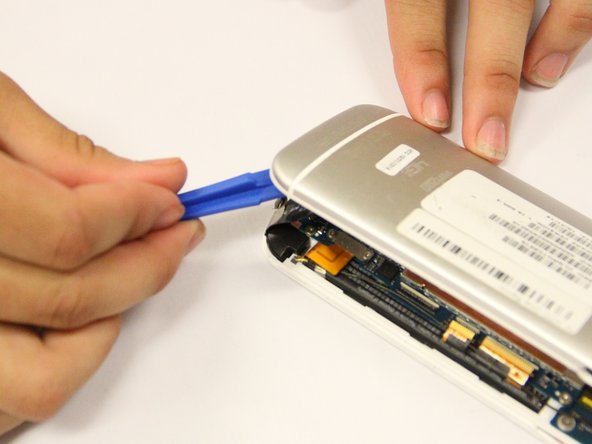
Once the top of the phone is warm, use a plastic spudger to pry the top left corner up.
-
-
-
-
Use the plastic spudger to pry off the back cover. Place the tool in the SIM card insert and lift off the back cover with force. Continue to do this all around the phone.
-
-
Tool used on this step:Tweezers$4.99
-
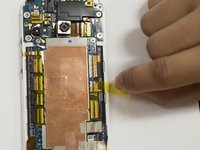
With tweezers, remove the small pieces of yellow tape that hold the phone in place.
-
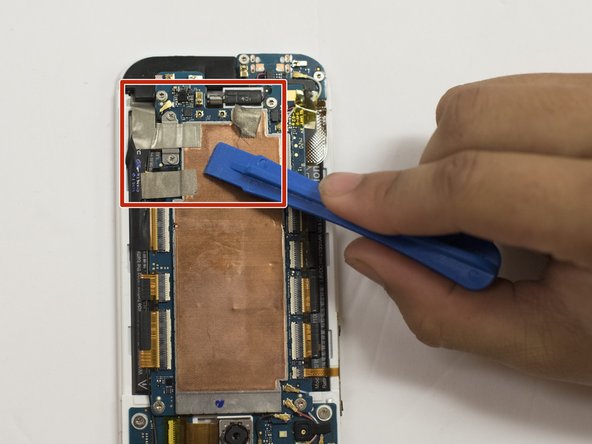
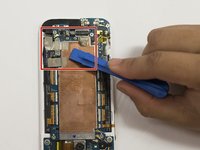
Use the plastic prying tool to take off the three pieces of silver tape. They are located at the bottom right corner of the copper place.
-
-
-
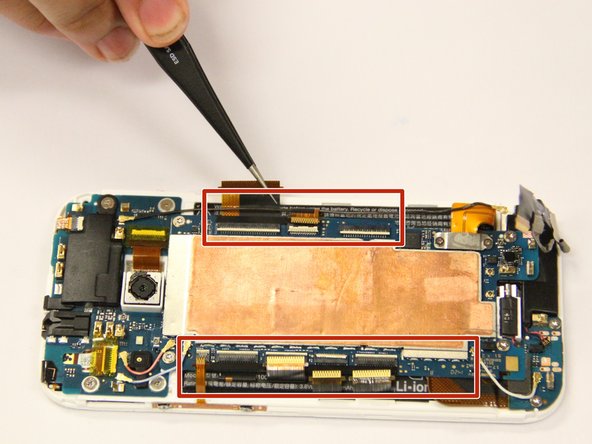
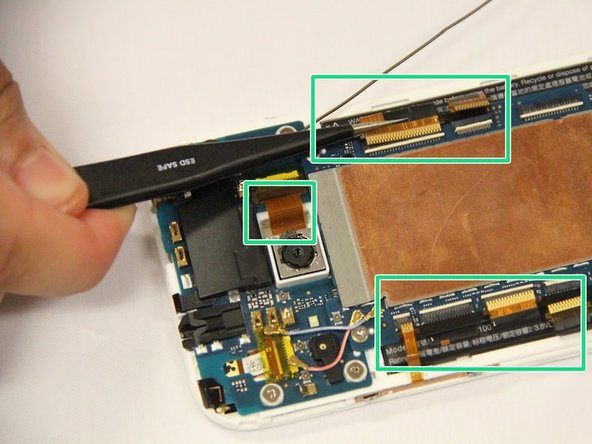
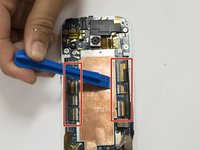
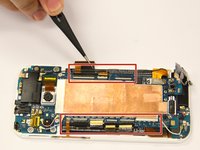
With the plastic spudger, disconnect the eight ZIF connectors. Do this by lifting the small white lines up and pulling the ribbon from it.
-
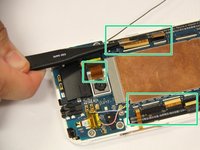
Use tweezers to carefully detach the eight ribbon cables from the connectors.
-
-
-
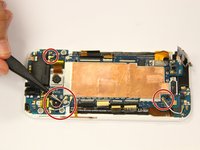
Remove the two 1 mm screws at the bottom right of the motherboard using a Phillips #00 screwdriver.
-
-
-
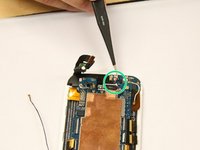
Pull off one end of each of the five colored connecting cables from the motherboard.
-
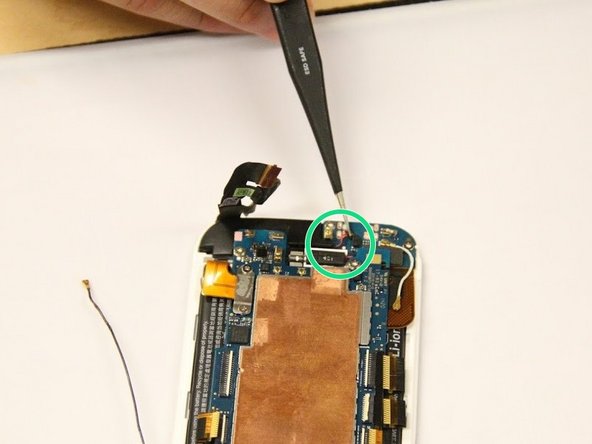
Pull the black and red wire from the motherboard on the bottom left.
-
-
-
Take out the four 3 mm screws that are on each corner of the motherboard using a Torx 4 screwdriver.
-
Gently lift the motherboard out of the phone using the plastic spudger.
-
-








To reassemble your device, follow these instructions in reverse order.
Cancel: I did not complete this guide.
One other person completed this guide.

Team

Eastern Washington University, Team S2-G4, Ramos Spring 2018 Member of Eastern Washington University, Team S2-G4, Ramos Spring 2018
EWU-RAMOS-S18S2G4
5 Members
48 Guides authored
