Free Shipping on Domestic Orders $75+

HTC One Max Rear Facing Camera Replacement

What you need

  1. HTC One Max Rear Facing Camera Replacement, Back Case: step 1, image 1 of 1
    • Lift back cover while pressing highlighted release switch towards the center of the phone.

    Ask FixBot

    Add Comment

  2. HTC One Max Rear Facing Camera Replacement: step 2, image 1 of 2 HTC One Max Rear Facing Camera Replacement: step 2, image 2 of 2
    • Remove the four white stickers in each corner that cover the Tri-Wing screws.

    • Remove the white sticker near the buttons that control the volume.

    • Remove the white sticker near the SIM card.

    • Remove the big white sticker with the bar-code in the center of the phone.

    Ask FixBot

    Add Comment

  3. HTC One Max Rear Facing Camera Replacement: step 3, image 1 of 1
    • Remove the thirteen Tri-Wing Y00 screws (Upper & Lower screws are 5 mm length, middle screws are 3.8 mm length) from the back case.

    • Disconnect the cable near the volume buttons.

    Ask FixBot

    Add Comment

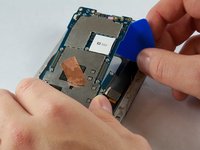
  4. HTC One Max Rear Facing Camera Replacement: step 4, image 1 of 2 HTC One Max Rear Facing Camera Replacement: step 4, image 2 of 2
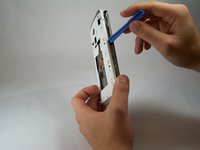
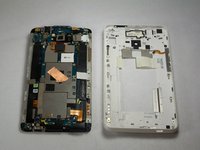
    • Use the small plastic opening tool to pry between the screen and the rear case.

    Ask FixBot

    Add Comment

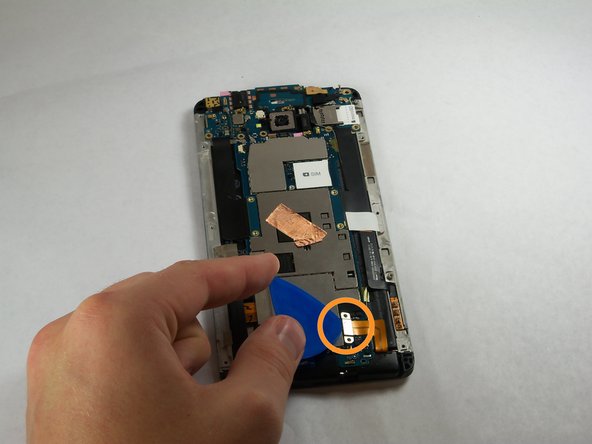
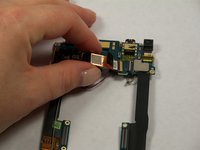
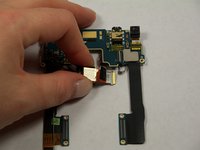
  5. HTC One Max Rear Facing Camera Replacement, Fingerprint Sensor: step 5, image 1 of 2 HTC One Max Rear Facing Camera Replacement, Fingerprint Sensor: step 5, image 2 of 2
    Tool used on this step:
    Tweezers
    $4.99
    Buy
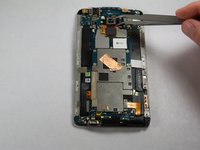
    • Use Tweezers to disconnect the ribbon cable connecting the fingerprint sensor to the motherboard.

    • When replacing the fingerprint sensor, make sure the ribbon cable snaps into the port on the motherboard.

    Ask FixBot

    Add Comment

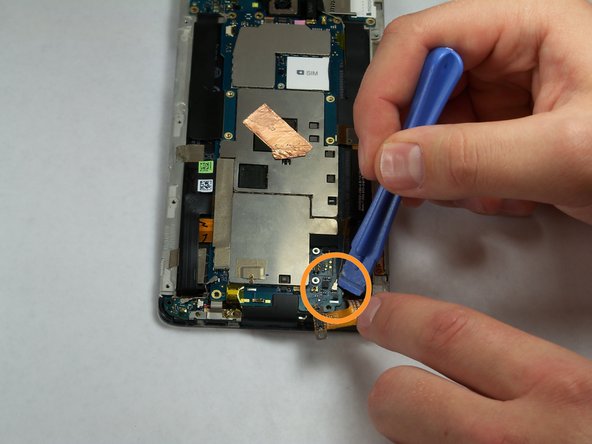
  6. HTC One Max Rear Facing Camera Replacement, Motherboard: step 6, image 1 of 2 HTC One Max Rear Facing Camera Replacement, Motherboard: step 6, image 2 of 2
    • Remove the two 2.2 mm Phillips #000 screws holding the battery cable.

    • Use a plastic tool to remove the ribbon cable.

    Ask FixBot

    Add Comment

  7. HTC One Max Rear Facing Camera Replacement: step 7, image 1 of 2 HTC One Max Rear Facing Camera Replacement: step 7, image 2 of 2
    • Use the plastic opening tool to disconnect the two antenna wires at the top of the phone.

    • Use the plastic opening tool to disconnect a third antenna wire at the bottom of the phone.

    Ask FixBot

    Add Comment

  8. HTC One Max Rear Facing Camera Replacement: step 8, image 1 of 1
    • Remove the seven 3 mm Phillips #000 screws from the motherboard.

    Ask FixBot

    Add Comment

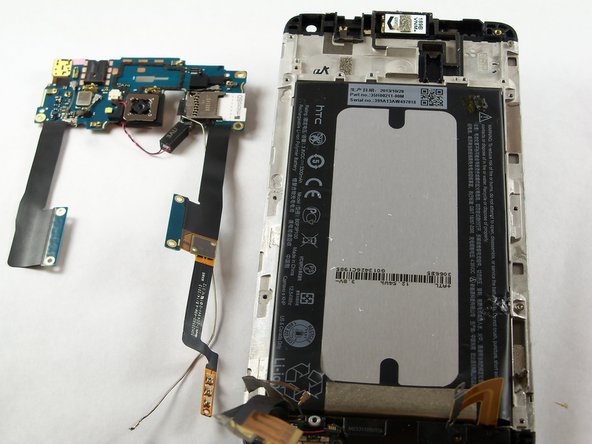
  9. HTC One Max Rear Facing Camera Replacement: step 9, image 1 of 3 HTC One Max Rear Facing Camera Replacement: step 9, image 2 of 3 HTC One Max Rear Facing Camera Replacement: step 9, image 3 of 3
    • Use a plastic tool to pry up and disconnect the large ribbon cables on each side of the motherboard.

    • Use caution prying the ribbon cable on the right side because other ribbon cables run under it.

    Ask FixBot

    Add Comment

  10. HTC One Max Rear Facing Camera Replacement: step 10, image 1 of 3 HTC One Max Rear Facing Camera Replacement: step 10, image 2 of 3 HTC One Max Rear Facing Camera Replacement: step 10, image 3 of 3
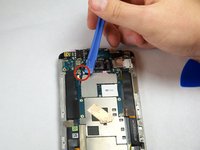
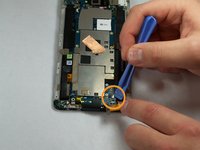
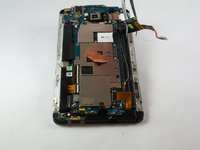
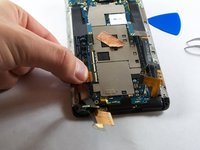
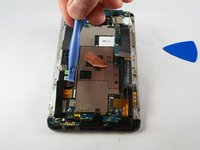
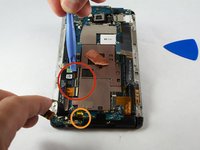
    • Remove the tape covering three flex cable gate connectors on the bottom left side of the phone.

    • Use small plastic opening tool to pry open the latch on each of these gate connectors to disconnect the three cables.

    • Use small plastic opening tool to pry open the latch on each of these gate connectors to disconnect the three cables.

    Ask FixBot

    Add Comment

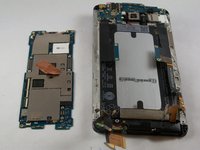
  11. HTC One Max Rear Facing Camera Replacement: step 11, image 1 of 2 HTC One Max Rear Facing Camera Replacement: step 11, image 2 of 2
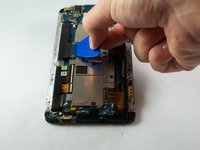
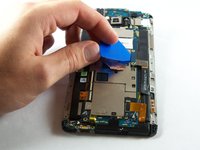
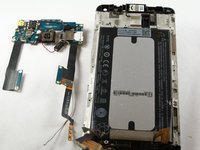
    • Use a plastic tool to lift and remove the motherboard.

    • Use a heat gun to loosen adhesive at bottom if needed.

    Ask FixBot

    Add Comment

  12. HTC One Max Rear Facing Camera Replacement, IR Blaster: step 12, image 1 of 1
    • Remove the three 3 mm Phillips #000 screws from the secondary board at the top.

    Ask FixBot

    Add Comment

  13. HTC One Max Rear Facing Camera Replacement: step 13, image 1 of 1
    • Pick up and set aside vibrator, do not disconnect.

    Ask FixBot

    Add Comment

  14. HTC One Max Rear Facing Camera Replacement: step 14, image 1 of 1
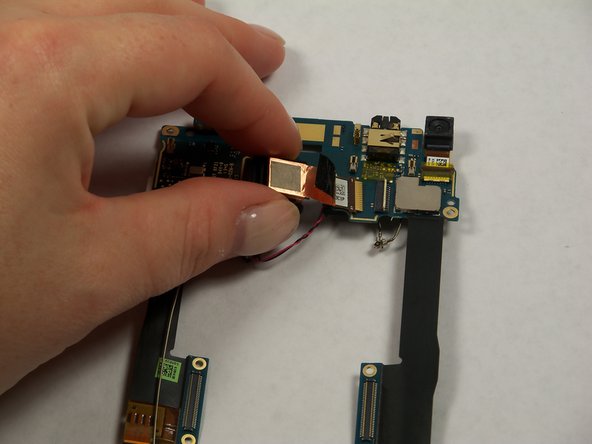
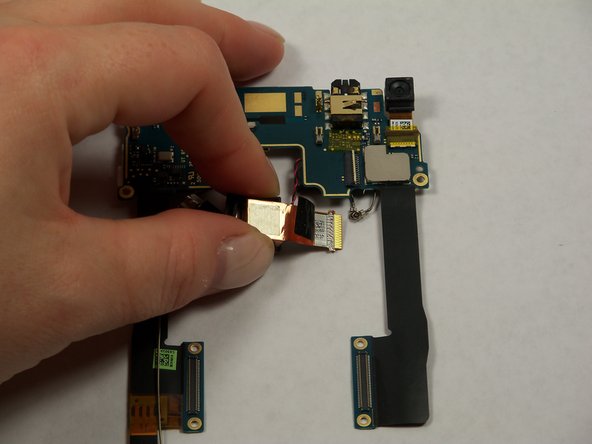
    • Pull out ribbon cable.

    • Peel back infrared sensor.

    Ask FixBot

    Add Comment

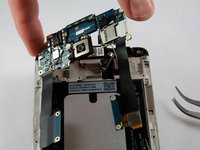
  15. HTC One Max Rear Facing Camera Replacement, Rear Facing Camera: step 15, image 1 of 2 HTC One Max Rear Facing Camera Replacement, Rear Facing Camera: step 15, image 2 of 2
    • Lift the secondary motherboard with the camera attached.

    Ask FixBot

    Add Comment

  16. HTC One Max Rear Facing Camera Replacement: step 16, image 1 of 3 HTC One Max Rear Facing Camera Replacement: step 16, image 2 of 3 HTC One Max Rear Facing Camera Replacement: step 16, image 3 of 3
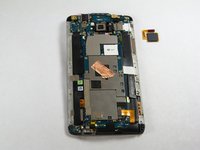
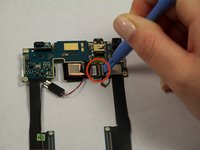
    • Use a plastic opening tool to disconnect the camera ribbon cable.

    • Remove rear camera.

    Ask FixBot

    Add Comment

Conclusion

To reassemble your device, follow these instructions in reverse order.

Cancel: I did not complete this guide.

8 other people completed this guide.

Andrew Keller

Member since: 09/23/14

1,131 Reputation

5 Guides authored

Team

USF Tampa, Team 11-3, Blackwell Fall 2014 Member of USF Tampa, Team 11-3, Blackwell Fall 2014

USFT-BLACKWELL-F14S11G3

4 Members

7 Guides authored

1 Guide Comment

so..which one do i have to buy?

the Phillips #00 or the #000? the steps say one thing, the required tools section says another.

thanks in advance

alberto rivera - Reply Share

Add Comment

View Statistics:

Past 24 Hours: 2

Past 7 Days: 12

Past 30 Days: 42

All Time: 8,506