Free Shipping on Domestic Orders $75+

HTC One M8 MicroSD Card Replacement

What you need

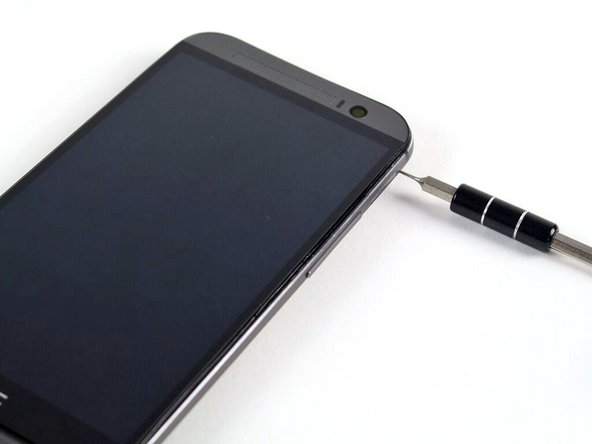
  1. HTC One M8 MicroSD Card Replacement, MicroSD Card: step 1, image 1 of 2 HTC One M8 MicroSD Card Replacement, MicroSD Card: step 1, image 2 of 2
    • Insert a SIM card eject tool or a paperclip into the small hole in the microSD card tray, located on the upper right hand side of the phone.

    • Press to eject the tray.

    • This may require a significant amount of force.

    Ask FixBot

    Add Comment

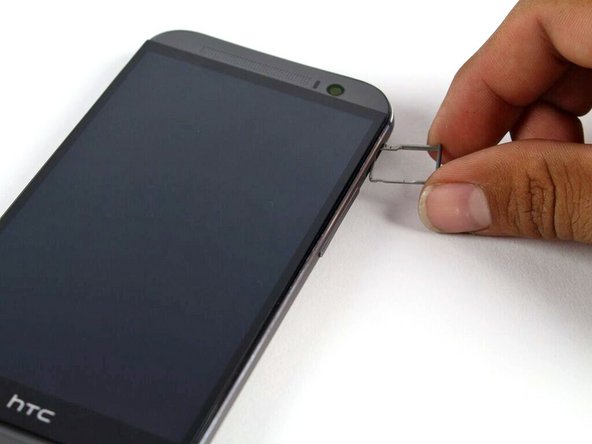
  2. HTC One M8 MicroSD Card Replacement: step 2, image 1 of 1
    • Remove the microSD card tray assembly from the HTC One M8.

    • When reinserting the microSD card, ensure that it is in the proper orientation relative to the tray.

    Ask FixBot

    Add Comment

Conclusion

To reassemble your device, follow these instructions in reverse order.

Cancel: I did not complete this guide.

7 other people completed this guide.

Geoff Wacker

Member since: 09/30/13

92,840 Reputation

89 Guides authored

1 Guide Comment

Sérieusement ??

SkaTino Senseï - Reply Share

Add Comment

View Statistics:

Past 24 Hours: 3

Past 7 Days: 7

Past 30 Days: 38

All Time: 2,433