
HTC Fortress SIM Card Replacement

Lucas David and 7 other contributors
Last updated on Jan 14, 2026
Views: 899
View statistics:
- Past 24 Hours:
- 3
- Past 7 Days:
- 15
- Past 30 Days:
- 89
- All Time:
- 899
Comments: 0
No one has left comments on this guide. Will you be first?
Go to guide commentsCompleted: 0 1
No one has marked this guide "completed." Will you be the first?
1 person has marked this guide "completed." It's you — great job!
Favorites: 2 3
2 people have favorited (and subscribed to) this guide. Will you be next?
3 people have favorited (and subscribed to) this guide — including you!
Featured Student Guide
This guide has been the hard work of our awesome students and is found to be exceptionally cool by the iFixit staff.
Action Shots
Be an action hero! This guide needs images that better demonstrate how to perform specific actions.
Introduction
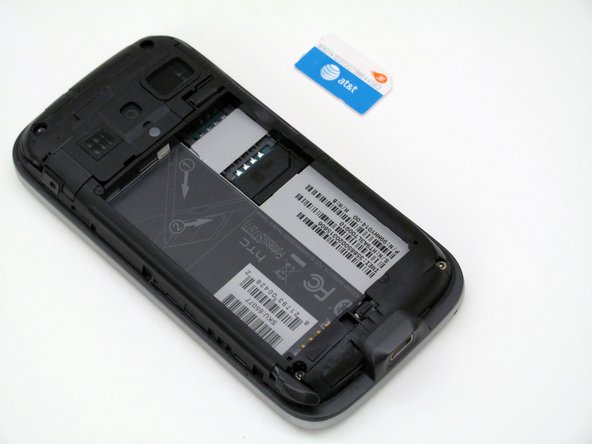
Go to step 1 ↓The SIM card in your HTC Fortress stores important information including your contacts and personal settings. It is designed to be removed relatively easily.
In this guide, you will learn how to replace the SIM Card in the HTC Fortress. No tools are required for this guide.
-
-
-
-
Insert the stylus into the small slot.
-
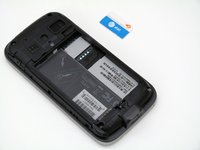
Use the stylus as a lever to push the sim card out of its fitting.
-
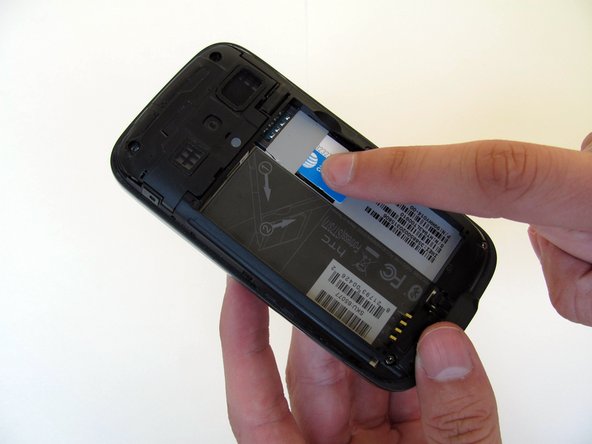
Use your finger to slide the card out the rest of the way.
-
-


 Ask FixBot


To reassemble your device, follow these instructions in reverse order.

Team

Cal Poly, Team 4-13, Maness Spring 2013 Member of Cal Poly, Team 4-13, Maness Spring 2013
CPSU-MANESS-S13S4G13
4 Members
108 Guides authored
