
HTC Fortress Camera Replacement

Lucas David and 4 other contributors
Last updated on May 7, 2024
Views: 888
View statistics:
- Past 24 Hours:
- 3
- Past 7 Days:
- 15
- Past 30 Days:
- 95
- All Time:
- 888
Comments: 0
No one has left comments on this guide. Will you be first?
Go to guide commentsCompleted: 1 2
1 person has marked this guide "completed." Will you be next?
2 people have marked this guide "completed." Including you — great job!
Favorites: 1 2
1 person has favorited (and subscribed to) this guide. Will you be next?
2 people have favorited (and subscribed to) this guide — including you!
Featured Student Guide
This guide has been the hard work of our awesome students and is found to be exceptionally cool by the iFixit staff.
Needs Better Images
Better photos will improve this guide. Help out by taking, editing, or uploading new ones!
Introduction
Go to step 1 ↓If your Fortress' camera is malfunctioning and you've ruled out any software problems, you may want to install a new Camera.
In this guide, you'll learn how to install the HTC Fortress camera. This guide requires a moderate amount of dismantling of your phone with tools from the iFixit tool kit.
What you need
Tools
-
-
Spudger4.9


-
-
-
-
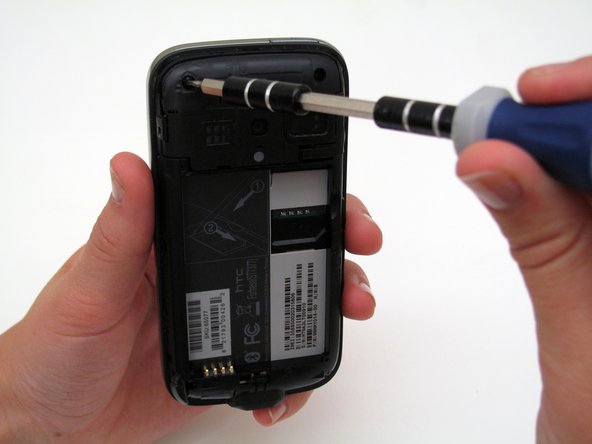
Remove the top 2 screws on the back of the phone with the T4 Screwdriver.
-
-
-
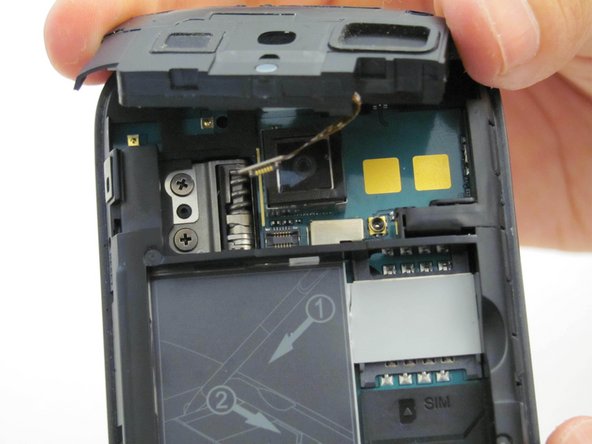
Remove the camera panel by hand (black cover above the battery slot).
-
During reassembly, put the cable back in by holding the black piece slightly above its slot and using the spudger to gently press the end of the cable back into its fitting. Then, insert the black piece so it is flush with the black panel again.
-
-
-
-
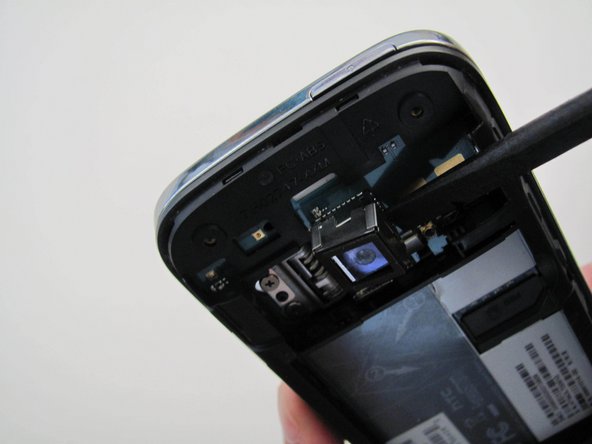
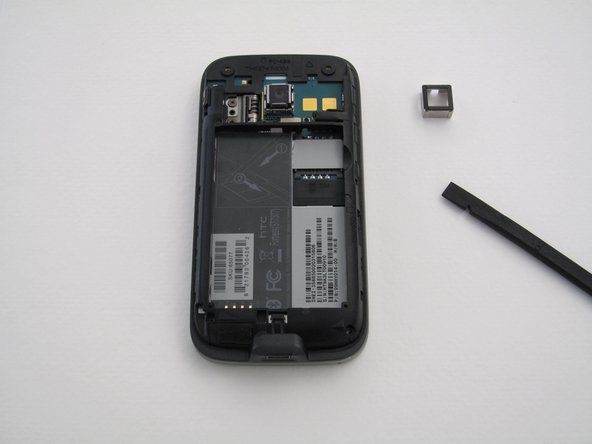
Work the metal camera casing off by slowly prying up the sides using the spudger.
-
-
Tool used on this step:Tweezers$4.99
-
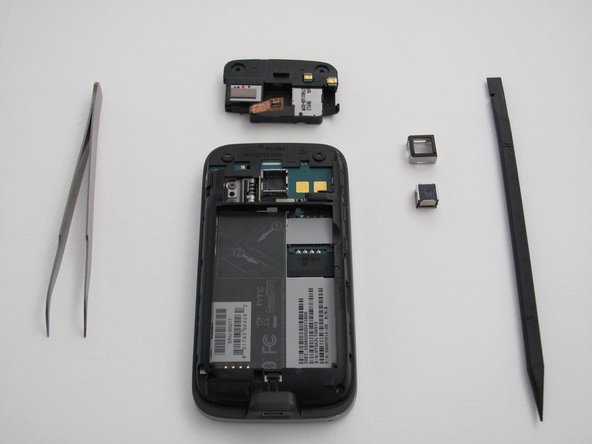
Use the tweezers to pull the camera straight out of the phone.
-
-


 Ask FixBot















To reassemble your device, follow these instructions in reverse order.
Cancel: I did not complete this guide.
One other person completed this guide.

Team

Cal Poly, Team 4-13, Maness Spring 2013 Member of Cal Poly, Team 4-13, Maness Spring 2013
CPSU-MANESS-S13S4G13
4 Members
108 Guides authored
