What you need
-
-
-
Remove the back case of the phone with a plastic opening tool by placing the tool in the tab on the back of the phone.
 Ask FixBot
-
-
-
Remove the battery from the phone by carefully lifting it out with your fingers.
-
-
-
-
Set the battery aside for disposal. You are now ready to insert a new battery.
-
-
-
-
-
you should remove the six T5 screws holding the Inner frame in place. Be careful not to loose the screws
-
-
-
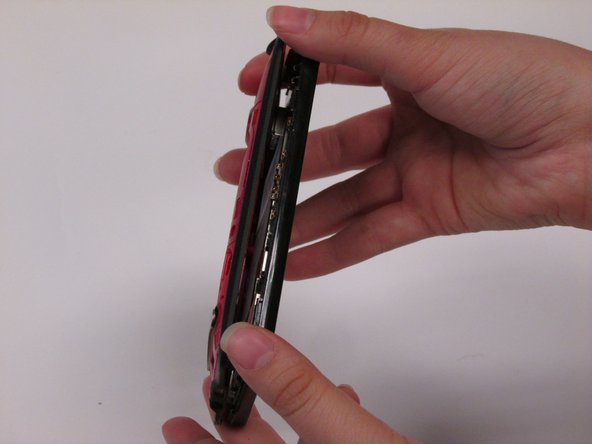
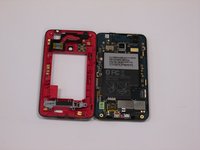
Using the plastic opening tool again, gently pry the inner frame apart from the rest of the phone
-
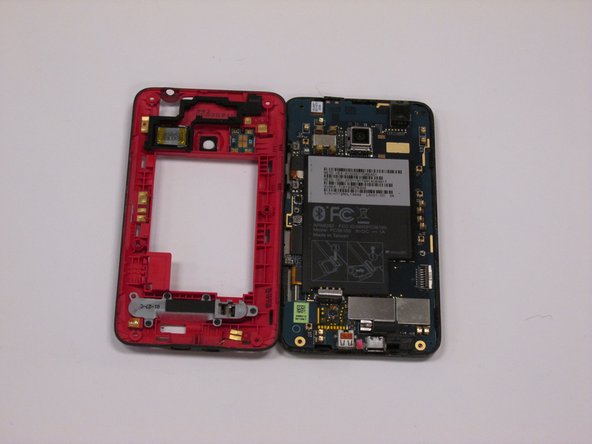
Remove the inner frame from the rest of the phone by lifting it off
-
-
-
use plastic pic to gently pry our the speaker
-
be sure to have your replacement unit ready
-
-



To reassemble your device, follow these instructions in reverse order.

Team

New Mexico State, Team 1-1, Easley Spring 2014 Member of New Mexico State, Team 1-1, Easley Spring 2014
NMSU-EASLEY-S14S1G1
5 Members
48 Guides authored
