Introduction
This guide will walk you through the steps necessary to access the power button on your HTC Evo 4G for replacement. The four steps require no special skills. There are small parts that could get lost easily upon removal if not handled carefully.
What you need
-
-
-
Using the tip of your finger, lift the battery from the end closest to the camera.
-
Remove the battery from the rear inner frame.
 Ask FixBot
-
-
-
-
-
Remove the six screws on the back of your phone with the T5 screwdriver. Be careful not to lose the screws.
-
-
-
-
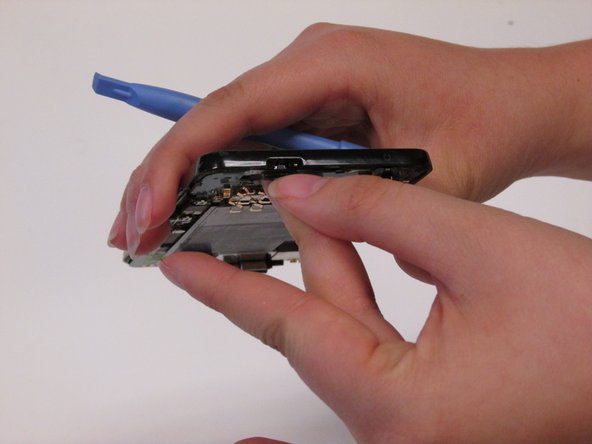
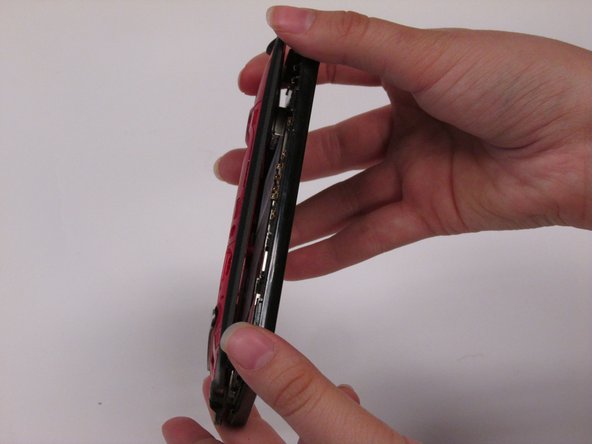
Use the plastic opening tool to gently pry the inner frame apart from the rest of the phone.
-
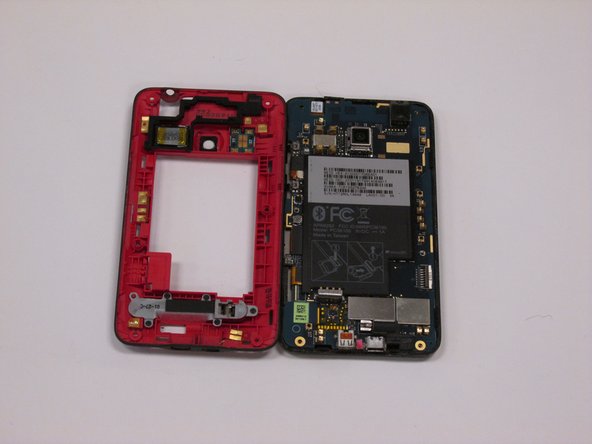
Lift off the inner frame from the rest of the phone to remove it.
-
-



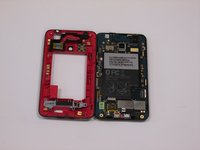




To reassemble your device, follow these instructions in reverse order.
Cancel: I did not complete this guide.
One other person completed this guide.

Team

New Mexico State, Team 1-1, Easley Spring 2014 Member of New Mexico State, Team 1-1, Easley Spring 2014
NMSU-EASLEY-S14S1G1
5 Members
48 Guides authored
