Free Shipping on Domestic Orders $75+

HP iPAQ H2200 Joypad Replacement

What you need

    1. HP iPAQ H2200 Joypad Replacement, Battery: step 1, image 1 of 1
      • Press and slide the battery cover tab to remove battery cover.

      Ask FixBot

      Add Comment

    2. HP iPAQ H2200 Joypad Replacement: step 2, image 1 of 2 HP iPAQ H2200 Joypad Replacement: step 2, image 2 of 2
      • Pull on the black tab to lift the battery out of the battery compartment.

      Ask FixBot

      Add Comment

    1. HP iPAQ H2200 Joypad Replacement, Main Board: step 3, image 1 of 1
      • Remove the stylus by sliding it out of the slot.

      Ask FixBot

      Add Comment

    2. HP iPAQ H2200 Joypad Replacement: step 4, image 1 of 1
      • Remove the CF card by sliding it out of the slot at the top of the device.

      Ask FixBot

      Add Comment

    3. HP iPAQ H2200 Joypad Replacement: step 5, image 1 of 1
      • Press down and push the black side strips toward the top of the device to remove them.

      Ask FixBot

      Add Comment

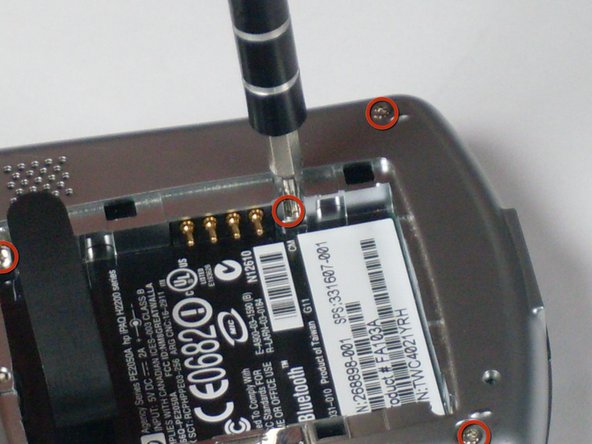
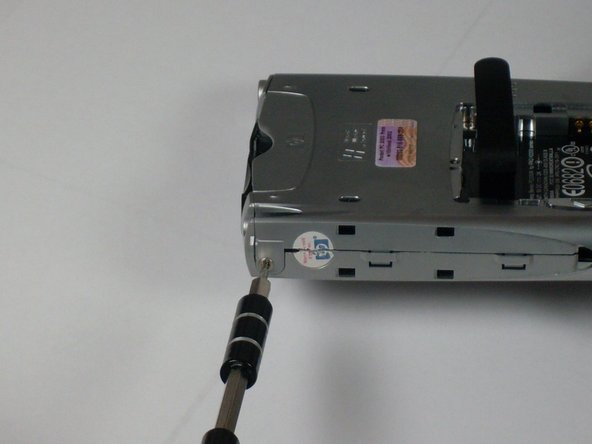
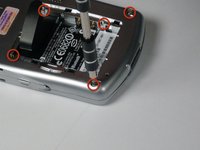
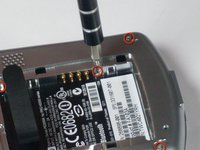
    4. HP iPAQ H2200 Joypad Replacement: step 6, image 1 of 3 HP iPAQ H2200 Joypad Replacement: step 6, image 2 of 3 HP iPAQ H2200 Joypad Replacement: step 6, image 3 of 3
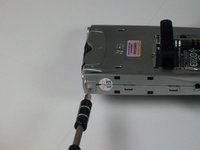
      • Using the T5 Torx screwdriver, remove all six screws on the back and all screws on each side of the device.

      Ask FixBot

      Add Comment

    5. HP iPAQ H2200 Joypad Replacement: step 7, image 1 of 2 HP iPAQ H2200 Joypad Replacement: step 7, image 2 of 2
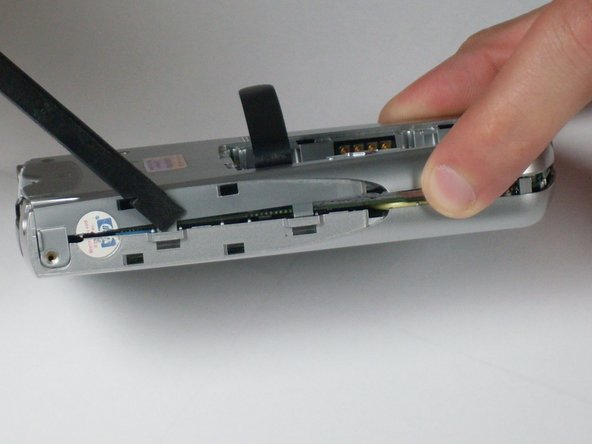
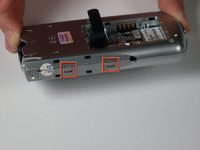
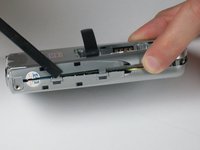
      • Remove the back faceplate by pushing and loosening the 4 side slots (2 on each side).

      Ask FixBot

      Add Comment

    6. HP iPAQ H2200 Joypad Replacement: step 8, image 1 of 1
      • Open the LCD connector, where the orange strip attaches to the main board.

      Ask FixBot

      Add Comment

    7. HP iPAQ H2200 Joypad Replacement: step 9, image 1 of 1
      • Carefully remove the orange LCD strip from the connector.

      Ask FixBot

      Add Comment

    8. HP iPAQ H2200 Joypad Replacement: step 10, image 1 of 1
      • Unscrew the 2 screws located at each top corner of the main board.

      Ask FixBot

      Add Comment

    9. HP iPAQ H2200 Joypad Replacement: step 11, image 1 of 1
      • Remove the main board by pushing outward on the two tabs located on each side near the bottom of the device.

      Ask FixBot

      Add Comment

    1. HP iPAQ H2200 Joypad Replacement, Joypad: step 12, image 1 of 1
      • Press on the four joypad tabs on the back, and push it through and out the front.

      Ask FixBot

      Add Comment

    2. HP iPAQ H2200 Joypad Replacement: step 13, image 1 of 1
      • Push the new joypad through the hole; the tabs will lock it into place.

      Ask FixBot

      Add Comment

Conclusion

To reassemble your device, follow these instructions in reverse order.

Cancel: I did not complete this guide.

Tyler Andrews

Member since: 01/13/10

209 Reputation

5 Guides authored

Team

Cal Poly, Team 4-12, Forte Winter 2010 Member of Cal Poly, Team 4-12, Forte Winter 2010

CPSU-FORTE-W10S4G12

3 Members

35 Guides authored

0 Guide Comments

Add Comment

View Statistics:

Past 24 Hours: 0

Past 7 Days: 2

Past 30 Days: 31

All Time: 3,495