
HP ZBook 15 Wi-Fi Card Replacement

Grant Terris and 4 other contributors
Last updated on Jun 15, 2015
Views: 6.6K
View statistics:
- Past 24 Hours:
- 1
- Past 7 Days:
- 18
- Past 30 Days:
- 98
- All Time:
- 6,640
Comments: 1
1 guide comment.
Go to guide commentsCompleted: 3 4
3 people have marked this guide "completed." Will you be next?
4 people have marked this guide "completed." Including you — great job!
Favorites: 1 2
1 person has favorited (and subscribed to) this guide. Will you be next?
2 people have favorited (and subscribed to) this guide — including you!
Introduction
Go to step 1 ↓Are you having problems with your wi-fi? Here is some more information about why you might not be able to connect to wireless networks. If you determine that your wi-fi card needs to be replaced, follow this replacement guide!
What you need
Tools

-
-
-
Flip the laptop over.
-
Slide the lever with the battery symbol beside it firmly until the battery pops out.
-
Remove the battery from the laptop.
 Ask FixBot
-
-
-
-
-
Slide the right lever firmly to the right.
-
Slide the cover towards yourself to remove it.
-
-
-
-
-
-
Remove the two 3mm screws from the corners of the card with a Phillips #0 screwdriver.
-
Lift the card up and slide it out to disconnect it.
-


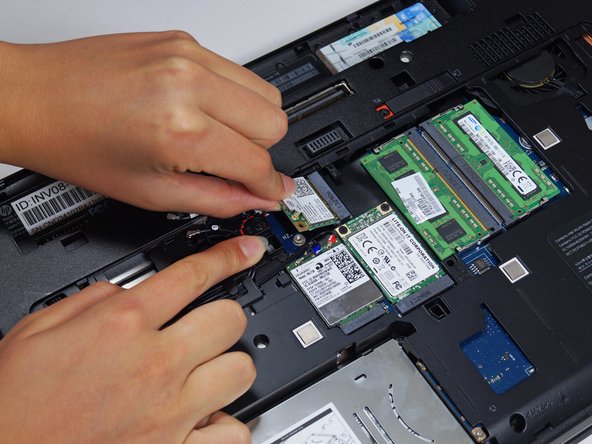
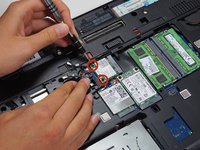
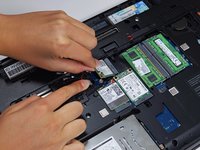
To reassemble your device, follow these instructions in reverse order.
Cancel: I did not complete this guide.
3 other people completed this guide.

Team

Cal Poly, Team 8-43, Amido Winter 2015 Member of Cal Poly, Team 8-43, Amido Winter 2015
CPSU-AMIDO-W15S8G43
4 Members
144 Guides authored
1 Guide Comment
I’m planning to upgrade my Zbook by installing a Wireless AC-capable WiFi module. I’ve found a cheap one that’s compatible according to the service manual: the Intel 7260HMW. However, it doesn’t have an HP SPS, it seems to have come from a DELL laptop.
Has anyone tried this? Will it work? I guess I’ll find out the hard way!
Hopefully, the seller will allow me to test the adapter before buying.
