Free Shipping on Domestic Orders $75+

HP TouchSmart 15-r015dx Screen Replacement

What you need

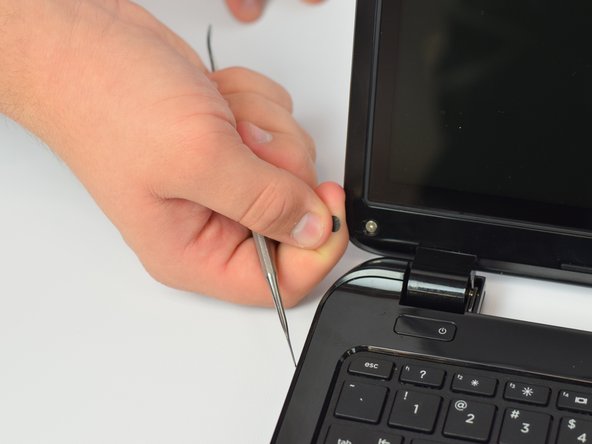
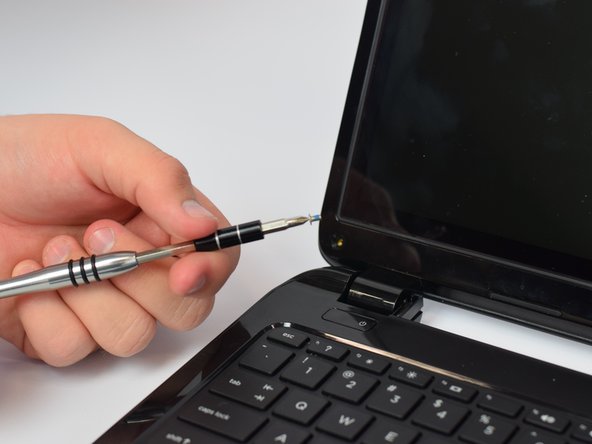
    1. HP TouchSmart 15-r015dx Screen Replacement, Screen: step 1, image 1 of 3 HP TouchSmart 15-r015dx Screen Replacement, Screen: step 1, image 2 of 3 HP TouchSmart 15-r015dx Screen Replacement, Screen: step 1, image 3 of 3
      • Acquire the metal spudger and a Precision Magnetized Driver with J1 size bit.

      • Flip your HP TouchSmart 15 over.

      Ask FixBot

      Add Comment

    2. HP TouchSmart 15-r015dx Screen Replacement: step 2, image 1 of 3 HP TouchSmart 15-r015dx Screen Replacement: step 2, image 2 of 3 HP TouchSmart 15-r015dx Screen Replacement: step 2, image 3 of 3
      • Locate tabs on the underside of the laptop.

      • Push both tabs towards the center of the laptop and pull away to remove battery.

      Ask FixBot

      Add Comment

    3. HP TouchSmart 15-r015dx Screen Replacement: step 3, image 1 of 3 HP TouchSmart 15-r015dx Screen Replacement: step 3, image 2 of 3 HP TouchSmart 15-r015dx Screen Replacement: step 3, image 3 of 3
      • Take the sharp end of the pry tool and pop out the black screw cover.

      • Repeat on opposite side.

      Ask FixBot

      Add Comment

    4. HP TouchSmart 15-r015dx Screen Replacement: step 4, image 1 of 3 HP TouchSmart 15-r015dx Screen Replacement: step 4, image 2 of 3 HP TouchSmart 15-r015dx Screen Replacement: step 4, image 3 of 3
      • Take the Precision Magnetized Driver with J1 size bit and unscrew the screw.

      • Repeat on opposite side.

      Ask FixBot

      Add Comment

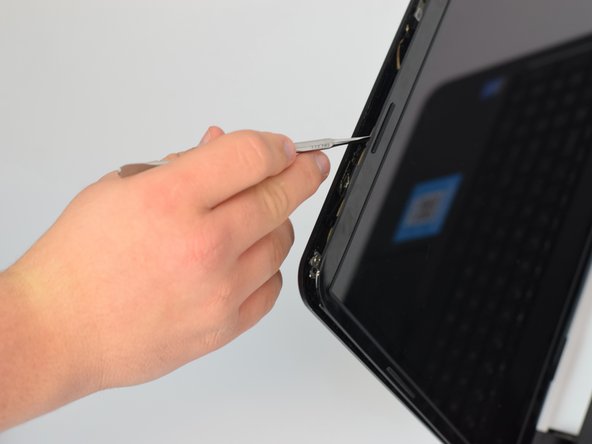
    5. HP TouchSmart 15-r015dx Screen Replacement: step 5, image 1 of 3 HP TouchSmart 15-r015dx Screen Replacement: step 5, image 2 of 3 HP TouchSmart 15-r015dx Screen Replacement: step 5, image 3 of 3
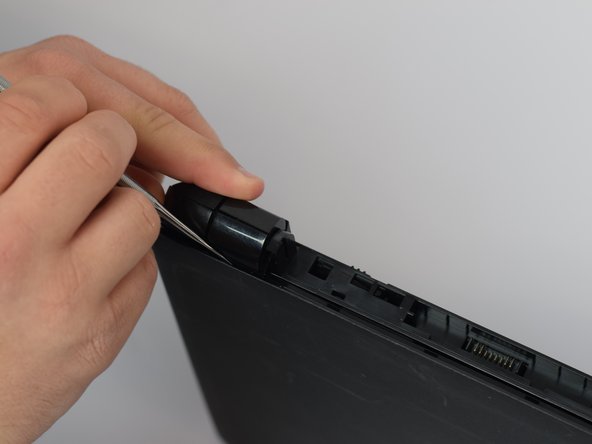
      • Using the pry tool, begin to separate the touchscreen from the plastic backing.

      Ask FixBot

      Add Comment

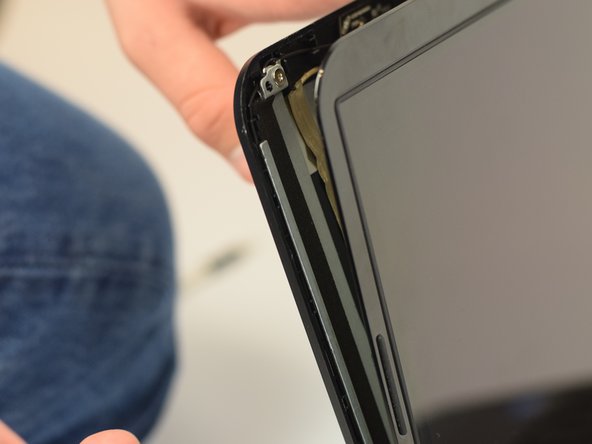
    6. HP TouchSmart 15-r015dx Screen Replacement: step 6, image 1 of 3 HP TouchSmart 15-r015dx Screen Replacement: step 6, image 2 of 3 HP TouchSmart 15-r015dx Screen Replacement: step 6, image 3 of 3
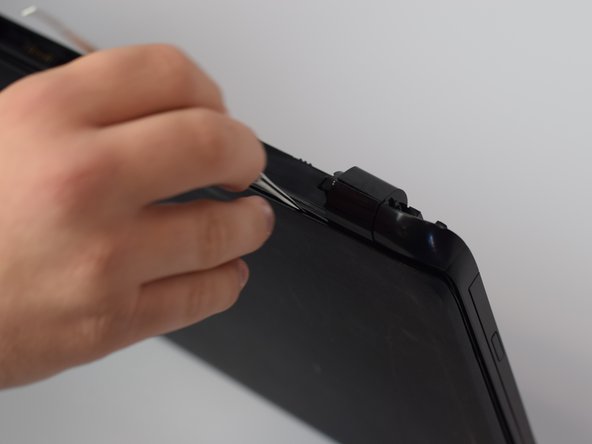
      • Close the laptop and flip it over once again.

      • Continue to pry the touchscreen from the plastic backing in the hinged area of the laptop.

      Ask FixBot

      Add Comment

    7. HP TouchSmart 15-r015dx Screen Replacement: step 7, image 1 of 3 HP TouchSmart 15-r015dx Screen Replacement: step 7, image 2 of 3 HP TouchSmart 15-r015dx Screen Replacement: step 7, image 3 of 3
      • Flip over the laptop and open it.

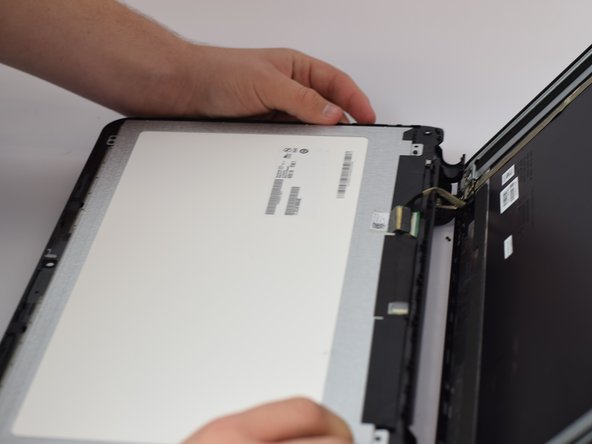
      • Pull up on the separated touchscreen while pulling it away from the plastic backing.

      • Be careful while laying down the touchscreen to not pull the connection point.

      • Lay the touchscreen on the keyboard facedown.

      Ask FixBot

      Add Comment

    8. HP TouchSmart 15-r015dx Screen Replacement: step 8, image 1 of 3 HP TouchSmart 15-r015dx Screen Replacement: step 8, image 2 of 3 HP TouchSmart 15-r015dx Screen Replacement: step 8, image 3 of 3
      • Locate the connection point.

      • Slowly and carefully peel off.

      Ask FixBot

      Add Comment

    9. HP TouchSmart 15-r015dx Screen Replacement: step 9, image 1 of 2 HP TouchSmart 15-r015dx Screen Replacement: step 9, image 2 of 2
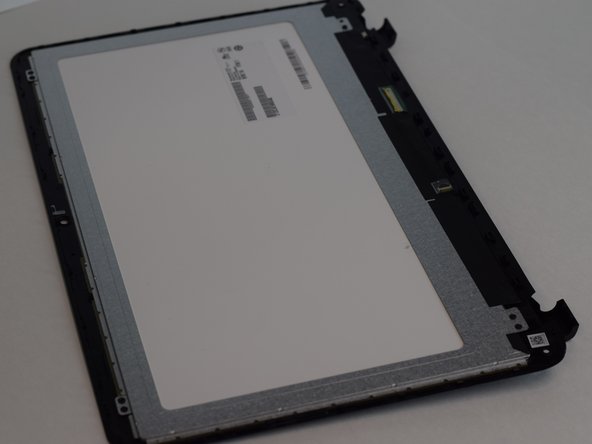
      • Isolate the touchscreen from the keyboard.

      Ask FixBot

      Add Comment

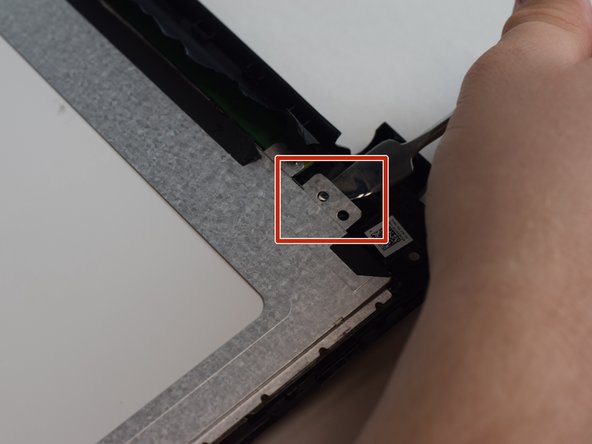
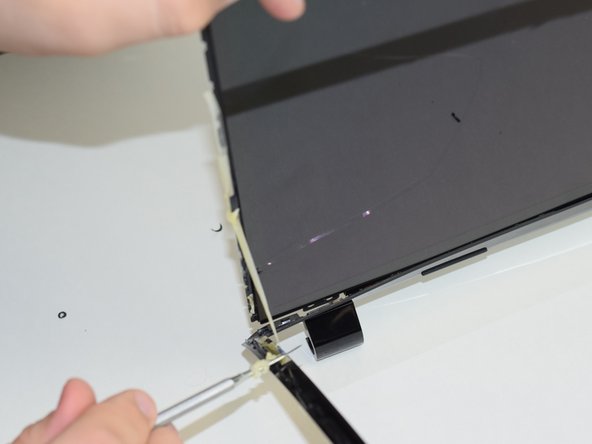
    10. HP TouchSmart 15-r015dx Screen Replacement: step 10, image 1 of 3 HP TouchSmart 15-r015dx Screen Replacement: step 10, image 2 of 3 HP TouchSmart 15-r015dx Screen Replacement: step 10, image 3 of 3
      • Begin by peeling off the black adhesive tape using the pry tool.

      • Once adhesive tape is removed, use the pry tool to remove the tab in the corner. Repeat in each corner.

      Ask FixBot

      Add Comment

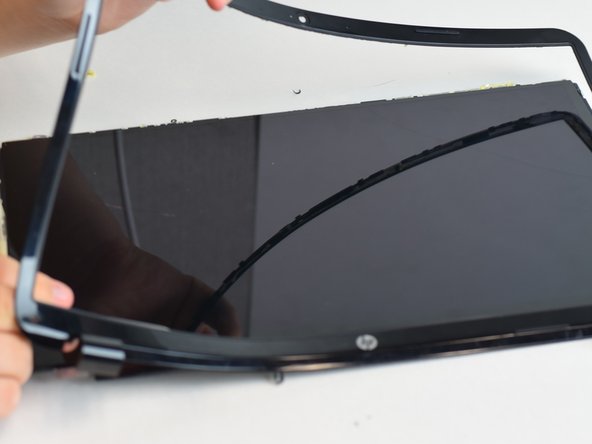
    11. HP TouchSmart 15-r015dx Screen Replacement: step 11, image 1 of 3 HP TouchSmart 15-r015dx Screen Replacement: step 11, image 2 of 3 HP TouchSmart 15-r015dx Screen Replacement: step 11, image 3 of 3
      • Using the sharp end of the pry tool, separate the plastic from the screen.

      Ask FixBot

      Add Comment

    12. HP TouchSmart 15-r015dx Screen Replacement: step 12, image 1 of 1
      • Now it is time to reassemble your device with a new screen.

      Ask FixBot

      Add Comment

Conclusion

To reassemble your device, follow these instructions in reverse order.

Cancel: I did not complete this guide.

3 other people completed this guide.

1 Guide Comment

Amazing work. I would not change a thing.

Dan Hartzell - Reply Share

Add Comment

View Statistics:

Past 24 Hours: 0

Past 7 Days: 3

Past 30 Days: 17

All Time: 1,578