
HP Stream 13-c110nr Battery Assembly Replacement

Stacey Deel and 7 other contributors
Last updated on Jan 10, 2025
Views: 1.4K
View statistics:
- Past 24 Hours:
- 1
- Past 7 Days:
- 17
- Past 30 Days:
- 62
- All Time:
- 1,376
Comments: 1
1 comment on steps.
Completed: 2 3
2 people have marked this guide "completed." Will you be next?
3 people have marked this guide "completed." Including you — great job!
Favorites: 0 1
No one has favorited (and subscribed to) this guide. Will you be the first?
1 person has favorited (and subscribed to) this guide — and that's you!
Introduction
Go to step 1 ↓The Battery Assembly repair guide will assist the user in the removal and installation procedures within the HP Stream 13-c110nr (ENERGY STAR). Over time, laptop batteries naturally degrade, leading to reduced charge capacity and shorter usage times. Replacing the battery can resolve power-related issues and restore your laptop’s portability.
You may need to replace the battery if you experience:
- Rapid battery drain
- The laptop shutting off unexpectedly
- Failure to charge or power on
The battery is a crucial component, and proper handling is essential. If your battery is swollen, take appropriate precautions, as it poses a fire risk. Refer to iFixit’s Swollen Battery Guide for guidance.
Before starting, power down your laptop completely and disconnect it from any power source. Follow this guide step-by-step to safely replace the battery and get your HP Stream 13-c110nr running smoothly again.
What you need
Fix Kit
This kit contains all the parts and tools needed to complete this guide.

Parts

Tools
-
Spudger4.9
-
-


-
-
-
Close the device.
-
Remove AC adapter plug from electrical outlet.
-
Remove AC adapter from device.
-
Turn the device off.
-
Unplug all external devices from device.
 Ask FixBot
-
-
-
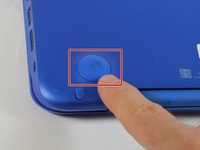
Use a pick to remove the two (2) large computer feet along the back edge of the device.
-
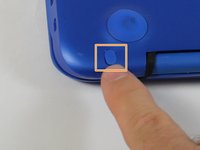
Use a pick to remove the two (2) small computer feet.
-
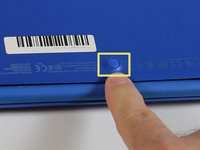
Use a pick to remove the one (1) screw cover.
-
Place rubber computer feet in safe place for reassembly.
-
-
Tool used on this step:Magnetic Project Mat$19.95
-
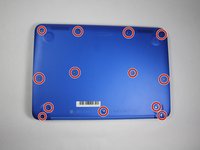
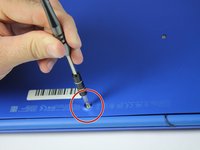
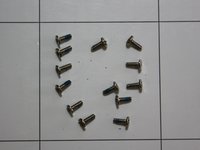
Remove the thirteen (13) Phillips P0 PM2.5x6.0 mm screws.
-
Place the thirteen (13) screws on magnetic mat for reassembly.
-
-
-
Turn the device over with the front facing towards you.
-
Open the device as shown.
-
-
-
-
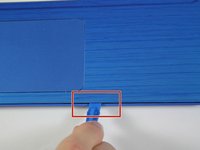
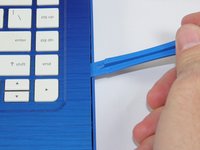
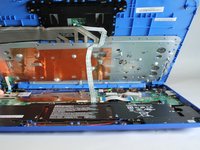
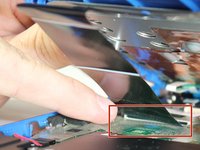
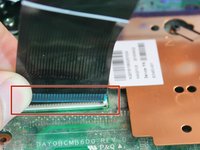
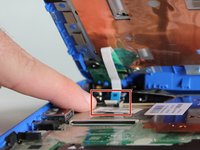
Insert the Spudger between the Top Cover and Bottom Cover to lift the front edge until it separates from the Bottom Cover.
-
-
-
-
-
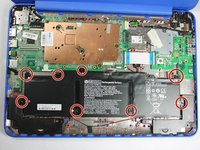
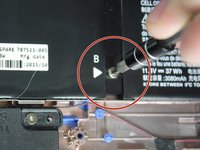
Remove eight (8) Phillips P0 PM2.0x3.0 mm screws from Battery assembly.
-
Place eight (8) screws on magnetic mat for reassembly.
-










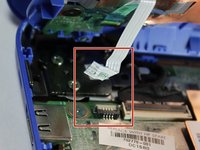


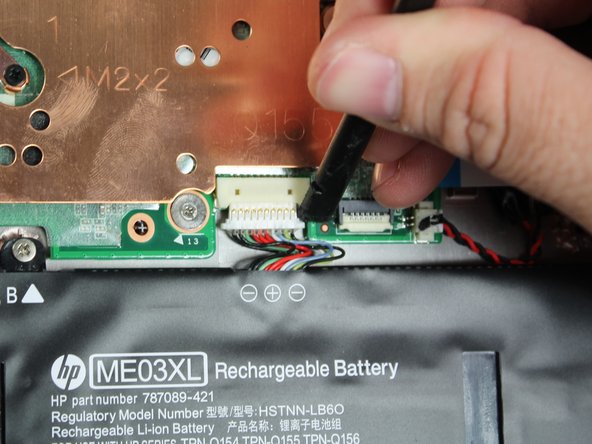



To reassemble your device, follow these instructions in reverse order.
Cancel: I did not complete this guide.
2 other people completed this guide.

Team

Appalachian State University, Team S1-G2, Menagarishvili Spring 2019 Member of Appalachian State University, Team S1-G2, Menagarishvili Spring 2019
APSU-MENAGARISHVILI-S19S1G2
4 Members
108 Guides authored
