
HP Spectre 13-3010dx Battery Replacement

Laurisa Titterud and 3 other contributors
Last updated on Mar 23, 2016
Views: 20K
View statistics:
- Past 24 Hours:
- 3
- Past 7 Days:
- 35
- Past 30 Days:
- 122
- All Time:
- 19,851
Comments: 5
1 comment on steps, 4 guide comments.
Go to guide commentsCompleted: 12 13
12 people have marked this guide "completed." Will you be next?
13 people have marked this guide "completed." Including you — great job!
Favorites: 2 3
2 people have favorited (and subscribed to) this guide. Will you be next?
3 people have favorited (and subscribed to) this guide — including you!
Featured Student Guide
This guide has been the hard work of our awesome students and is found to be exceptionally cool by the iFixit staff.
Introduction
Go to step 1 ↓Use the Back Case Removal Guide as a prerequisite to this guide. Make sure you are wearing the Anti-Static Wrist Strap to avoid damaging the electronics.
It is always a good idea to remove the battery before working on any other components, for the safety of you and your computer.
What you need
Tools


-
-
Tool used on this step:Anti-Static Wrist Strap$7.95
-
Put on Anti Static Wrist Strap.
-
Flip Computer Upside down.
-
Unscrew the eight 3.3mm black screws on the back casing with the T4 Torx Screwdriver.
 Ask FixBot
-
-
-
-
-
Remove the six 2.0mm silver screws and the two 3.2 mm black screws using the PH00 Phillips Screw Head.
-
-
-


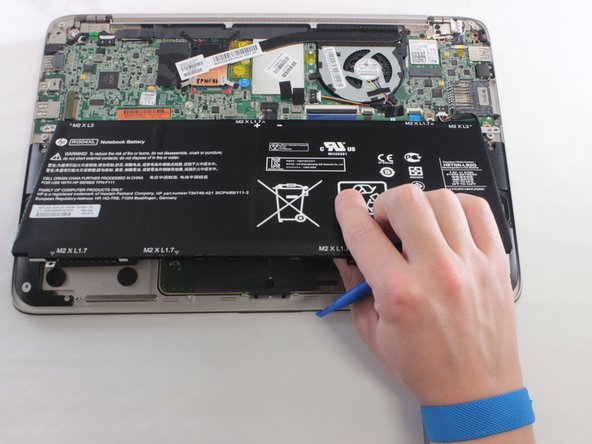
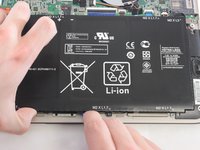
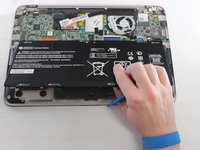
To reassemble your device, follow these instructions in reverse order.
Cancel: I did not complete this guide.
12 other people completed this guide.

Team

University of Wisconsin Stout, Team 1-2, Schneider-Bateman Spring 2016 Member of University of Wisconsin Stout, Team 1-2, Schneider-Bateman Spring 2016
UWSTOUT-SCHNEIDER-BATEMAN-S16S1G2
3 Members
72 Guides authored
4 Guide Comments
Good Job presenting the steps. I need to find a battery for my hp 13-3010dx ultrabook. Any ideas where one can be purchased.
Hi Dawson Wilke, the battery seems has two kinds of interface, I suggest you take out your old battery check the battery model and product parameter, such as voltage and current as well as the interface, then search the right battery from online store. If you confuse on it, I am here willing to help you.
Hi i did this found a battery online and did an installation of the replacement. Unfortunately it is not an original hp battery as none are available. However the issue I am having is that the new battery is not being detected. Any recommendations?
HP Spectre 13-3010dx Battery Replacement
