Free Shipping on Domestic Orders $75+

HP ProBook x360 11 G5 EE Keyboard Assembly Replacement

What you need

    1. HP ProBook x360 11 G5 EE Keyboard Assembly Replacement, Keyboard Assembly: step 1, image 1 of 3 HP ProBook x360 11 G5 EE Keyboard Assembly Replacement, Keyboard Assembly: step 1, image 2 of 3 HP ProBook x360 11 G5 EE Keyboard Assembly Replacement, Keyboard Assembly: step 1, image 3 of 3
      • Remove the 4.1 mm screws with a T5 Torx screwdriver.

      • Remove the 4.1 mm screws using a JIS #0 screwdriver.

      Ask FixBot

      Add Comment

    2. HP ProBook x360 11 G5 EE Keyboard Assembly Replacement: step 2, image 1 of 1
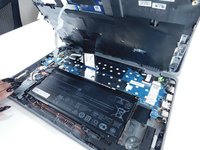
      • Use an opening pick to pry the corners of the keyboard deck.

      Ask FixBot

      Add Comment

    3. HP ProBook x360 11 G5 EE Keyboard Assembly Replacement: step 3, image 1 of 3 HP ProBook x360 11 G5 EE Keyboard Assembly Replacement: step 3, image 2 of 3 HP ProBook x360 11 G5 EE Keyboard Assembly Replacement: step 3, image 3 of 3
      • Use an opening pick or opening tool to pry around the sides of the keyboard assembly.

      Ask FixBot

      Add Comment

    4. HP ProBook x360 11 G5 EE Keyboard Assembly Replacement: step 4, image 1 of 3 HP ProBook x360 11 G5 EE Keyboard Assembly Replacement: step 4, image 2 of 3 HP ProBook x360 11 G5 EE Keyboard Assembly Replacement: step 4, image 3 of 3
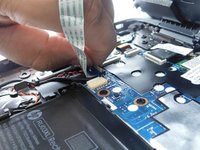
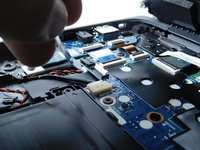
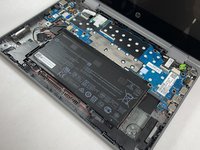
      • Lift the keyboard assembly to expose two ribbon cables.

      • Lift the two plastic tabs that hold the cables in place on the motherboard

      • Slide the ribbon cables out of each connector.

      Ask FixBot

      Add Comment

    5. HP ProBook x360 11 G5 EE Keyboard Assembly Replacement: step 5, image 1 of 2 HP ProBook x360 11 G5 EE Keyboard Assembly Replacement: step 5, image 2 of 2
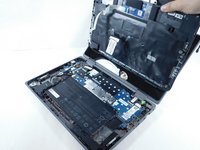
      • Remove the keyboard assembly from the rest of the computer.

      Ask FixBot

      Add Comment

Conclusion

To reassemble your device, follow these instructions in reverse order.

Cancel: I did not complete this guide.

3 other people completed this guide.

Kristen Gismondi

Member since: 11/12/14

108,497 Reputation

271 Guides authored

Team

iFixit Member of iFixit

Staff

123 Members

79,996 Guides authored

1 Guide Comment

Merci pour ce tuto, je n'aurais pas su par quel bout le prendre ;)

Pour remplacer le clavier défectueux, il semble qu'il faille remplacer le top complet.

Lionel Faure - Reply Share

Add Comment

View Statistics:

Past 24 Hours: 1

Past 7 Days: 15

Past 30 Days: 52

All Time: 2,268