Introduction
This guide will show you how to remove and replace your RAM on the HP ProBook 650 G3.
What you need
-
-
Use a Phillips screwdriver to remove the 10 screws from the bottom of the laptop.
-
Remove the cover and set it aside.
 Ask FixBot
-
-
-
-
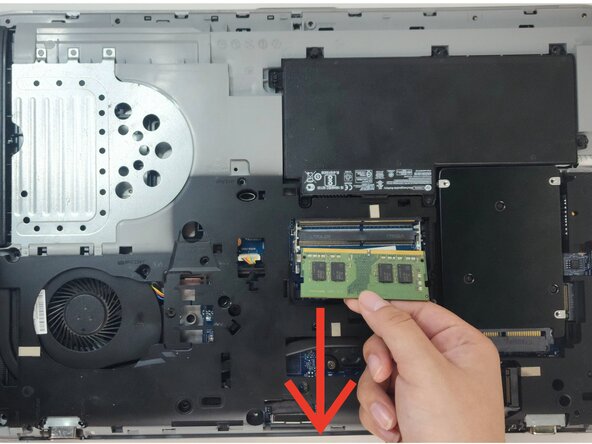
Press on the tabs on the side of the RAM, these hold it down.
-
Once the RAM is no longer held by the brackets, pull it out.
-




Conclusion
To reassemble your device, follow these instructions in reverse order. Take your e-waste to an R2 or e-Stewards certified recycler.

Team

Austin Community College, Team 49-3, Cox Spring 2026 Member of Austin Community College, Team 49-3, Cox Spring 2026
AUSTINCC-COX-S26S49G3
3 Members
2 Guides authored
