Introduction
If your HP ProBook 450 G4 is no longer able to play audio or video from a disk or if the video quality is poor, this indicates that there is a problem with your disk drive. This issue becomes more prevalent as your laptop ages and depending on how often you use your disk drive. We recommend replacing the disk drive to solve these issues. This guide is designed to help you safely and properly remove your laptop’s disk drive in an easy to follow way. Before beginning, make sure to power off your laptop and disconnect it from all power sources.
What you need
-
-
-
Flip the laptop over.
-
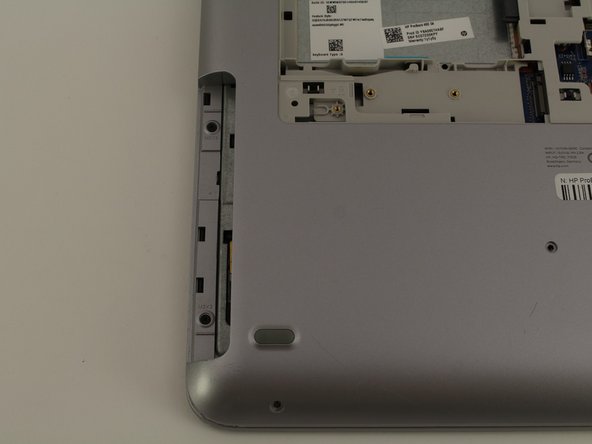
Orient the laptop so the two vents on the bottom face upward and are further away from you.
 Ask FixBot
-
-
-
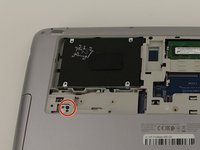
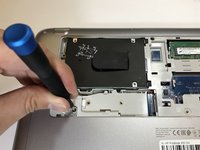
Use the Phillips #0 screwdriver to remove the 6.8 mm screw that secures the vent panel to the laptop.
-
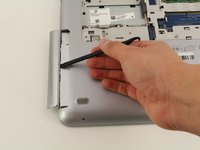
Use the spudger to separate the vent panel from the laptop.
-
Slide the vent panel off the backside of the laptop.
-
-
-
-
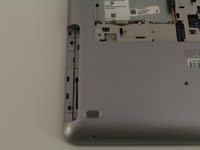
Use the Phillips #0 screwdriver to remove the black 3.2mm screw that secures the disk drive to the left side of the laptop.
-
-



To reassemble your device, follow these instructions in reverse order.
Cancel: I did not complete this guide.
One other person completed this guide.

Team

Cal Poly, Team S1-G3, White Winter 2020 Member of Cal Poly, Team S1-G3, White Winter 2020
CPSU-WHITE-W20S1G3
4 Members
72 Guides authored
