
HP ProBook 440 G9 Daughter Board Replacement

Joel and one other contributor
Last updated on Aug 15, 2024
Views: 963
View statistics:
- Past 24 Hours:
- 3
- Past 7 Days:
- 28
- Past 30 Days:
- 117
- All Time:
- 963
Comments: 0
No one has left comments on this guide. Will you be first?
Go to guide commentsCompleted: 0 1
No one has marked this guide "completed." Will you be the first?
1 person has marked this guide "completed." It's you — great job!
Favorites: 0 1
No one has favorited (and subscribed to) this guide. Will you be the first?
1 person has favorited (and subscribed to) this guide — and that's you!
Community-Contributed Guide
An awesome member of our community made this guide. It was not created by iFixit staff.
What you need
Tools


-
-
-
Use Phillips #01 screwdriver to unscrew all 6 threaded screws.
-
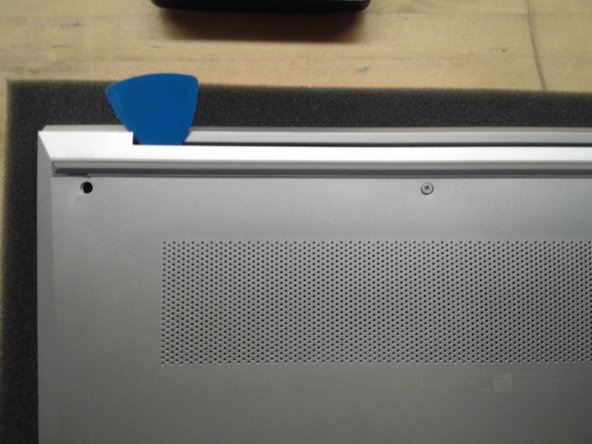
Use guitar pick tool to unclip the back cover all around the edges starting from the top.
 Ask FixBot
-
-
-
Remove all 4 screws from the battery.
-
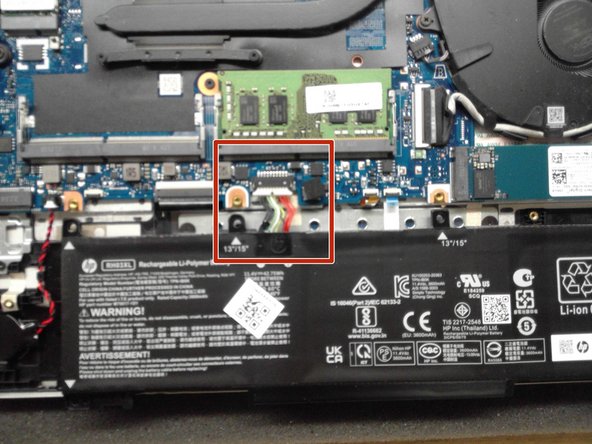
Disconnect the Battery Connector from the motherboard using the side tabs on the connector.
-
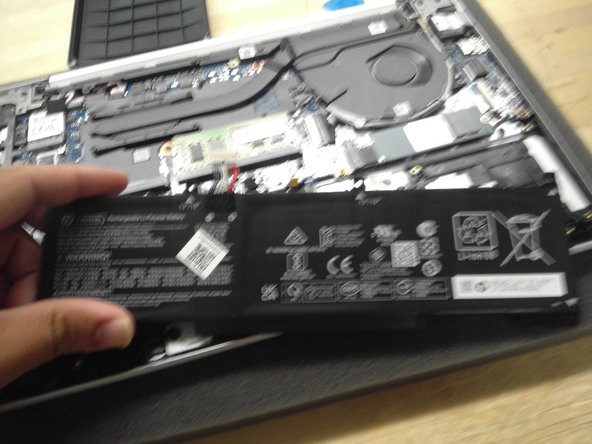
Remove the battery from the laptop.
-
-
-
-
-
Use Phillips #00 to remove screw from SSD.
-
Remove SSD from the SSD slot.
-
-
-
-
-
Remove ribbon cables from daughter board.
-
Use Phillips #01 screwdriver to remove 4 screws from daughter board.
-
Remove the Ethernet port piece and set to the side.
-
-
-
-
Use Phillips #01 screwdriver to remove 3 screws from hinge.
-
Lift the display hinge to release the daughter board.
-
Lift the daughter board on the left part of the board to detach from the laptop port cutouts.
-
-





To reassemble your device, follow these instructions in reverse order.

