Free Shipping on Domestic Orders $75+

HP ProBook 440 G1 Hard Disc Drive (HDD) Replacement

What you need

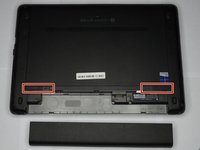
    1. HP ProBook 440 G1 Hard Disc Drive (HDD) Replacement, Battery: step 1, image 1 of 2 HP ProBook 440 G1 Hard Disc Drive (HDD) Replacement, Battery: step 1, image 2 of 2
      • Make sure the laptop is turned off before you start.

      • Push and hold the release tab on the right and left toward the center.

      Ask FixBot

      Add Comment

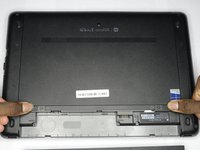
    2. HP ProBook 440 G1 Hard Disc Drive (HDD) Replacement: step 2, image 1 of 2 HP ProBook 440 G1 Hard Disc Drive (HDD) Replacement: step 2, image 2 of 2
      • Pull the battery out.

      Ask FixBot

      Add Comment

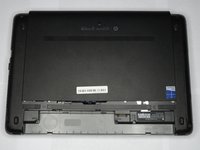
    1. HP ProBook 440 G1 Hard Disc Drive (HDD) Replacement, Backplate: step 3, image 1 of 3 HP ProBook 440 G1 Hard Disc Drive (HDD) Replacement, Backplate: step 3, image 2 of 3 HP ProBook 440 G1 Hard Disc Drive (HDD) Replacement, Backplate: step 3, image 3 of 3
      • Push and hold the release tabs on the right and left toward the center again.

      Ask FixBot

      Add Comment

    2. HP ProBook 440 G1 Hard Disc Drive (HDD) Replacement: step 4, image 1 of 1
      • Slide the backplate off.

      Ask FixBot

      Add Comment

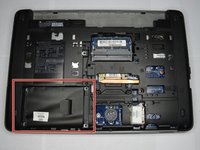
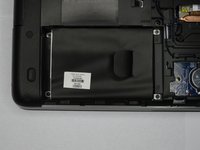
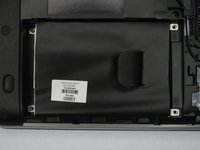
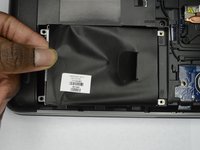
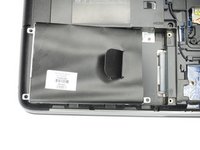
    1. HP ProBook 440 G1 Hard Disc Drive (HDD) Replacement, Hard Disc Drive (HDD): step 5, image 1 of 2 HP ProBook 440 G1 Hard Disc Drive (HDD) Replacement, Hard Disc Drive (HDD): step 5, image 2 of 2
      • Locate the hard drive, opposite the battery across from the wireless card.

      Ask FixBot

      Add Comment

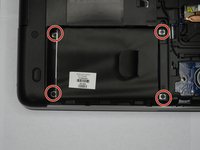
    2. HP ProBook 440 G1 Hard Disc Drive (HDD) Replacement: step 6, image 1 of 3 HP ProBook 440 G1 Hard Disc Drive (HDD) Replacement: step 6, image 2 of 3 HP ProBook 440 G1 Hard Disc Drive (HDD) Replacement: step 6, image 3 of 3
      • Remove all four Phillips #00 screws that hold the hard drive in place.

      Ask FixBot

      Add Comment

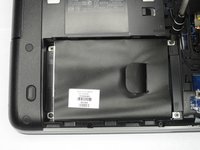
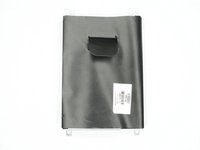
    3. HP ProBook 440 G1 Hard Disc Drive (HDD) Replacement: step 7, image 1 of 3 HP ProBook 440 G1 Hard Disc Drive (HDD) Replacement: step 7, image 2 of 3 HP ProBook 440 G1 Hard Disc Drive (HDD) Replacement: step 7, image 3 of 3
      • Lift up on the outer part of the hard drive.

      • Pull the hard drive out.

      Ask FixBot

      Add Comment

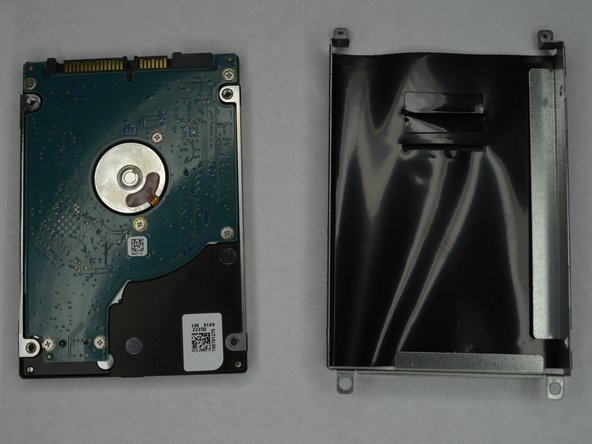
    4. HP ProBook 440 G1 Hard Disc Drive (HDD) Replacement: step 8, image 1 of 2 HP ProBook 440 G1 Hard Disc Drive (HDD) Replacement: step 8, image 2 of 2
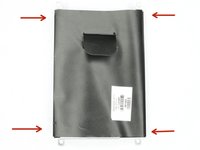
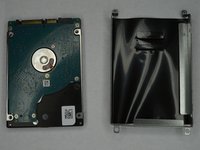
      • Remove the four Phillips #00 screws holding the HDD in the HDD cover.

      • The HDD should slide out after all screws are removed.

      Ask FixBot

      Add Comment

Conclusion

To reassemble your device, follow these instructions in reverse order.

Cancel: I did not complete this guide.

One other person completed this guide.

0 Guide Comments

Add Comment

View Statistics:

Past 24 Hours: 2

Past 7 Days: 17

Past 30 Days: 54

All Time: 5,040