Free Shipping on Domestic Orders $75+

HP ProBook 430 G3 RAM Replacement

What you need

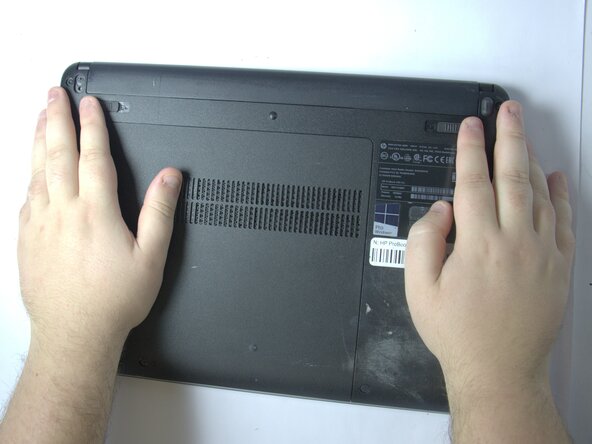
    1. HP ProBook 430 G3 RAM Replacement, Battery: step 1, image 1 of 1
      • Position the laptop upside down.

      Ask FixBot

      Add Comment

    2. HP ProBook 430 G3 RAM Replacement: step 2, image 1 of 1
      • Slide the two battery latches inward.

      Ask FixBot

      Add Comment

    3. HP ProBook 430 G3 RAM Replacement: step 3, image 1 of 1
      • Remove the battery.

      Ask FixBot

      Add Comment

    1. HP ProBook 430 G3 RAM Replacement, Service Panel: step 4, image 1 of 1
      • Remove the rubber caps covering the screws.

      Ask FixBot

      Add Comment

    2. HP ProBook 430 G3 RAM Replacement: step 5, image 1 of 1
      • Loosen the captive screw.

      Ask FixBot

      Add Comment

    3. HP ProBook 430 G3 RAM Replacement: step 6, image 1 of 1
      • Slide the panel toward yourself and off of the laptop.

      Ask FixBot

      Add Comment

    1. HP ProBook 430 G3 RAM Replacement, RAM: step 7, image 1 of 1
      • Spread the metal tabs on each side of the memory module outwards.

      Ask FixBot

      Add Comment

    2. HP ProBook 430 G3 RAM Replacement: step 8, image 1 of 1
      • Pull up and slide the memory module away at an angle to remove it.

      Ask FixBot

      Add Comment

Conclusion

To reassemble your device, follow these instructions in reverse order.

Cancel: I did not complete this guide.

Evan McWhinnie

Member since: 11/04/25

85 Reputation

1 Guide authored

Team

UMass Dartmouth, Team 4-1, Biswokarma Fall 2025 Member of UMass Dartmouth, Team 4-1, Biswokarma Fall 2025

UMASSD-BISWOKARMA-F25S4G1

5 Members

48 Guides authored

0 Guide Comments

Add Comment

View Statistics:

Past 24 Hours: 0

Past 7 Days: 4

Past 30 Days: 26

All Time: 144