Free Shipping on Domestic Orders $75+

HP ProBook 430 G3 Hard Drive Replacement

What you need

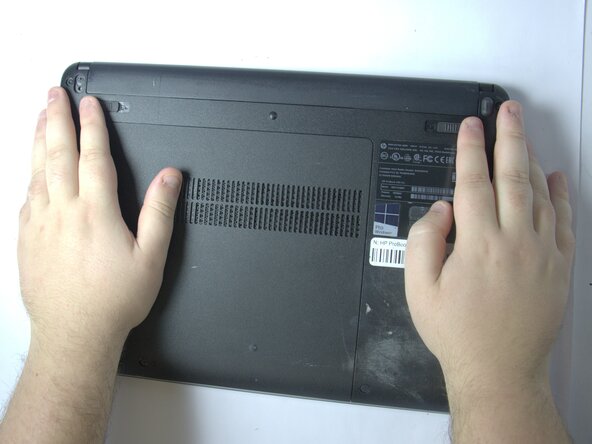
  1. HP ProBook 430 G3 Hard Drive Replacement, Battery: step 1, image 1 of 1
    • Position the laptop upside down.

  2. HP ProBook 430 G3 Hard Drive Replacement: step 2, image 1 of 1
    • Slide the two battery latches inward.

  3. HP ProBook 430 G3 Hard Drive Replacement: step 3, image 1 of 1
    • Remove the battery.

  4. HP ProBook 430 G3 Hard Drive Replacement, Service Panel: step 4, image 1 of 1
    • Remove the rubber caps covering the screws.

  5. HP ProBook 430 G3 Hard Drive Replacement: step 5, image 1 of 1
    • Loosen the captive screw.

  6. HP ProBook 430 G3 Hard Drive Replacement: step 6, image 1 of 1
    • Slide the panel toward yourself and off of the laptop.

  7. HP ProBook 430 G3 Hard Drive Replacement, Hard Drive: step 7, image 1 of 2 HP ProBook 430 G3 Hard Drive Replacement, Hard Drive: step 7, image 2 of 2
    • Pull up the white paper from the hard drive.

    • Slide the hard drive away from the connector.

Conclusion

To reassemble your device, follow these instructions in reverse order.

Cole Whitehead

Member since: 11/04/25

73 Reputation

1 Guide authored

Team

0 Guide Comments

Add Comment

View Statistics:

Past 24 Hours: 3

Past 7 Days: 11

Past 30 Days: 32

All Time: 114