
HP Photosmart c3180 Scanner Glass Replacement

Last updated on Nov 24, 2025
Views: 4.5K
View statistics:
- Past 24 Hours:
- 2
- Past 7 Days:
- 25
- Past 30 Days:
- 103
- All Time:
- 4,468
Comments: 3
2 comments on steps, 1 guide comment.
Go to guide commentsCompleted: 2 3
2 people have marked this guide "completed." Will you be next?
3 people have marked this guide "completed." Including you — great job!
Favorites: 1 2
1 person has favorited (and subscribed to) this guide. Will you be next?
2 people have favorited (and subscribed to) this guide — including you!
Introduction
Go to step 1 ↓If your HP Photosmart C3180 printer keeps producing scans that result in streaks, smudging, lines that are not cleanable, or if your scanner's glass is cracked, you're in need of a replacement. If the glass is damaged the quality of all scanned and copied documents is going to be significantly worse. The following guide gives detailed instructions on how to remove a damaged scanner glass, and replace it with a new one. Thus, restoring full functionality to your printer. Please make sure that your printer is unplugged before beginning any repairs!
What you need
Tools
-
Spudger4.9


-
-
-
Rotate the printer 90 degrees counter clockwise so that the side panel next to control panel is facing you.
-
Remove the two T10 12mm Torx screws from the left side panel.
 Ask FixBot
-
-
-
Firmly pull the the back of the side panel until it separates from the body of the printer.
-
Rotate the side panel upwards while pulling it towards yourself to remove the panel.
-
-
-
Rotate the printer 90 degrees clockwise.
-
Grasp the paper tray and rotate it down.
-
Insert your fingers into the slot in the printer door and pull to rotate the gate down.
-
-
-
Rotate the printer 90 degrees clockwise.
-
Remove the two T10 12 mm Torx screws.
-
Grasp both sides of the side panel and pull it forward to remove the panel.
-
-
-
-
Rotate the printer 90 degrees counter clockwise.
-
Lift the scanner lid to expose the scanner glass.
-
-
-
Rotate the printer 90 degrees counter clockwise.
-
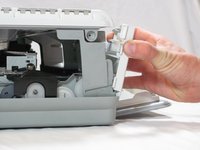
Inside the printer is a small white tab. Press it inward with a spudger until a pop is heard.
-
Remove the front panel by grasping its front and pulling away from the printer.
-
-
-
Rotate the printer 90 degrees clockwise.
-
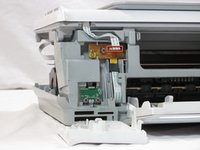
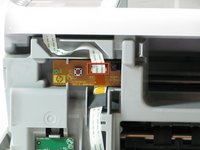
Remove the cable connecting the top panel of the printer to the power button assembly.
-
-
-
-
-
Set aside the printer body.
-
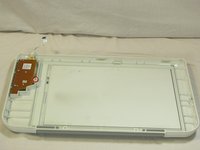
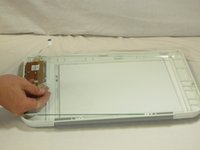
Unscrew the T10 12 mm Torx screw.
-
Remove the plastic tab holding the glass in place.
-
-
-
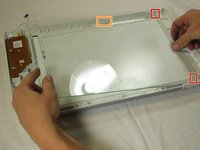
Slide the new panel of glass in to the tabs on the right side of the top panel.
-
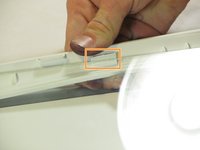
Place your thumb on top of the tab at the top of the panel. Grip the outside edge of the panel and roll outward, allowing the scanner glass panel to fall into place.
-
-
-
Reattach the plastic piece which holds the scanner glass down and the 2.74 mm Torx screw.
-
-


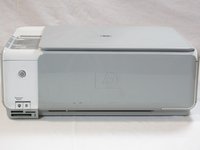


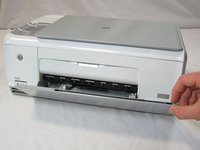
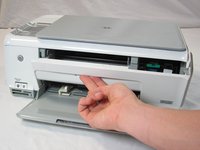


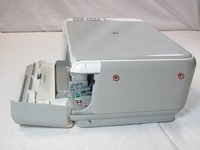
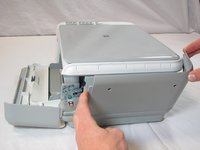


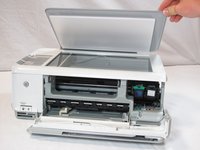
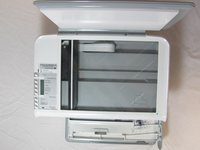


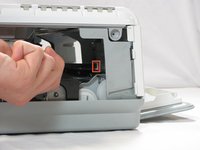







To reassemble your device after replacing the glass, follow these instructions starting from the removal of the top panel in reverse order.
Cancel: I did not complete this guide.
2 other people completed this guide.

Team

Cal Poly, Team 20-30, Maness Fall 2011 Member of Cal Poly, Team 20-30, Maness Fall 2011
CPSU-MANESS-F11S20G30
4 Members
120 Guides authored
1 Guide Comment
If I hadn't already taken mine all the way apart to clean it up good this is all I needed to do to start off with. Good direction step by step. Thanks
