
HP Photosmart M547 Screen Replacement

Jason Curran and 4 other contributors
Last updated on May 30, 2019
Views: 1.8K
View statistics:
- Past 24 Hours:
- 2
- Past 7 Days:
- 21
- Past 30 Days:
- 105
- All Time:
- 1,822
Comments: 2
2 comments on steps.
Completed: 1 2
1 person has marked this guide "completed." Will you be next?
2 people have marked this guide "completed." Including you — great job!
Favorites: 1 2
1 person has favorited (and subscribed to) this guide. Will you be next?
2 people have favorited (and subscribed to) this guide — including you!
Introduction
Go to step 1 ↓This guide will show you how to replace the screen on a HP Photosmart M547 in order to fix your device.
What you need
Tools

-
-
-
Remove the five 5mm screws from the bottom of the camera with a PH00 screwdriver.
-
-
-
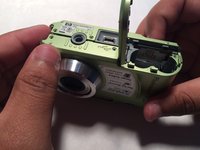
Pop the silver siding off of the camera. Proceed carefully as to not break the plastic.
-
-
-
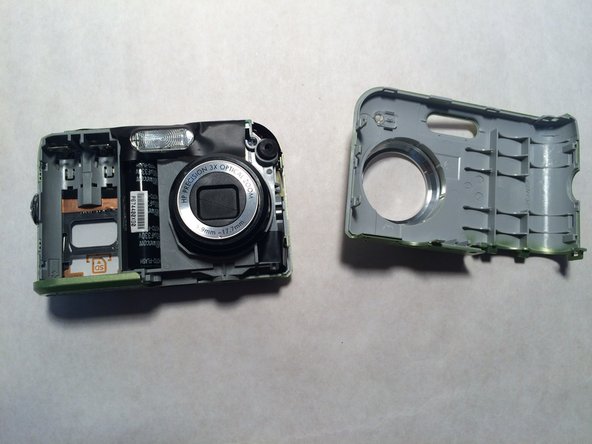
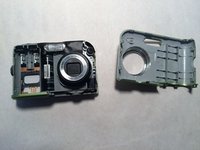
Make sure that the siding is fully removed and the battery dock is open. Carefully pry the top off of the camera.
-
-
-
Approach from the front of the camera, make sure that the black/red wires as not covering the screw.
-
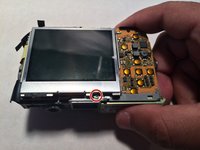
Carefully remove the black 5mm screw from the camera with a PH00 screwdriver.
-
-
-
-
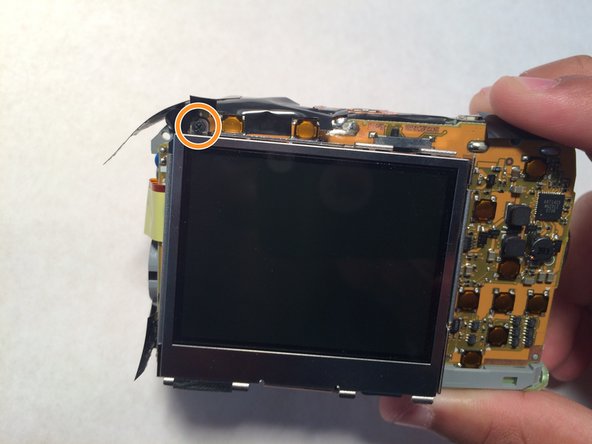
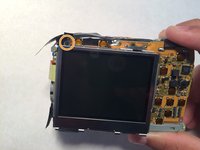
Look for the silver 5mm screw connecting the screen to the circuit board. Then carefully remove it using a PH00 screwdriver.
-
On the opposite corner of the screen there is a similar screw. Carefully remove that one as well.
-
-
-
To remove this connection, you must lift the black bar at the base of the ribbon wire (on the circuit board), then slide the ribbon wire out.
-
-
-
Congratulations! You have removed the screen, you can now replace it and reassemble your camera.
-


 Ask FixBot






To reassemble your device, follow these instructions in reverse order.
Cancel: I did not complete this guide.
One other person completed this guide.

Team

Central Coast New Tech High, Team 5-8, Rushing Spring 2017 Member of Central Coast New Tech High, Team 5-8, Rushing Spring 2017
CCNTH-RUSHING-S17S5G8
2 Members
12 Guides authored
