
HP Pavillion dm1-3010nr Keyboard Replacement

Rosalia Olga Dupont Ayala and 3 other contributors
Last updated on May 24, 2019
Views: 1K
View statistics:
- Past 24 Hours:
- 2
- Past 7 Days:
- 15
- Past 30 Days:
- 70
- All Time:
- 1,040
Comments: 0
No one has left comments on this guide. Will you be first?
Go to guide commentsCompleted: 0 1
No one has marked this guide "completed." Will you be the first?
1 person has marked this guide "completed." It's you — great job!
Favorites: 0 1
No one has favorited (and subscribed to) this guide. Will you be the first?
1 person has favorited (and subscribed to) this guide — and that's you!
Introduction
Go to step 1 ↓If you are having difficulties with your keyboard registering input, you may want to replace your keyboard.
What you need
Tools
-
Spudger4.9


-
-
-
Flip the device over, so that the bottom cover is exposed.
-
Slide the black locking mechanism into its unlock position.
 Ask FixBot
-
-
-
-
-
Remove the black bottom cover by using your fingernails or a thin flat tool.
-
-
-
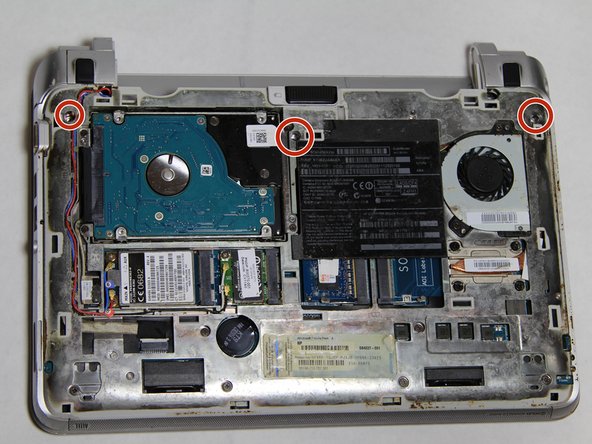
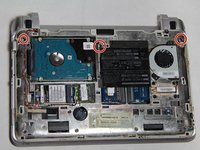
Use the Phillips #0 screwdriver to remove three 5mm screws securing the keyboard.
-
The screws to be removed are circled in red in the picture provided.
-
Make sure to place the screws somewhere safe like on top of a magnet.
-
-
-
-
Flip the laptop so that they keyboard is facing you.
-
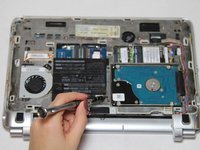
Use a thin and flat metal to carefully lift up the top side of the keyboard and separate it from the top cover.
-
-
-
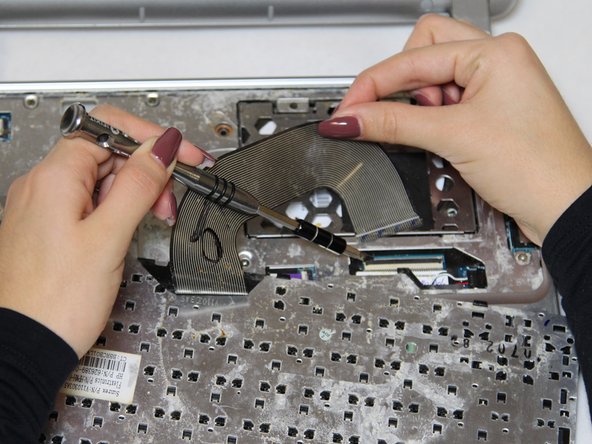
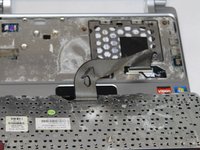
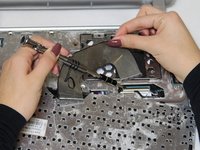
Now you will see the keyboard cable connector attached to a locking tab.
-
Lift up the locking tab with a thin and flat screwdriver or your fingernail.
-
The locking tab will open up at a 90 degree angle.
-
Pull the keyboard cable from the connector.
-
-




To reassemble your device, follow these instructions in reverse order.

Team

UC Davis, Team S7-G1, Lore Fall 2018 Member of UC Davis, Team S7-G1, Lore Fall 2018
UCD-LORE-F18S7G1
3 Members
48 Guides authored
