Introduction
If your computer has a jammed key on the keyboard, within this guide you will find quick and easy directions on how to resolve the issue.
What you need
-
-
-
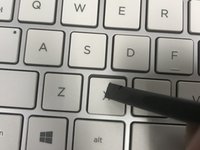
Use a screwdriver or other flat instrument to get under the key, and pull up slightly on one of the edges.
 Ask FixBot
-
-
-
Tool used on this step:Tweezers$4.99
-
Clear out any obstructions or crumbs that are jamming the key or the hinges underneath.
-
You may use a Q-tip, toothpick, or tweezers.
-
-
-
Use the flat screw to put the key back into place.
-
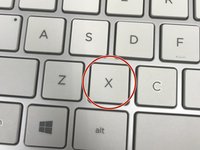
Gently press the key down. It should snap back into place
-
-


Finish Line

Team

University of North Texas, Team S7-G1, Thomas Fall 2017 Member of University of North Texas, Team S7-G1, Thomas Fall 2017
UNT-THOMAS-F17S7G1
4 Members
48 Guides authored
