Introduction
The mainboard (also called motherboard, system board, main circuit board, etc.) is the part of a computer that allows for the connection and communication between the many other components. Mainboards are usually flat and green, and have important components like the CPU, memory, and peripherals attached. A damaged or malfunctioning mainboard’s common symptoms are failure to boot, blue screen errors, randomly freezing, screen or audio failure, connected devices failure, and hardware failure.
If your HP Pavilion x2 10-n113dx laptop is experiencing these symptoms, this is a good time to replace its mainboard. This guide provides a walk-through of the steps needed to expose the mainboard to replace it with a new one.
There is no specific training required before executing the guide. Please turn off your laptop before starting and be careful when doing each step to avoid any damages to other electronic parts. Make sure you have all the necessary tools and 15 to 20 minutes to get this done.
What you need
-
-
-
Using the blue plastic opening tool or a flat bladed tool, carefully slide the blade in between the display panel and gently slide to prop open the assembly.
 Ask FixBot
-
-
-
Gently lift and remove the display panel from the assembly.
-
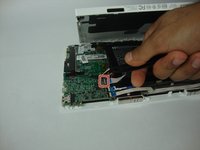
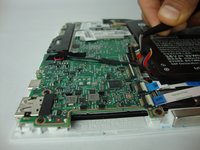
Remove the translucent yellow tape that covers the battery connector on the mainboard.
-
-
-
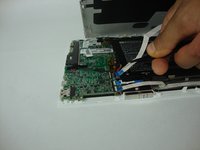
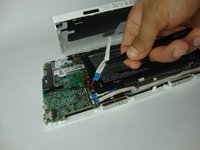
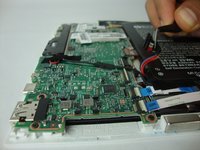
Flip up the small white colored locking flap using the tip of a spudger or your fingernail. Then the ribbon cable can be removed easily without much effort.
-
Carefully disconnect the white ribbon cable from the mainboard.
-
-
-
-
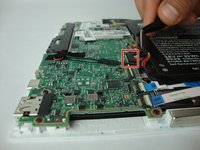
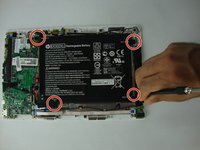
Using the Phillips #0 screwdriver, carefully remove the 4 corner screws that hold the battery to the display panel.
-
Remove the battery from the device.
-
-
-
-
-
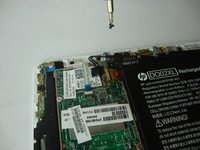
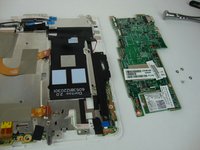
To unscrew the mainboard use the Phillips #0 Screwdriver to remove two types of screws. Three 4.15mm head, 2.35mm in length screws and three 3.32mm head, 3.99mm in length screws
-
-






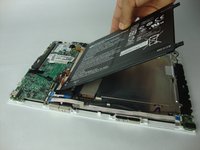


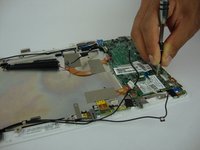
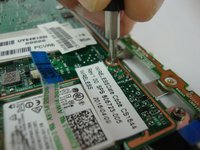
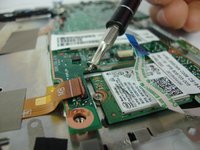

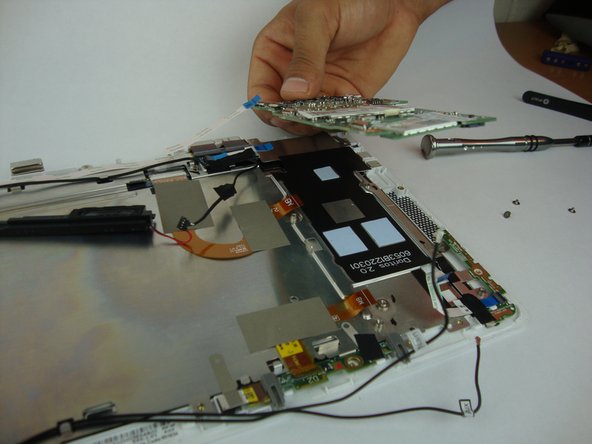
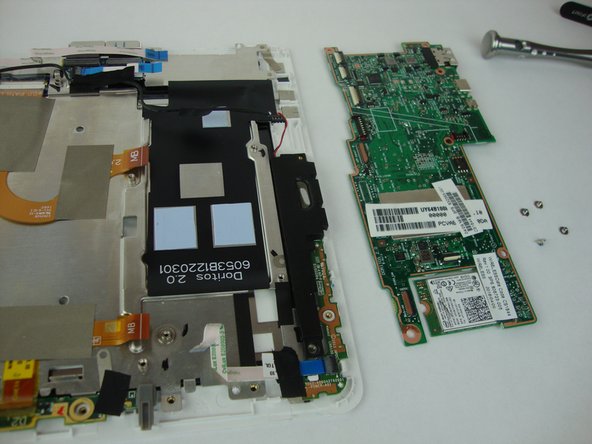
To reassemble your device, follow these instructions in reverse order.
Cancel: I did not complete this guide.
4 other people completed this guide.

Team

USF Tampa, Team S13-G4, Boczar Fall 2017 Member of USF Tampa, Team S13-G4, Boczar Fall 2017
USFT-BOCZAR-F17S13G4
4 Members
60 Guides authored
5 Guide Comments
Is this about the WiFi card? Because I cant see the SSD in any of your pictures.
So, where is the SSD? You’ve taken apart the whole logic board, but not evidence of any SSD module from your photos….
has anyone figured out where is the SSD (eMMC) by the way ?
Do you happen to know how to reset the BIOS on this board if it does not boot?
