
HP Pavilion g7-1365dx RAM Replacement

Rafal Szmyd and 2 other contributors
Last updated on May 30, 2019
Views: 695
View statistics:
- Past 24 Hours:
- 1
- Past 7 Days:
- 20
- Past 30 Days:
- 77
- All Time:
- 695
Comments: 0
No one has left comments on this guide. Will you be first?
Go to guide commentsCompleted: 1 2
1 person has marked this guide "completed." Will you be next?
2 people have marked this guide "completed." Including you — great job!
Favorites: 0 1
No one has favorited (and subscribed to) this guide. Will you be the first?
1 person has favorited (and subscribed to) this guide — and that's you!
Introduction
Go to step 1 ↓This guide will give step by step instructions on how to remove and replace a Memory Module in an HP Pavilion g7-1365dx. Use this guide if you're having issues with not enough RAM or a faulty RAM stick which could cause the laptop to be slow, frozen, or have no screen display.
What you need
Tools


-
-
-
Flip the laptop so that it is upside down and opens away from you. This exposes the battery, it will be centered at the bottom of the laptop .
-
Push the switch above the battery towards the center of the laptop .
 Ask FixBot
-
-
-
While pushing the switch, lift the battery by the side closest to the switch up and away from the laptop.
-
-
-
-
-
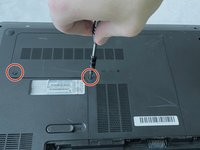
Using a Phillips size 0 screwdriver, unscrew the 2 Phillips screws.
-
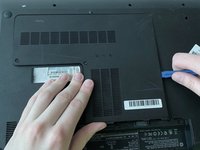
Use the opening tool around the edges of the service door to loosen it and remove it.
-
-
-
-
-
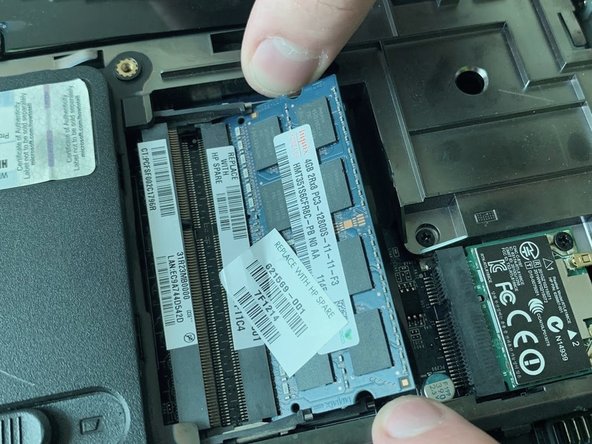
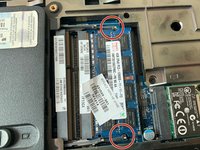
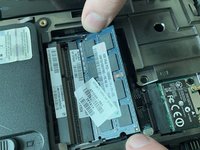
Use your fingers to simultaneously pull apart both tabs holding the module.
-
-
-




To reassemble your device, follow these instructions in reverse order.
Cancel: I did not complete this guide.
One other person completed this guide.

Team

UMass Dartmouth, Team S1-G1, Simcock Spring 2019 Member of UMass Dartmouth, Team S1-G1, Simcock Spring 2019
UMASSD-SIMCOCK-S19S1G1
4 Members
96 Guides authored
