Introduction
Is your key stuck sometimes, are you missing any key caps or is the keyboard unresponsive in general? Replacing your keyboard may solve these problems and render your laptop usable again.
What you need
-
-
-
-
Remove fifteen 7.0mm PH0 screws.
-
Remove five silver 4.0mm PH 0 screws inside the cavity for the battery.
-
-
-
-
-
-
Gently lift the plastic panel on the top of the laptop at the divide until the two ribbon cables and cable leads are visible with their ports on left side on laptop.
-
-
-
Gently pull on the 2 ribbon cables until they detach from the computer.
-
Unplug cables connecting the top keyboard assembly and computer body.
-
-
-
The top of the keyboard should be exposed enough to unclip and slide the keyboard out from the clips near the trackpad on the laptop.
-
Gently pull the flat black cable toward the monitor to remove the cable from the motherboard, freeing the keyboard.
-
-
-
Insert new keyboard by sliding it into place of original keyboard and clipping into place near top of trackpad.
-
-

 Ask FixBot


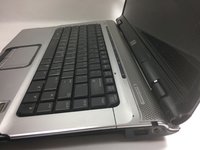
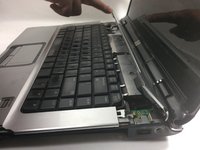


To reassemble your device, follow these instructions in reverse order.
Cancel: I did not complete this guide.
One other person completed this guide.

Team

UMass Dartmouth, Team 1-6, Catania Fall 2016 Member of UMass Dartmouth, Team 1-6, Catania Fall 2016
UMASSD-CATANIA-F16S1G6
3 Members
84 Guides authored
1 Guide Comment
Je constate que régulièrement, il n’est pas mentionné de se décharger de son électricité statique. En dehors de tout équimement spécifique, il suffit, par exemple de toucher le bouton de purge d’un radiateur de chauffage central ou la fiche “terre” d’une prise 2 + T
